You’re here because QuickMail isn’t doing exactly what you need.
Maybe your follow-ups aren’t firing when someone replies.
Maybe you can't tell which emails are bouncing.
Maybe you want better control over inbox placement, without guessing.
We’ve been there too.
QuickMail is good, but it’s not perfect.
So if you’re starting to feel the limits, or just want something that fits you better, you’re in the right place.
This image shows the G2 user review mentioning QuickMail can be difficult to set up initially for non-technical teams, but praises its responsive and helpful customer support.
We’re going to walk you through the best QuickMail alternatives for cold outreach, what works, what’s missing, and what actually helps you get more replies.
Let’s make your outreach better.
TL;DR — Best QuickMail Alternatives
QuickMail – Reliable for email and LinkedIn outreach, but still requires a lot of manual setup.
Salesforge – The best QuickMail alternative if you want everything in one place, sending, warm-up, deliverability, and AI automation.
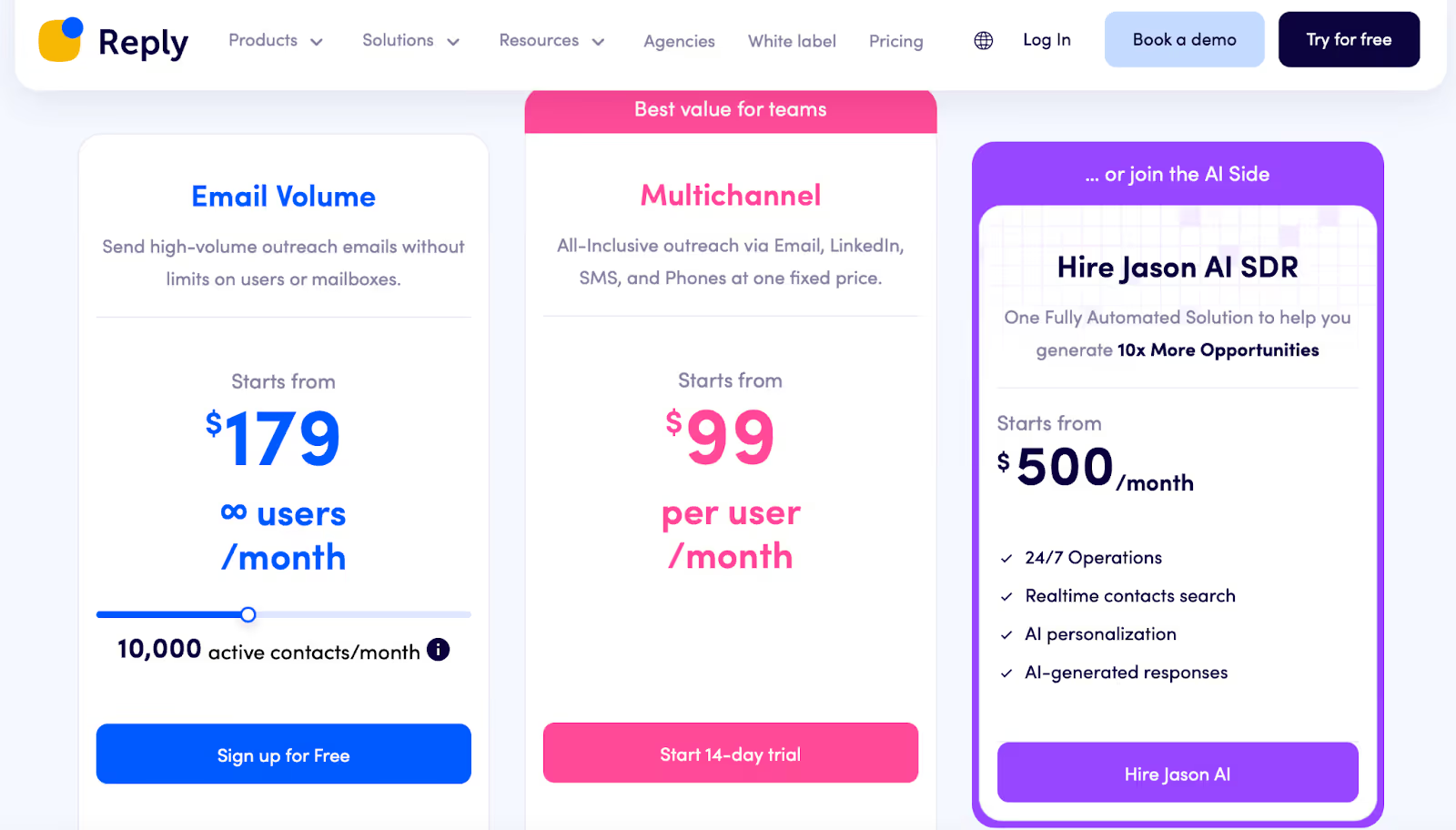
Reply.io – Great if you need advanced automation across email, LinkedIn, SMS, and calls.
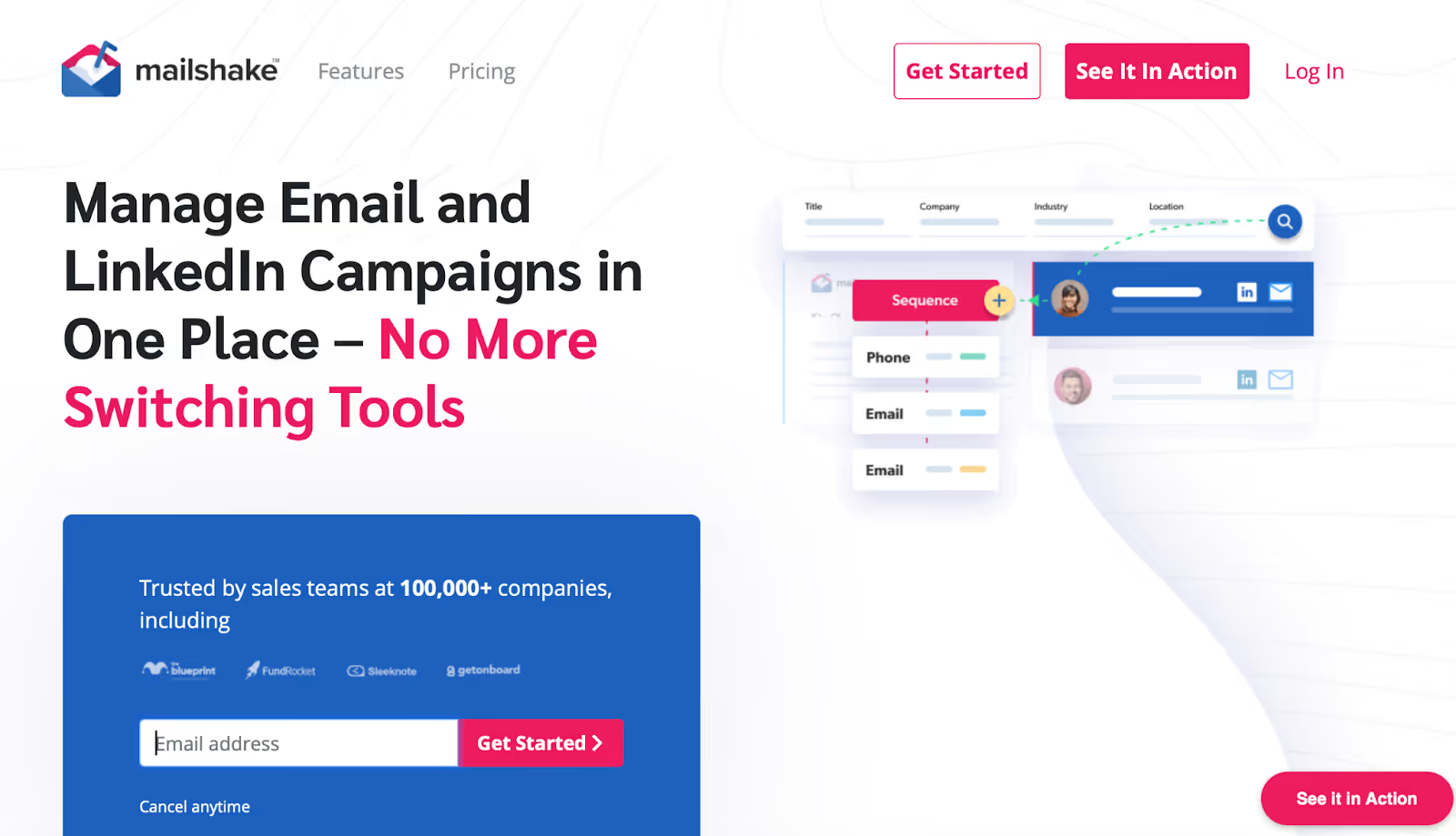
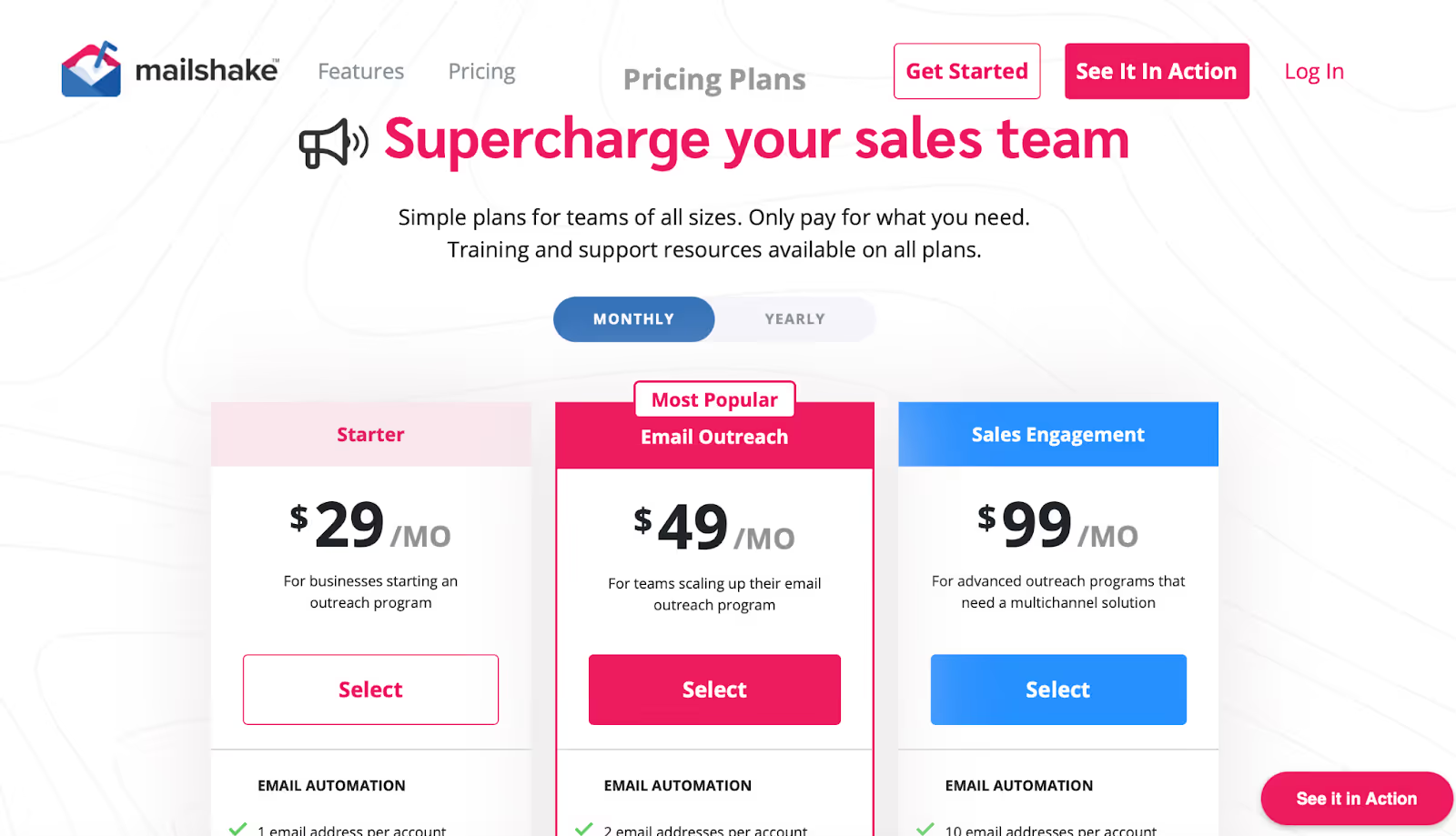
Mailshake – Easiest to use for cold email outreach; simple setup, fast results, and solid deliverability.
Lemlist – Best for creative outreach with personalized images, videos, and multi-channel campaigns.
Saleshandy – Affordable, easy to scale, and perfect for teams that want unlimited mailboxes with good deliverability.
Why You Might Need a QuickMail Alternative?
This image shows the G2 user review noting that QuickMail’s only downside is its learning curve, as new users may take time to get used to automation and campaign management features.
You can’t see the real bounce rate vs delivery rate clearly.
This image shows the G2 user review highlighting QuickMail’s issues with unclear bounce vs. delivery metrics and occasional inaccuracies in follow-up sequencing.
With QuickMail, you’re using their content on bounces and deliverability, but some reviewers say they still don’t know the % of emails delivered vs bounced by ESP.
Your reply triggers don’t always kick the right follow-up sequence.
Research says that while QuickMail supports AI-based triggers (reply sentiment, follow-up logic).
Users report that in practice “the ability of the platform to ‘get it right’ based on replies to then initiate a second series of emails is sometimes not correct.”
Your metrics feel off or delayed so you’re not sure what to act on.
QuickMail intentionally delays open/click tracking to avoid spam filter noise.
But you might feel you’re not getting real-time visibility to act fast.
Your deliverability tools feel limited for the volume or risk you’re taking.
Though QuickMail offers inbound rotation, auto-warm up and deliverability focus, some teams feel they need more control, more sender accounts, more automation around warm-up, or deeper analytics.
Your workflow or scale is becoming too complex for what’s comfortable.
Maybe you’re managing many inboxes, many senders, or linking to LinkedIn and calls, and you find the UI or setup in QuickMail unfamiliar or hard to scale smoothly.
How We Evaluated These QuickMail Alternatives?
Here’s what we looked at:
Inbox placement.
We checked if emails landed in inbox or spam. QuickMail’s deliverability is good, so we only kept tools that did better.
Follow-up logic.
We paid attention to how each tool handled replies.
Some fix what QuickMail struggles with, like triggering the next step when someone answers.
Bounce and delivery data.
We wanted tools that clearly show how many emails bounced, not just how many were sent.
Speed and setup.
We timed how long it took to connect domains, warm up inboxes, and launch the first campaign.
Ease of use.
If a tool took too long to learn, it didn’t make sense as a QuickMail alternative.
Pricing value.
We compared what you get for the same budget, more senders, warm-up, or AI features for less money.
That’s how we picked the QuickMail alternatives that actually make cold outreach smoother, not harder.
The 5 Best QuickMail Alternatives for Cold Outreach
Feature ⚙️
QuickMail 📨
Salesforge 🚀
Reply.io 🤖
Mailshake 💌
Lemlist 🎯
Saleshandy 🧰
Best For
Manual but reliable email + LinkedIn outreach
All-in-one multi-channel outreach
AI-driven multi-channel automation
Simple cold email setup
Visual personalization & multichannel
Affordable cold email scaling
Channels
Email + LinkedIn
Email + LinkedIn
Email + LinkedIn + SMS + Calls
Email (+ LinkedIn optional)
Email + LinkedIn + WhatsApp + Calls
Email only
Warm-Up
✅ MailFlow (built-in)
✅ Warmforge (built-in)
✅ Built-in warm-up & deliverability suite
✅ Included
✅ Lemwarm (built-in)
🔸 TrulyInbox (partnered)
Deliverability
🧠 Smart Sending + AI rotation
💪 Primebox™ + Warmforge + IP rotation
⚙️ Smart Delivery Suite
👍 Stable warm-up
💡 Lemwarm scoring + AI deliverability
👍 Dynamic IP + Sender rotation
AI Features
✍️ Reword with AI (basic rewrite)
🤖 Agent Frank (AI SDR)
🤖 Jason AI (auto-replies + writing)
💬 SHAKESpeare AI Writer
🎨 AI personalization (images, videos)
🧩 AI sequence generator & variants
Lead Database
❌ Bring your own leads
✅ Built-in via Leadsforge
✅ Built-in search + intent data
✅ Data Finder add-on
✅ 600M+ contacts built-in
✅ Lead Finder credits
Integrations
🔌 Zapier + API
🔌 HubSpot, Salesforce, Pipedrive
🔌 HubSpot, Salesforce, Pipedrive
🔌 HubSpot, Salesforce
🔌 HubSpot, Aircall, Salesforce
🔸 Basic API + Webhooks
Ease of Use
😐 Moderate (manual setup)
😎 Smooth & automated
😬 Steep learning curve
😊 Very beginner-friendly
🙂 Medium (visual-heavy)
😎 Simple for teams
Pricing (Starting)
💰 $9/mo (Starter)
💰 $48/mo (Pro)
💰 $99/mo (Multichannel)
💰 $29/mo (Starter)
💰 $69/mo (Email Pro)
💰 $36/mo (Starter)
Scalability
🔸 Up to 300K emails/month
🚀 Unlimited mailboxes
🚀 Enterprise-level automation
💼 SMB-friendly scale
🚀 Multi-channel teams
🚀 Agency-level scaling
Support
💬 Email & Docs
⚡ Live chat + onboarding
💬 Chat + training calls
💬 Fast support
💬 Account manager
💬 Responsive human team
Free Trial
❌ No
✅ Yes
✅ Yes
✅ Yes
✅ Yes
✅ 7-day free trial
Overall Verdict
✅ Best for control & manual setup
⭐ Best all-in-one automation suite
⚡ Strong AI-driven alternative
💡 Best for beginners
❤️ Best for creative personalization
💰 Best budget-friendly QuickMail rival
1. Salesforge – Best QuickMail Alternative for Scalable Outreach
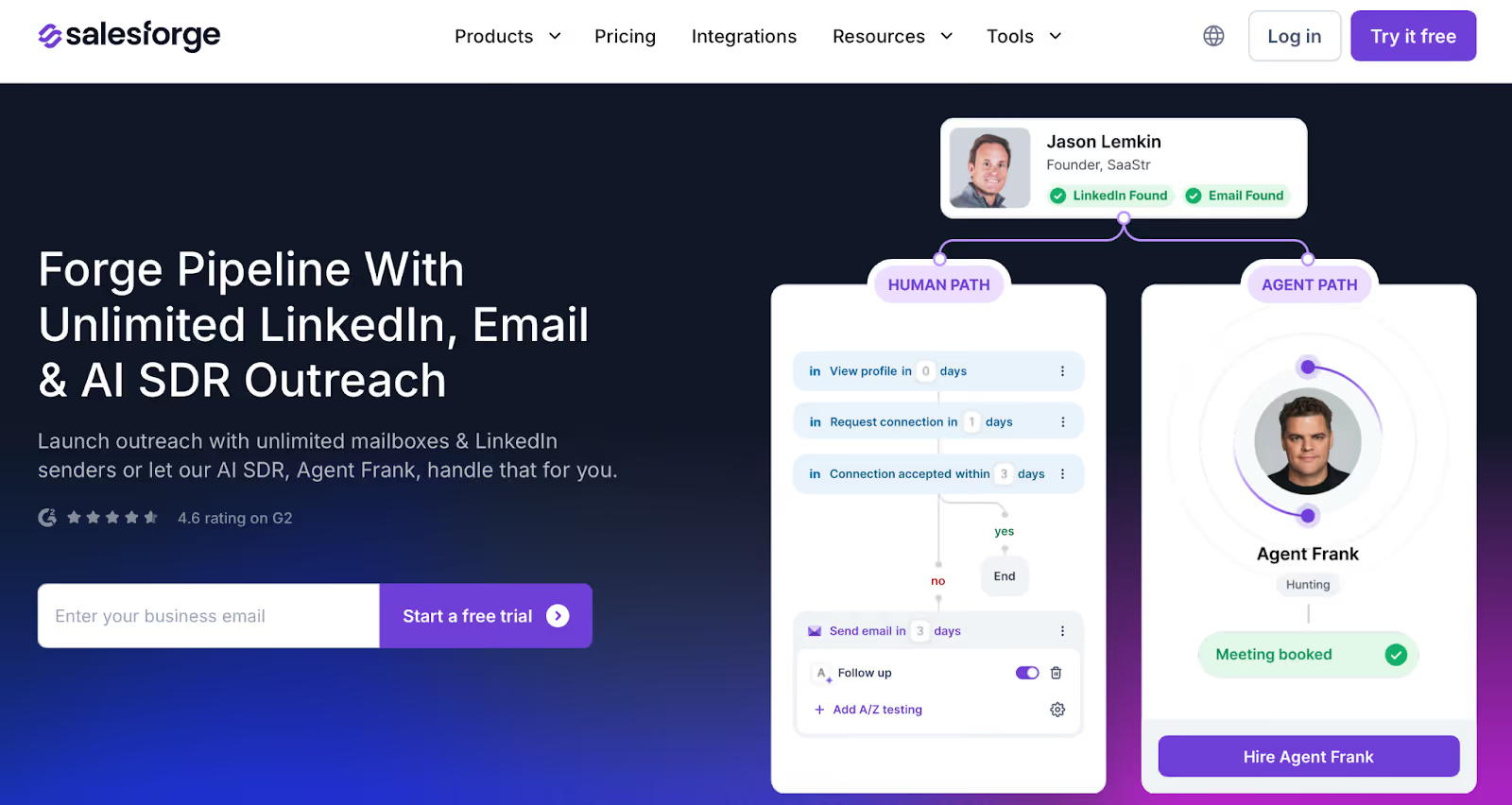
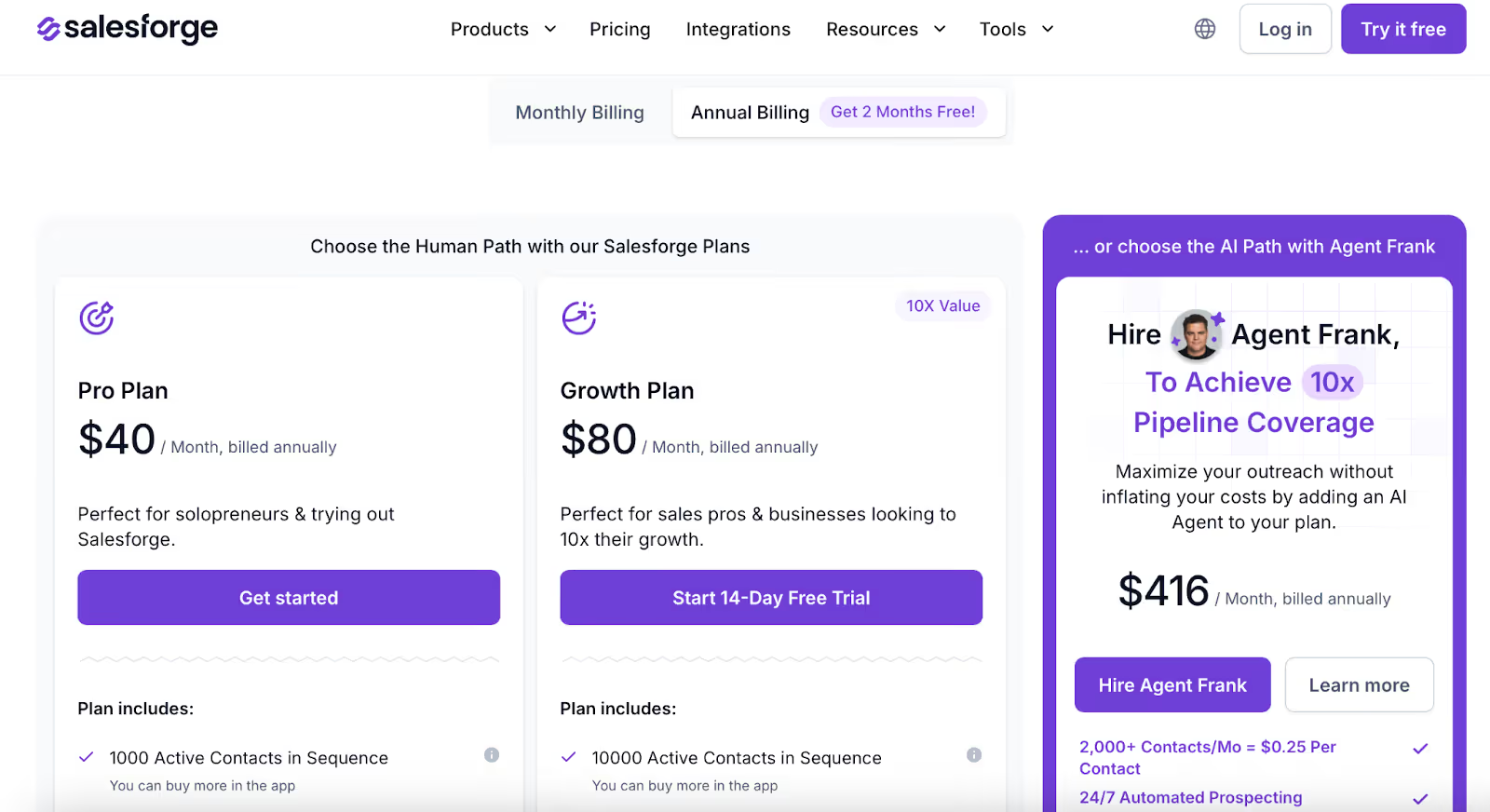
This image shows the Salesforge Homepage
If you’ve been using QuickMail, you already know it’s a reliable tool.
But maybe you’ve hit a few limits, like managing too many inboxes, or not having LinkedIn outreach built in.
That’s exactly where Salesforge makes things easier.
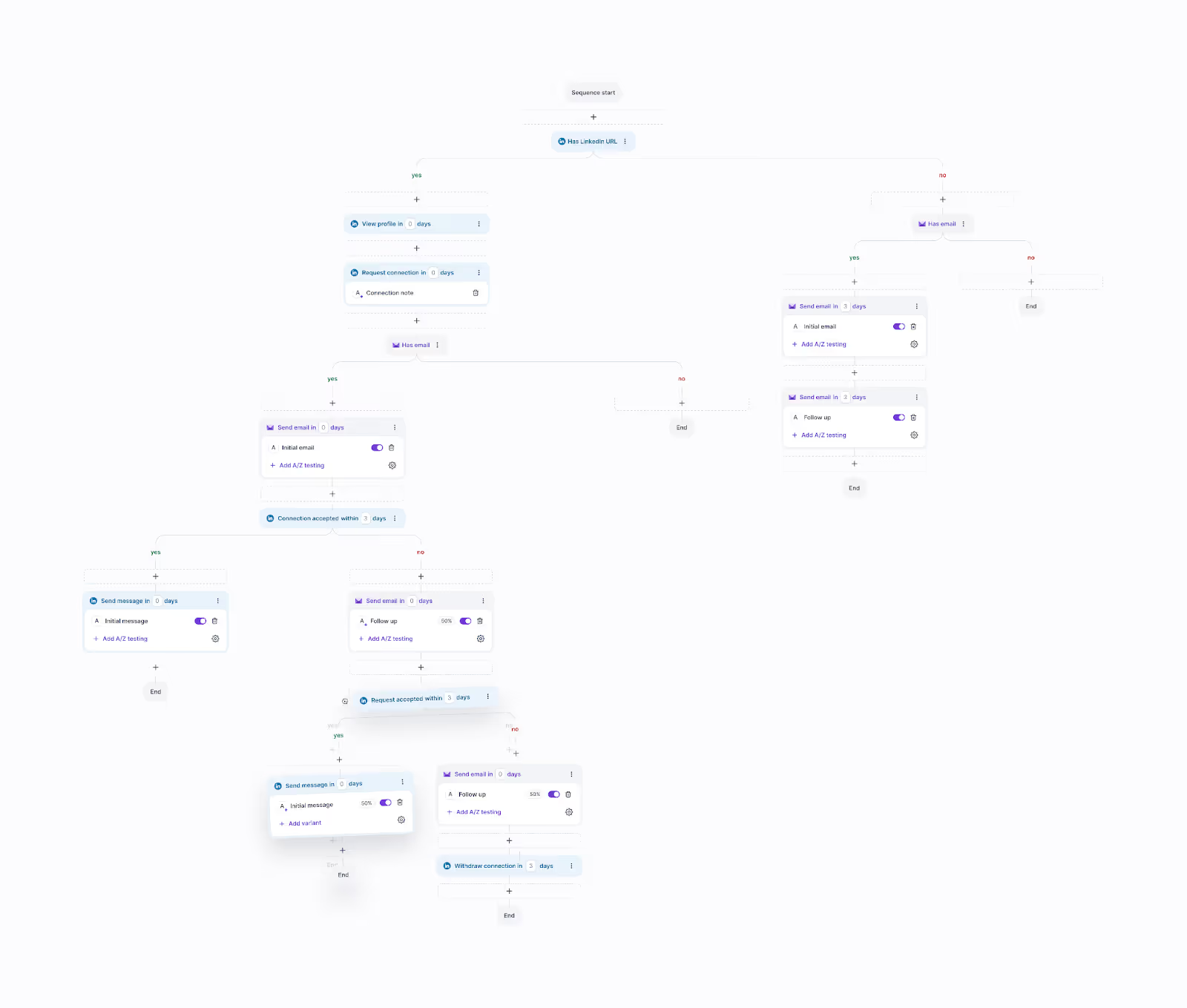
This image shows the Running Multi-channel campaign in Salesforge
It’s built for people who want everything for cold outreach in one place, sending, warming up, and replying, without switching between tools.
What You Get with Salesforge?
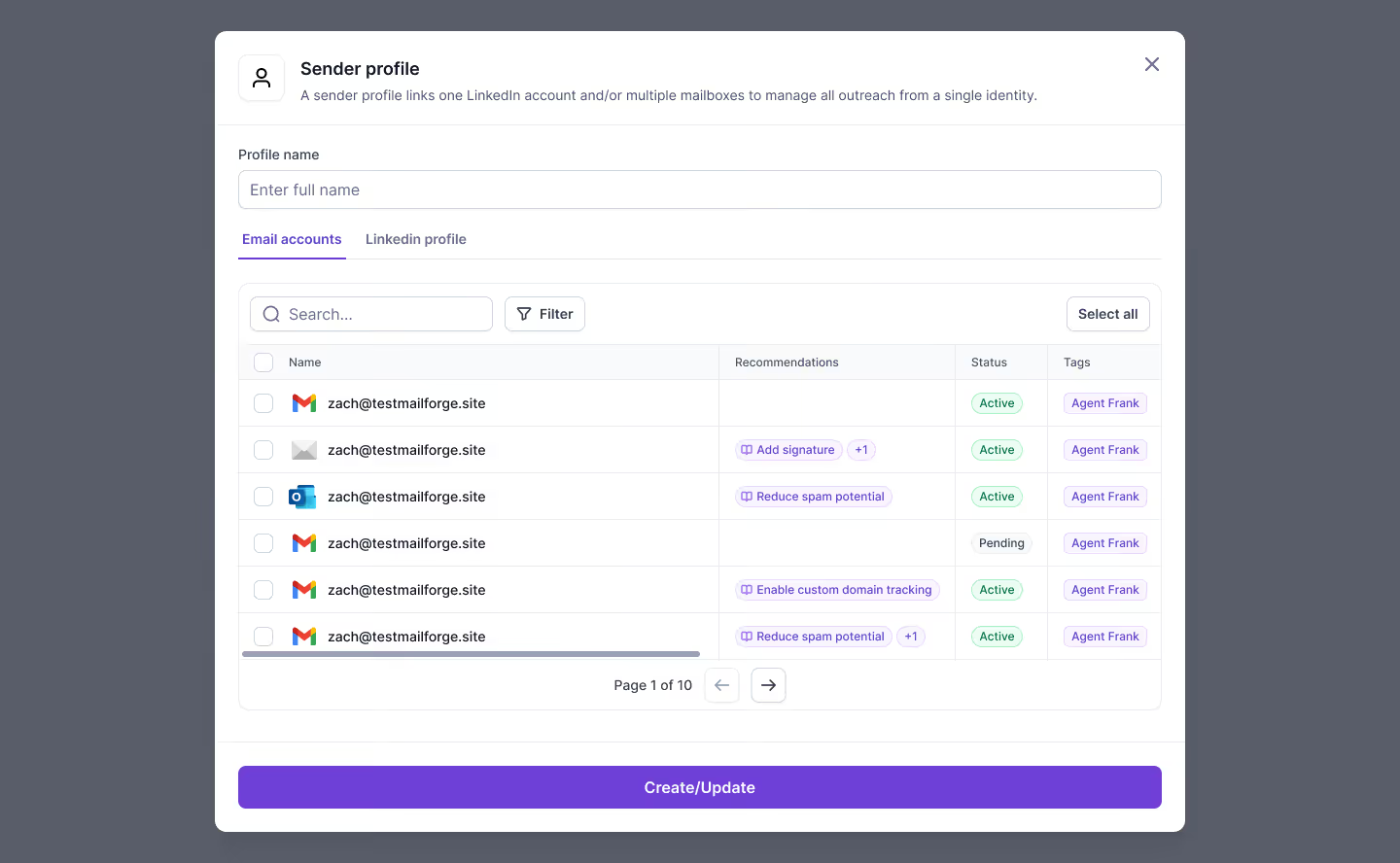
Add unlimited mailboxes and LinkedIn senders under one plan.
This image shows the Adding Mailboxes and LinkedIn Accounts in Salesforge
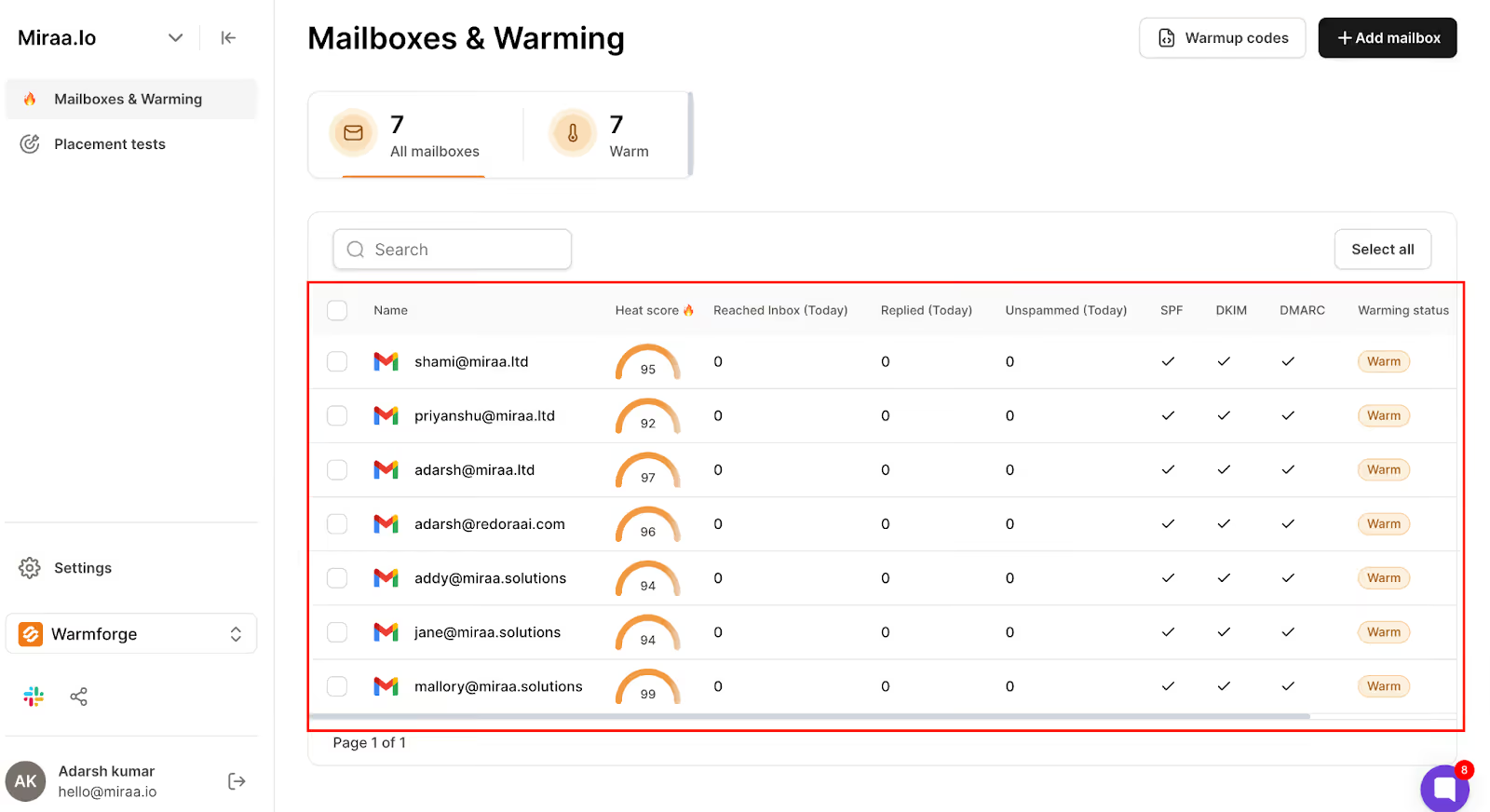
Get free warm-up with their built-in tool, Warmforge.
This image shows the Account Warm-up monitoring in Warmforge
Use Primebox™ to manage all replies in one clean inbox.
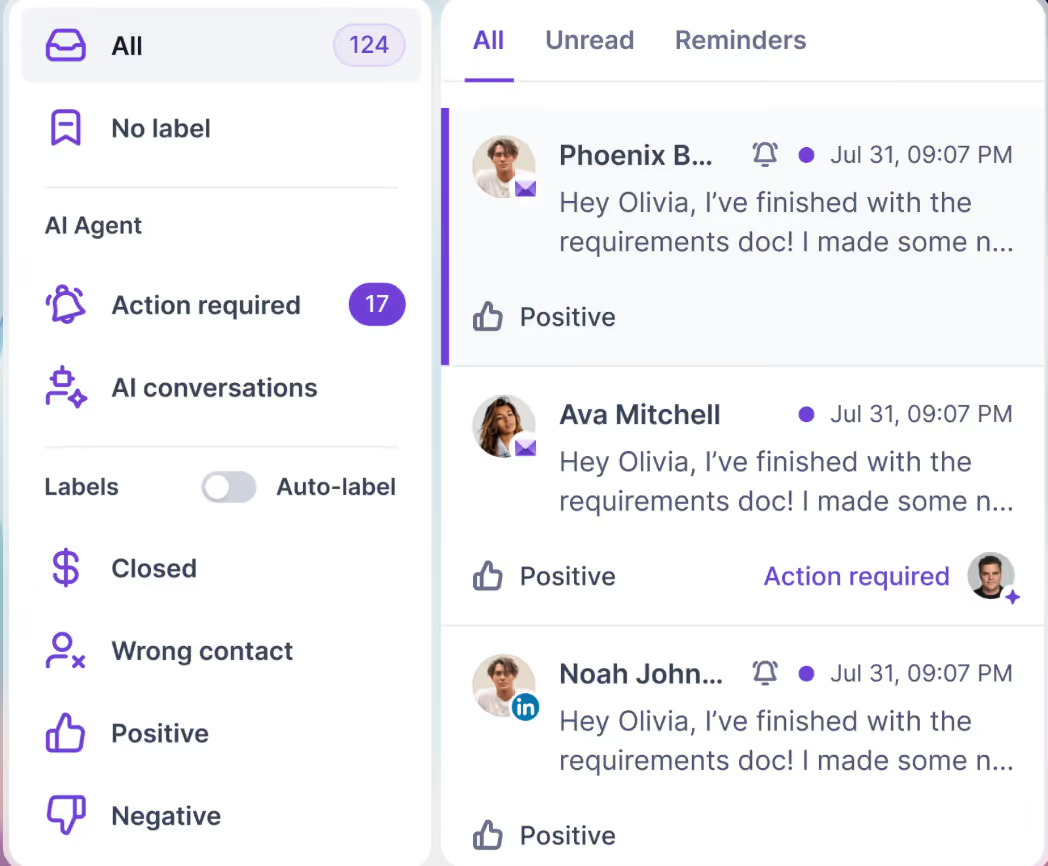
This image shows the Salesforge Primebox™ to manage all replies across LinkedIn and Email
Send safely with smart mailbox rotation and dynamic IPs.
Try Agent Frank, their AI SDR, if you want outreach handled for you.
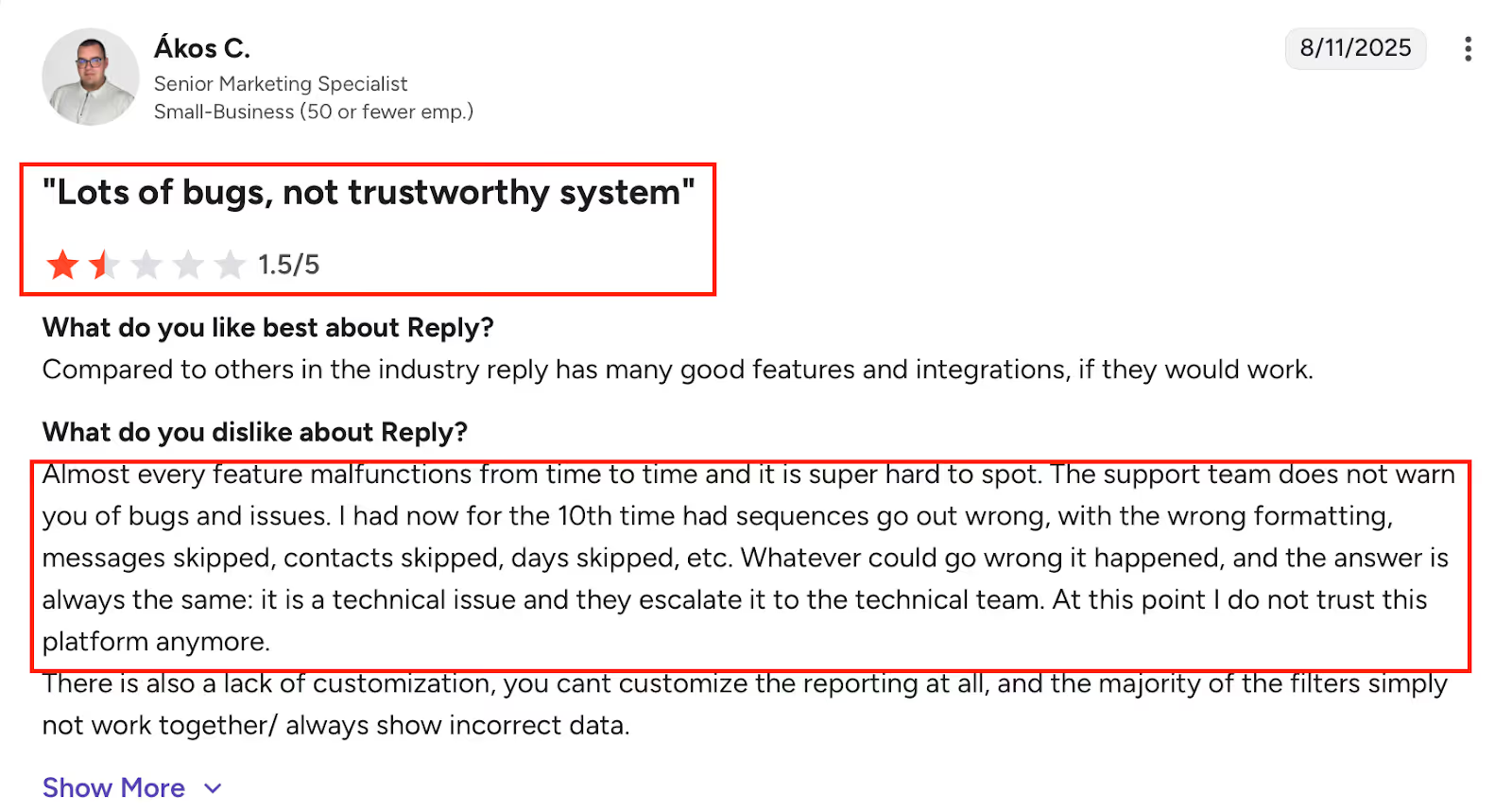
This image shows the G2 user review of Reply.io describing frequent technical malfunctions, unreliable automation sequences, skipped messages, and unresponsive support, resulting in low trust in the platform.
Complex sequences are hard to build. Branching workflows can get confusing fast.
Interfaces can feel crowded. Too many features in one place make it overwhelming for new users.
Filtering and search tools aren’t perfect. Some filters and reports show inconsistent data.
Browser extension is slow to load. Users mention delays when using it for prospecting.
Occasional bugs and integration issues. Zapier and task-sync problems were reported by users during setup.
Why It’s a Good QuickMail Alternative?
If you like QuickMail but want more power and flexibility, Reply.io gives you that, multi-channel outreach, better automation, and strong deliverability tools.
It’s best for experienced users who don’t mind a learning curve and want one tool to handle every outreach channel in one place.
Sales Engagement Plan – $99/month → adds LinkedIn and phone dialer
Pros
Very easy to use and quick to set up
Built-in AI email writer and spam checker
Reliable automation for cold email follow-ups
Helpful live training and fast support
Affordable compared to many outreach tools
Cons
A/B testing can be buggy, moving contacts between test groups sometimes fails
This image shows the G2 user review of Mailshake highlighting issues with A/B testing errors and contact import discrepancies when uploading lists via Excel.
Analytics are basic, not ideal for deep performance tracking
This image shows the G2 user review of Mailshake noting that analytics lack depth for large campaigns, email deliverability is inconsistent, and LinkedIn automation feels less reliable than email features.
LinkedIn automation feels less refined than email features
Imports sometimes skip a few contacts when uploading large lists
Limited reporting customization, can’t dig into data as deeply as QuickMail or Reply.io
Why It’s a Good QuickMail Alternative?
If you find QuickMail a bit complex or pricey, Mailshake feels lighter and more straightforward.
It focuses on what most teams care about, writing good emails, automating follow-ups, and keeping deliverability high, all without the learning curve.
Perfect if you just want your outreach to work, without spending hours figuring it out.
4. Lemlist – Best QuickMail Alternative for Personalization and Multichannel Outreach
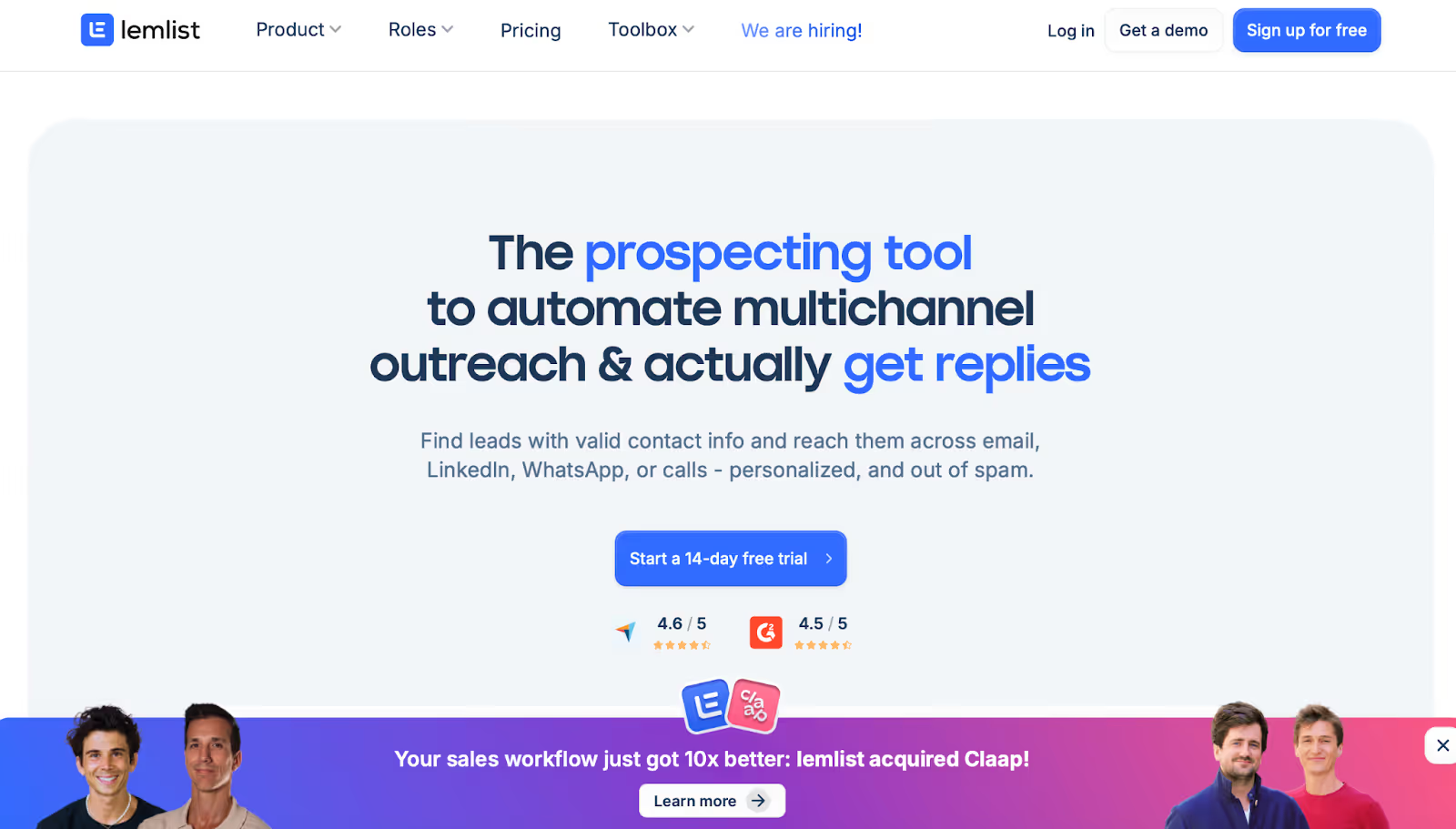
This image shows the Lemlist Homepage
Lemlist is built for teams that want to go beyond email, reaching prospects on LinkedIn, WhatsApp, and even calls, all from one dashboard.
You can make every message look human, custom text, images, videos, and even landing pages tailored to each lead.
What You Get in Lemlist
AI personalization (custom images, videos, and landing pages)
Multichannel campaigns, email, LinkedIn, WhatsApp, and in-app calls
Built-in 600M+ lead database with enrichment credits
Smart warm-up & deliverability tools (lemwarm included for free)
Lead scoring + intent signals to spot ready-to-convert prospects
Unified inbox to manage all replies in one place
Integrations with HubSpot, Salesforce, Pipedrive, and Aircall
Pricing
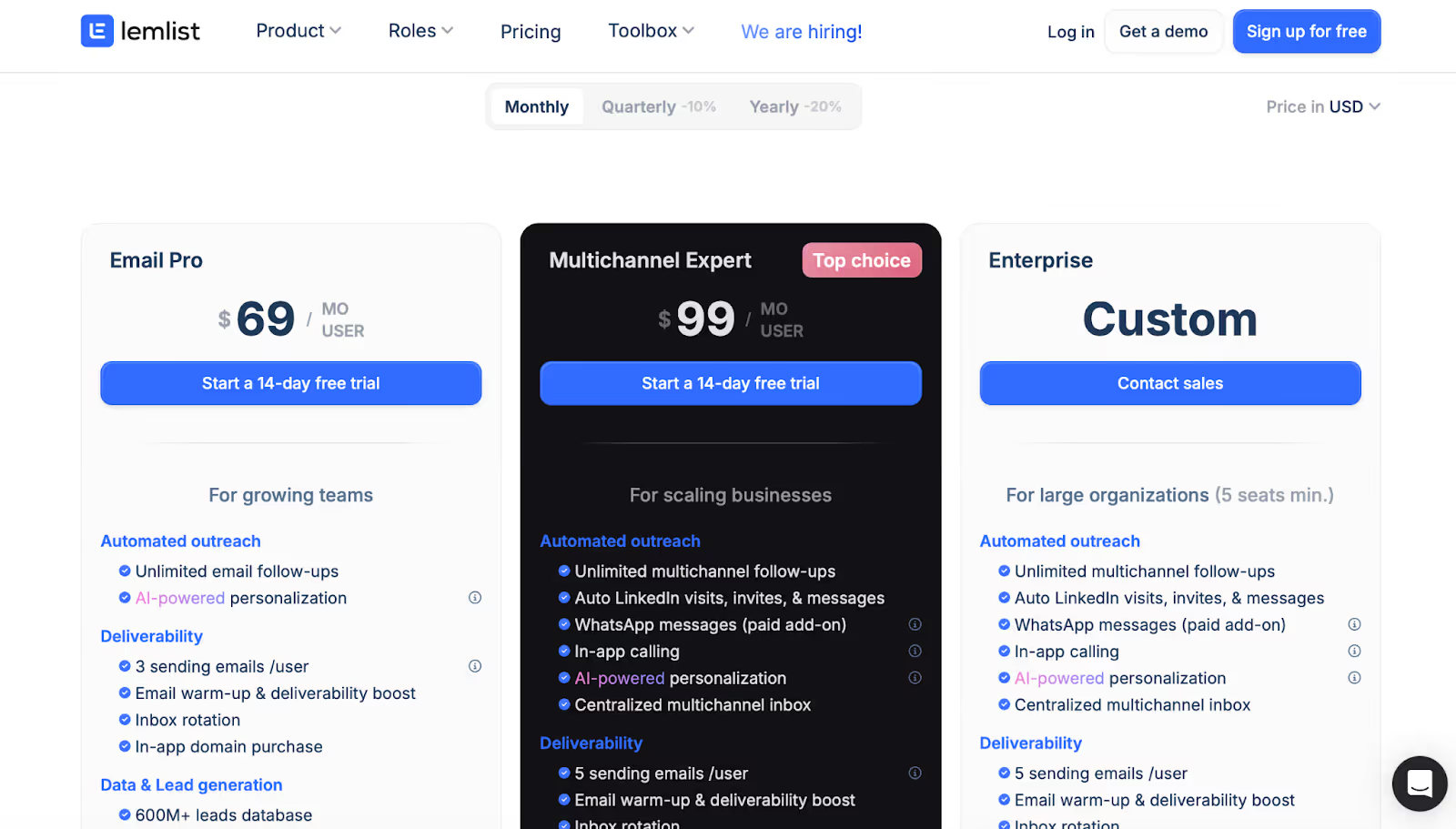
This image shows the Lemlist Pricing
Email Pro Plan – $69/month per user
Multichannel Expert Plan – $99/month per user
Enterprise Plan – custom pricing with account manager and API access
Pros
Powerful personalization tools, dynamic text, videos, and landing pages
Seamless LinkedIn and WhatsApp automation
Built-in lead database with scoring and enrichment
Strong deliverability setup with free lemwarm
Great support and onboarding experience
Cons
Limited lead database coverage, missing data for regions like Singapore and UAE
This image shows the G2 user review of Lemlist noting that the database lacks coverage in regions like Singapore, New Zealand, and the UAE, suggesting wider expansion would improve the tool’s usefulness.
Credit limits run out fast for heavy users
This image shows the G2 user review of Lemlist noting that credits are consumed quickly, with about 1,000 credits used to contact just over 100 people, suggesting higher credit allocation in the Multichannel Expert plan.
Analytics and reporting could be deeper, sometimes too high-level
Occasional bugs in CSV imports and cold-call feature
Lack of per-mailbox signature customization for multi-region campaigns
Why It’s a Good QuickMail Alternative?
If QuickMail feels too basic for what you need next, Lemlist gives you more control, from personalized emails to full multichannel campaigns.
It’s perfect if you want to make outreach feel human while keeping automation and deliverability on your side.
5. Saleshandy – Best QuickMail Alternative for Simple, Scalable Email Outreach
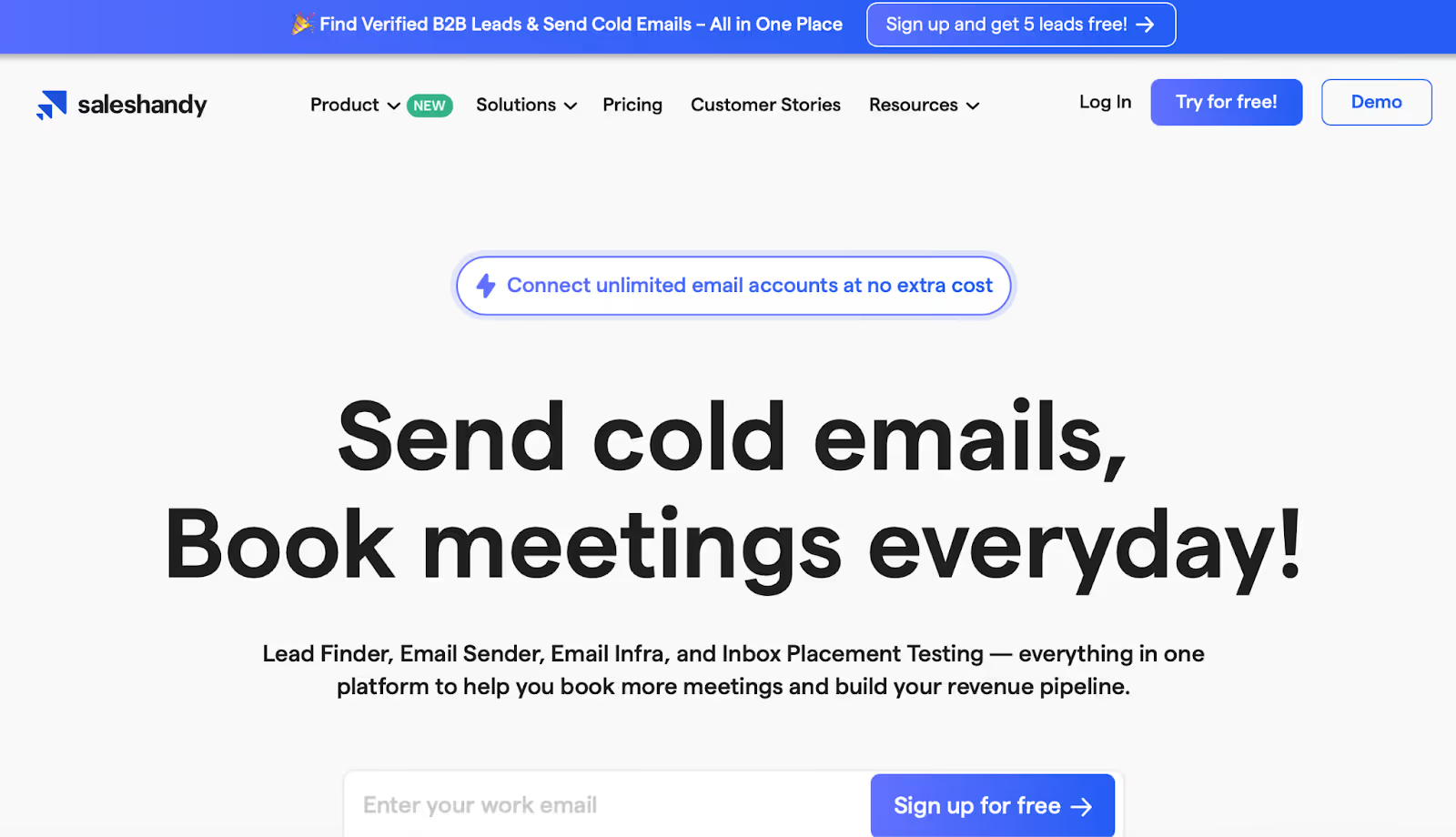
This image shows the Saleshandy Homepage
Saleshandy is built for teams that want to send cold emails at scale without paying extra per mailbox.
Everything from follow-ups to personalization works smoothly once you’re set up.
You can connect unlimited email accounts, automate follow-ups, and even rotate senders to avoid deliverability issues.
What You Get in Saleshandy?
Unlimited email accounts and prospects
AI-powered email sequences and variants
Sender rotation and dynamic IPs for better deliverability
Built-in warm-up and verification (via TrulyInbox)
Lead Finder with verified contacts and credits included
Unified inbox to manage replies in one place
CRM integrations and API access for teams
Pricing
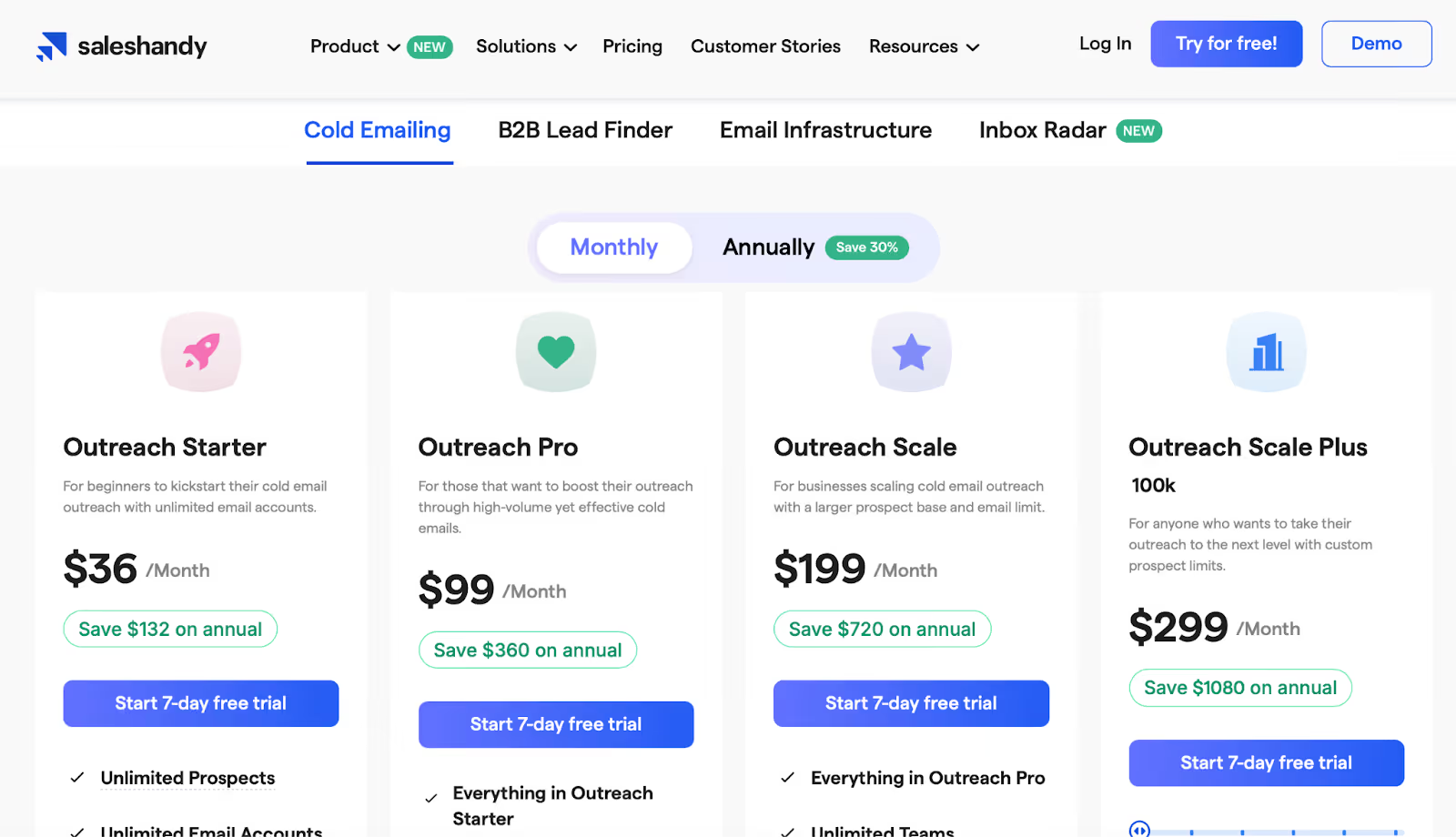
This image shows the Saleshandy Pricing
Outreach Starter – $36/month (2,000 active prospects, 6,000 emails/month)
Outreach Pro – $99/month (30,000 prospects, 150,000 emails/month)
Outreach Scale Plus – $299+/month (custom high-volume plans)
Pros
Simple to set up and use, even for beginners
High deliverability with smart sending and sender rotation
AI sequence builder saves hours of manual setup
Works seamlessly with Gmail and Outlook
Affordable for agencies with unlimited team members
Cons
Limited CRM integrations – lacks deeper sync with major CRMs
No true A/B testing – relies on AI variants instead
This image shows the G2 user review of Saleshandy highlighting issues like analytics graphs not reloading, lack of daily email limits per sequence, and limited warm-up options through its partner TrulyInbox.
Warm-up tool (TrulyInbox) is basic and misses time zone options
Credit limits can feel restrictive in smaller plans
Analytics could be richer – current dashboard is minimal
Why It’s a Good QuickMail Alternative?
If you like QuickMail’s clean approach but want more scalability, Saleshandy gives you that freedom.
It’s ideal for small teams and agencies that need unlimited senders, solid automation, and strong deliverability without paying enterprise prices.
Compare the 10 best LinkedIn outreach services for B2B lead generation in 2026. Features, pricing, and honest reviews from someone who builds this category.











.png)

.png)

