
If you're thinking about using Dripify, you're probably asking the same questions as everyone else:
👉 Is Dripify really worth the price?
👉 What features does it actually give me?
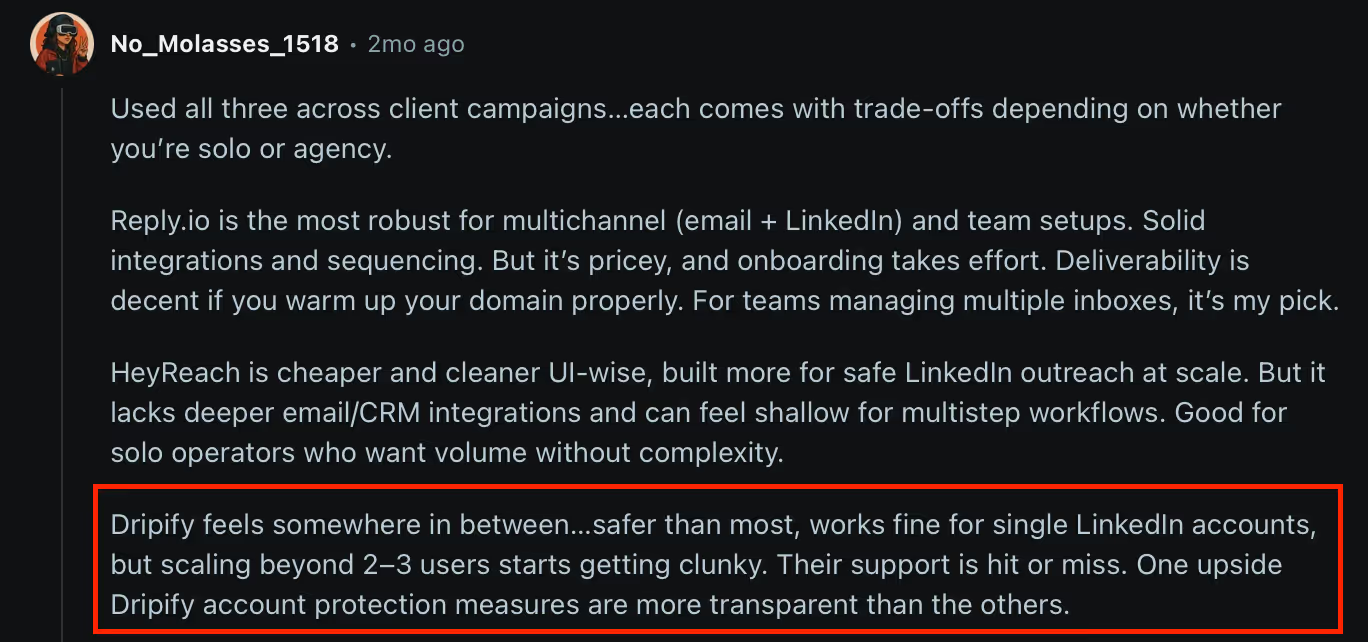
👉 What are the real pros and cons from people who used it?
This article is your complete Dripify review.
I'll walk you through Dripify pricing, every feature that matters, and what users love (and hate) about it.
By the end, you’ll know if Dripify is the right LinkedIn automation tool for you, or if you should skip it and look at better alternatives.
What is Dripify?
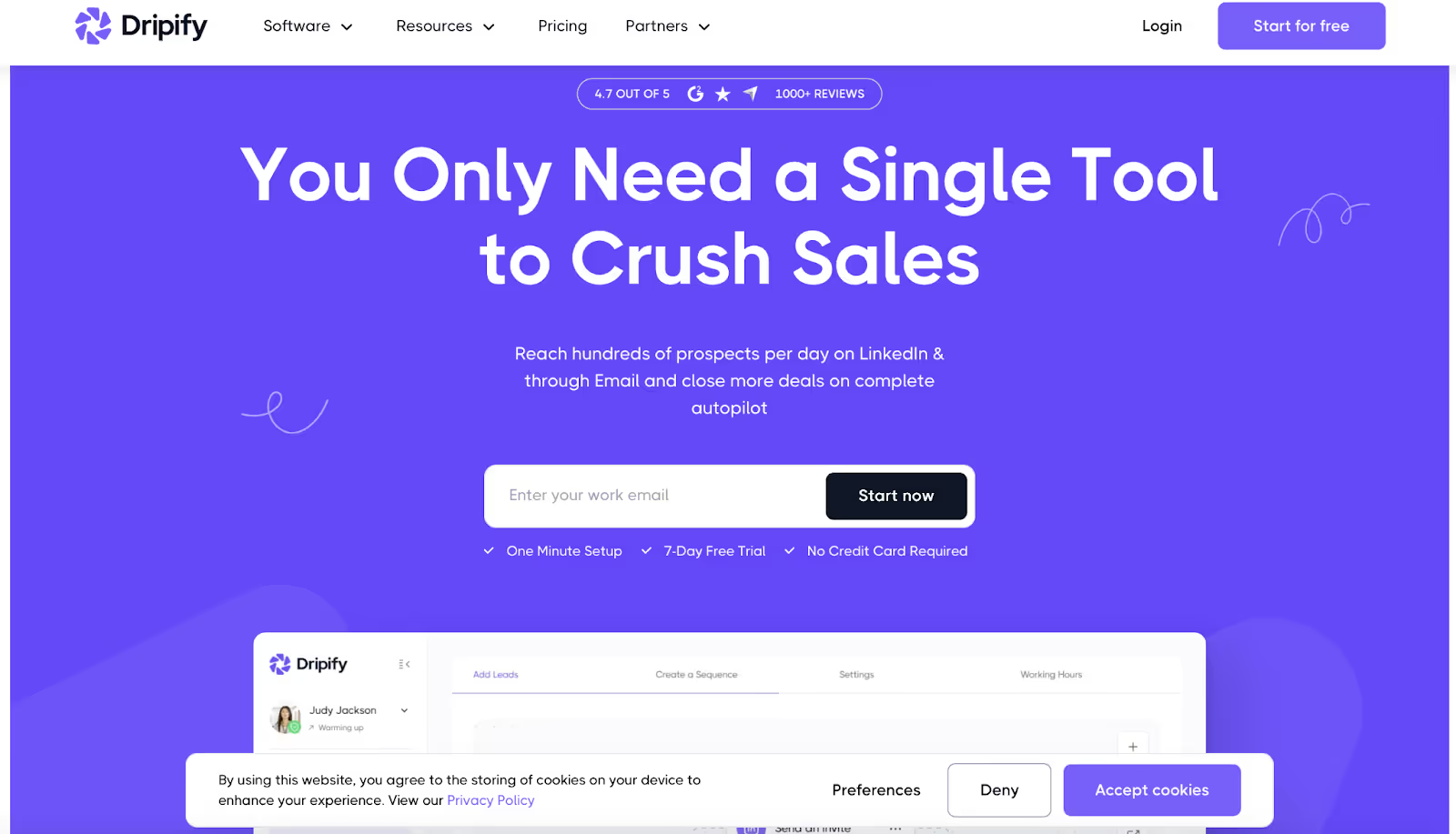
Dripify is a LinkedIn lead generation tool that helps you connect, message, and follow up with prospects without doing the manual work yourself. Dripify offers powerful automation capabilities for LinkedIn outreach, making it a great tool for generating leads and managing prospecting efforts efficiently.
Instead of spending hours sending invites and DMs, Dripify runs campaigns on autopilot while you focus on closing deals. As a cloud based tool, Dripify operates online, so you can automate everyday tasks and repetitive tasks from anywhere, and your campaigns keep running even when your computer is off.
Here’s how it works:
- Key features – Dripify provides automation capabilities, advanced search filters, CRM integrations, Zapier integration, and supports multiple accounts and multiple subscriptions, making it suitable for sales teams, lead generation agencies, and advanced users.
- Create drip campaigns – Build message sequences with LinkedIn connection requests (leveraging mutual connections), follow-ups, personalized messages, and delays to nurture leads and automate follow ups as part of your outreach campaigns.
- Email finder + outreach – Find business emails and send automated email sequences outside LinkedIn for effective cold outreach.
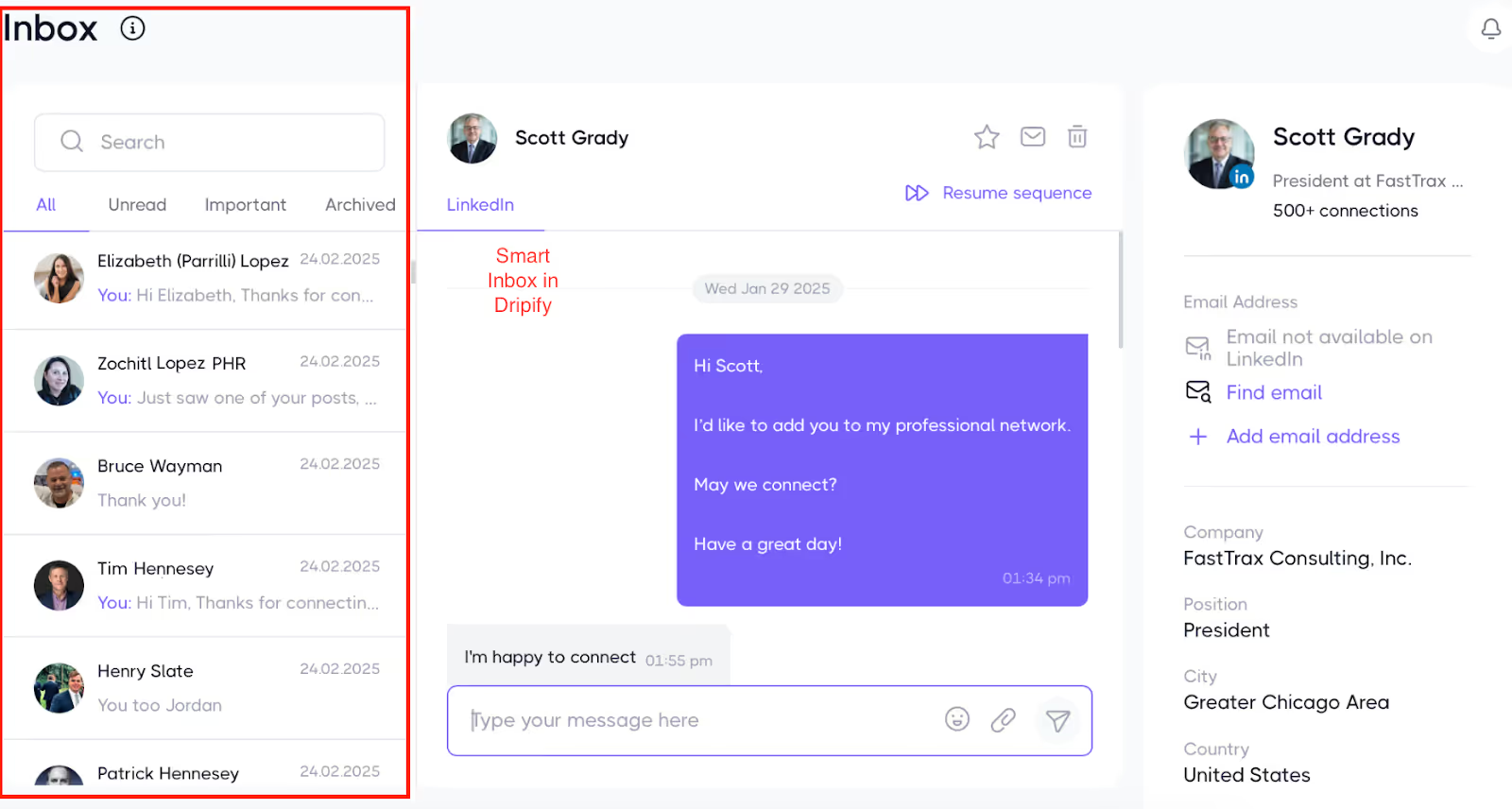
- Smart inbox – Use your personal inbox to reply to leads directly inside Dripify, streamlining candidate communication and managing all communications in one place.
- Analytics – Track campaign performance with a progress bar and detailed metrics like acceptance rates, replies, and conversions to optimize your LinkedIn outreach efficiently.
- Team management – Add a team member, share campaigns, and scale outreach as a group, supporting collaboration for your sales team and managing multiple accounts.
- Export data – Export data including company info and generate csv files for reporting, lead management, and CRM integration.
- Lead sourcing – Use advanced search filters and LinkedIn Sales Navigator to improve lead quality and target prospects for your LinkedIn prospecting.
- Campaign management – Run campaigns easily, create and manage outreach campaigns, and support your prospecting efforts with user friendly tools.
- Account safety – Dripify mimics human behavior to keep your LinkedIn account safe, prioritizing account safety and ensuring Dripify is safe to use for LinkedIn automation.
Dripify turns LinkedIn into a sales machine. You set up the campaign once, and it keeps running, even if your computer is off, helping you manage LinkedIn outreach efficiently and automate everyday tasks.
Dripify is a great tool for LinkedIn automation, suitable for both individual professionals and lead generation agencies.
Who Should Use Dripify (And Who Shouldn’t)
Dripify Pricing: How much does it cost?
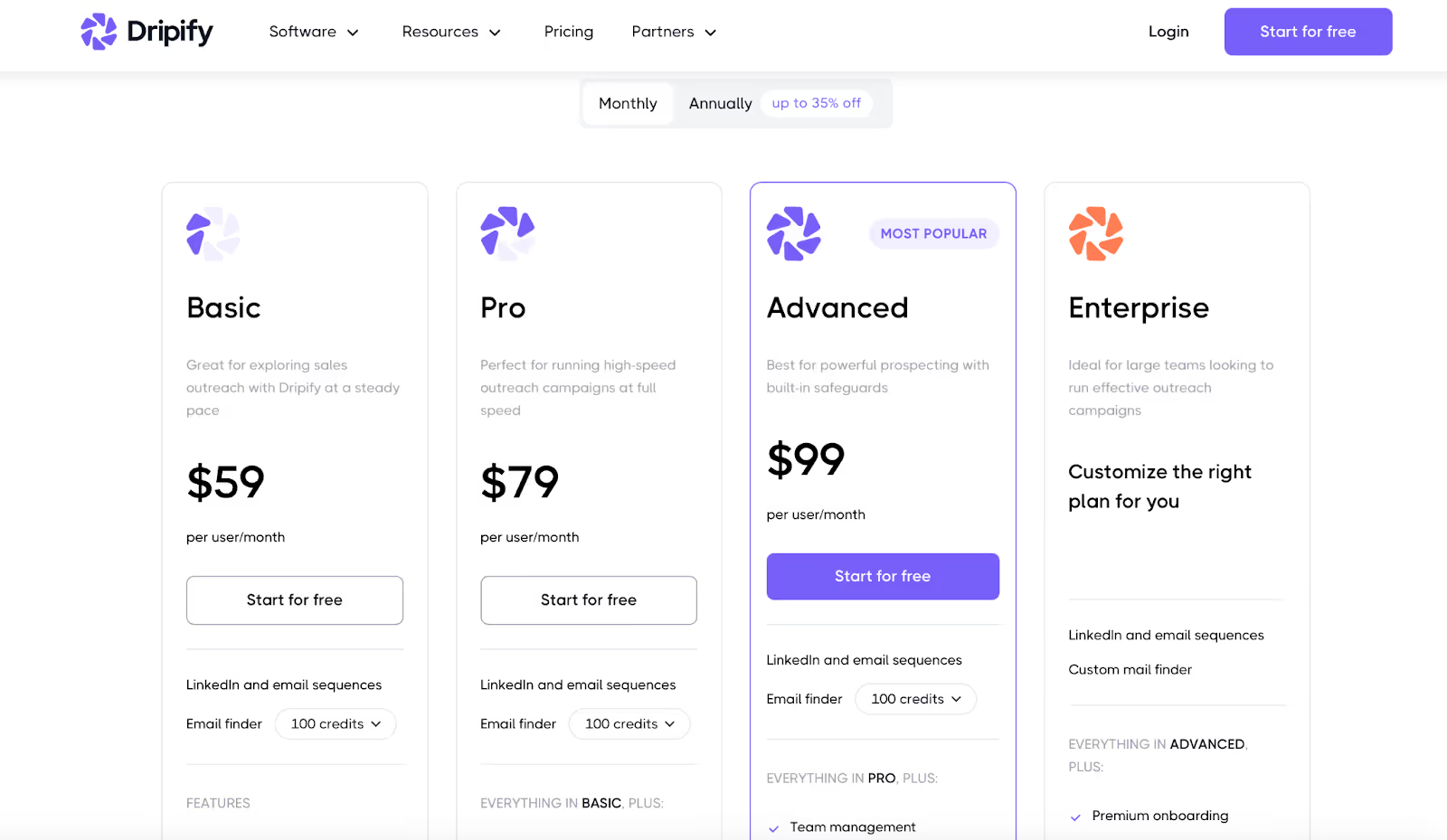
Dripify cost starts at $59, but most serious users end up paying $79–$99 per seat.
Here’s the breakdown of Dripify pricing:
- Basic Plan – $59 per user/month
For beginners testing LinkedIn outreach. 1 campaign, limited quotas, basic analytics, built-in LinkedIn protection.
- Pro Plan – $79 per user/month
Best for solo founders or small teams running daily outreach. Unlimited campaigns, full quotas, smart inbox, CSV export, and webhooks.
- Advanced Plan – $99 per user/month
For agencies or bigger teams. Includes everything in Pro, plus premium features like team management, activity control, Zapier integration, export options, and extra LinkedIn safety.
- Enterprise Plan – Custom pricing
For large companies. Comes with premium onboarding, technical support, a customer success manager, and additional premium features such as multi-channel outreach.
👉 Annual billing cuts the price by up to 35%. But remember, this is seat-based pricing. More teammates = higher monthly bill.
Dripify does not offer a free trial, which is a drawback compared to some competitors that provide a no-commitment free trial to test features before purchase.
Hidden Costs You Should Know about Dripify pricing:
- Users complain about billing transparency. Some got charged after canceling.
- Features like activity control and advanced protections only unlock on higher plans.
- Compared to competitors, Dripify looks cheap at first, but scaling a team can make it expensive.
Dripify Pros: Where Dripify Shines?
Here’s what users like about Dripify the most: Many reviewers describe Dripify as a great tool for LinkedIn automation and lead generation. Users appreciate its user friendly interface, which makes onboarding and daily use simple for both beginners and experienced professionals.
The key features that stand out include its automation capabilities, multichannel outreach options, and flexible prospect sourcing methods.
Additionally, some users mention receiving helpful responses from customer support, which enhances their overall experience.
#1. Easy to use
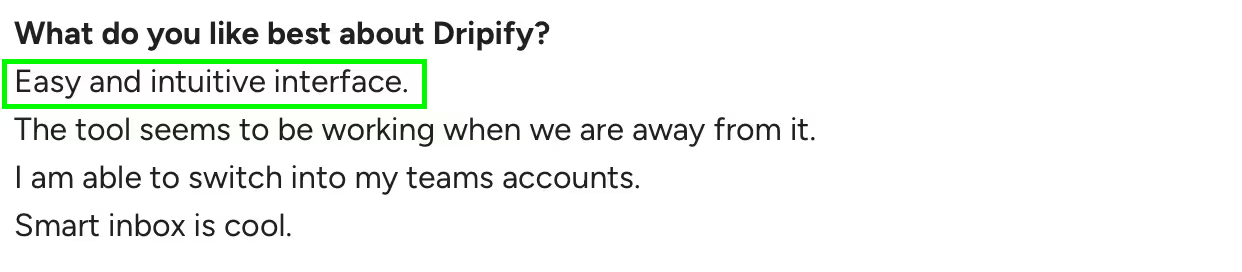
You don’t need training or a long setup.
Most users said they had campaigns running in minutes.
It’s plug-and-play, and that’s why beginners like it.
#2. Cloud-based safety

Dripify is a cloud based tool, so you don’t need to leave your laptop on or rely on risky Chrome extensions.
It runs in the cloud, which helps with account safety and makes it easier to keep your LinkedIn account safe. Dripify safe features are designed to protect your LinkedIn account by mimicking human behavior and adhering to platform limits, reducing the risk of restrictions or bans.
#3. Good for small outreach
If you’re a freelancer or solo founder, Dripify supports prospecting efforts and is effective for generating leads through basic LinkedIn outreach.
As a lead generation solution for small-scale outreach, users said it saves time without overcomplicating things.
#4. Smart inbox
The smart inbox in Dripify functions as a personal inbox for managing LinkedIn messages, allowing you to send, receive, and organize all your LinkedIn communications in one place.
Instead of jumping back and forth between tabs, you can reply to leads inside Dripify. This feature streamlines candidate communication for recruiters by centralizing conversations and enabling efficient follow-ups directly within the platform.
That makes it easier to manage conversations without missing messages.
Time saver
Dripify automates repetitive tasks and everyday tasks, freeing up your time for more important work.
You’re not stuck sending invites and follow-ups every day.
The software keeps running while you focus on selling.
Dripify Cons: Where Dripify Falls Short?
Here’s what users dislike about Dripify: Unlike Dripify, some other LinkedIn automation tools address these shortcomings by offering more flexible features, better pricing options, and enhanced lead-generation capabilities.
#1. Billing problems
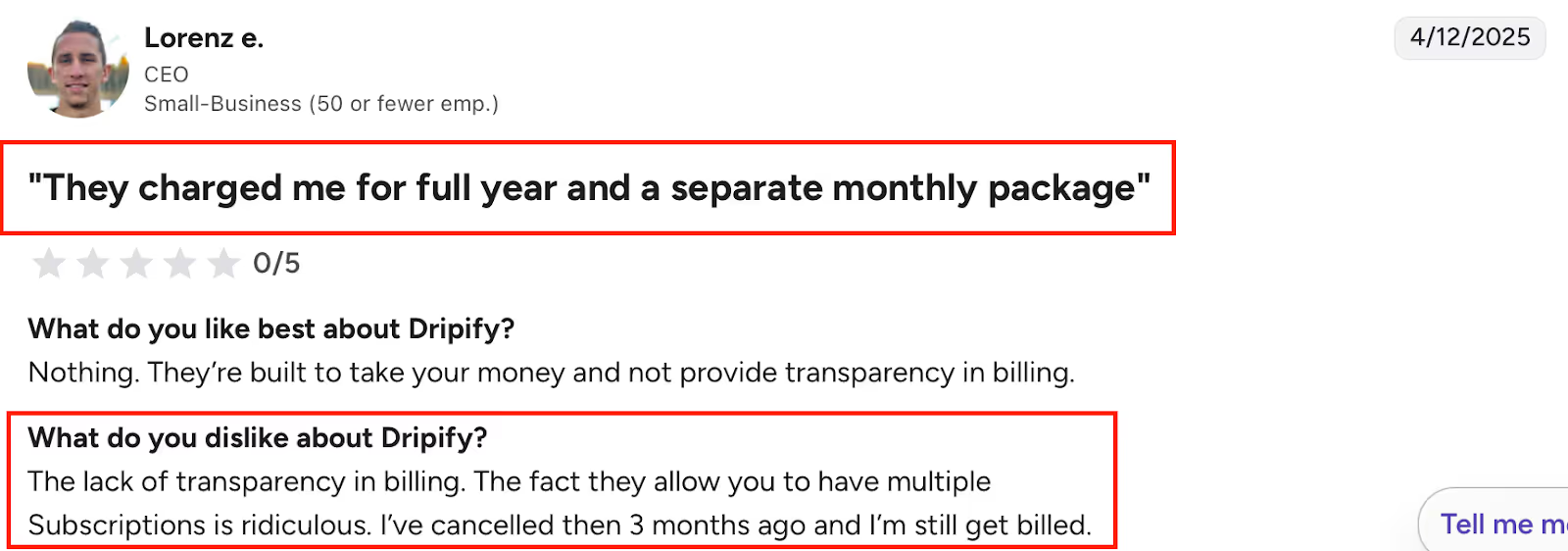
Multiple users said they got billed even after canceling.
Users managing multiple subscriptions or multiple accounts have reported billing challenges, such as confusion with separate billing cycles and unexpected charges.
Others mentioned surprise costs that weren’t clear upfront.
It left people feeling Dripify wasn’t transparent.
#2. No real A/B testing
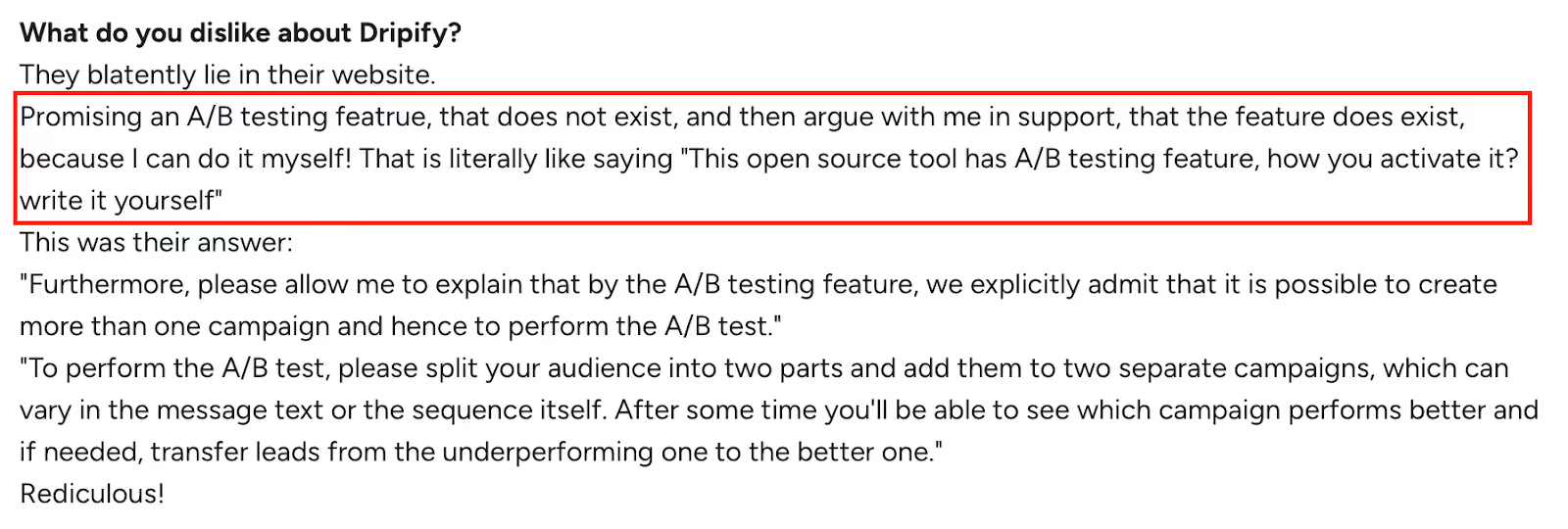
On the website, Dripify promises A/B testing.
But in reality, you just split contacts across two campaigns manually.
Users called this misleading and frustrating.
#3. Locked sequences
Many users are frustrated by the inability to edit or duplicate message sequences once they are finalized.
If you want to test a variation or add one more step to your message sequence, you have to start from scratch.
#4. Sales Navigator issues
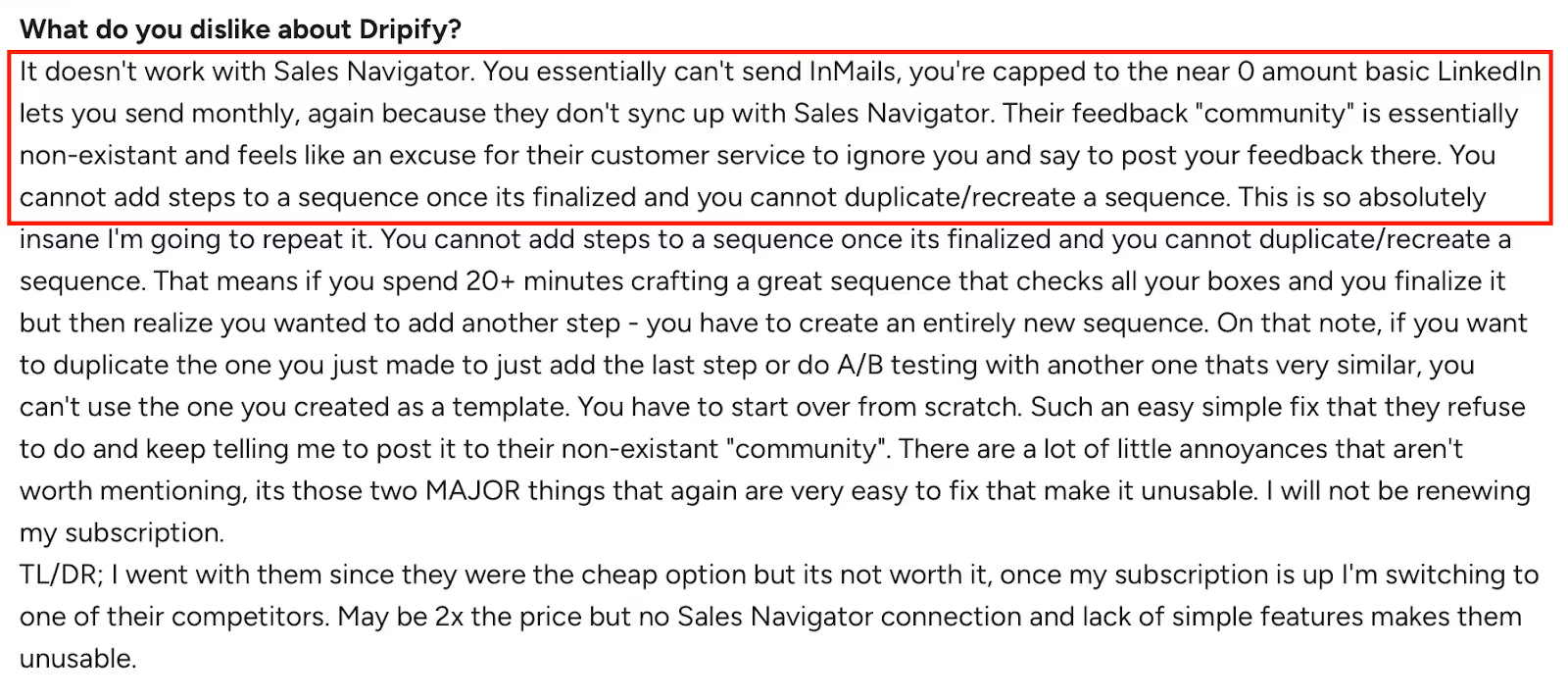
Dripify struggles with LinkedIn Sales Navigator and lacks advanced search filters for lead sourcing. It also has issues with InMails and Sales Navigator enterprise accounts.
If your team relies on Sales Nav heavily, this becomes a dealbreaker.
#5. Safety risks
Some users reported account restrictions and even bans when using default settings. Despite built-in protections, account safety and keeping your LinkedIn account safe are ongoing concerns when using automation tools.
Dripify safe features are designed to mimic human behavior, creating more natural activity patterns to reduce the risk of detection by LinkedIn. However, these measures are not foolproof, and there is always some risk of account restrictions or bans. That means the “built-in protection” isn’t bulletproof.
#6. Gets expensive fast
Dripify cost starts at $79–$99 per seat, but it increases quickly as you add more users or unlock premium features like advanced automation, Zapier integration, and multi-channel outreach.
If cost is a concern, you may want to consider Dripify alternatives that offer more features or better value for teams.
#7. Weak customer support

Many reviewers said support was slow or unhelpful.
Instead of solving problems, they often pushed the blame back on LinkedIn.
Is Dripify Worth It?
Dripify is good if you only care about LinkedIn.
Many users are satisfied with choosing Dripify for their outreach campaigns and lead generation needs. It’s easy to use, cloud-based, and saves you time sending invites and follow-ups. Dripify is a great tool for running campaigns and managing outreach, which is why solo founders and small agencies like it.
Dripify offers key features such as campaign performance tracking, a progress bar for visualizing progress, and the ability to export data as csv files for reporting or CRM integration.
But if you read the reviews, the same problems come up again and again:
- Billing issues people can’t ignore.
- Sequences you can’t edit once finalized.
- No real A/B testing.
- And $79–$99 per seat that gets expensive as soon as you add a team.
So the takeaway from this Dripify review? It works for simple LinkedIn outreach.
But it struggles at scale.
After reading this Dripify review, you’re probably asking yourself: is there a better option?
If that’s you, then let me introduce Salesforge.
Salesforge: The Better Dripify Alternative For Multi-Channel Outreach
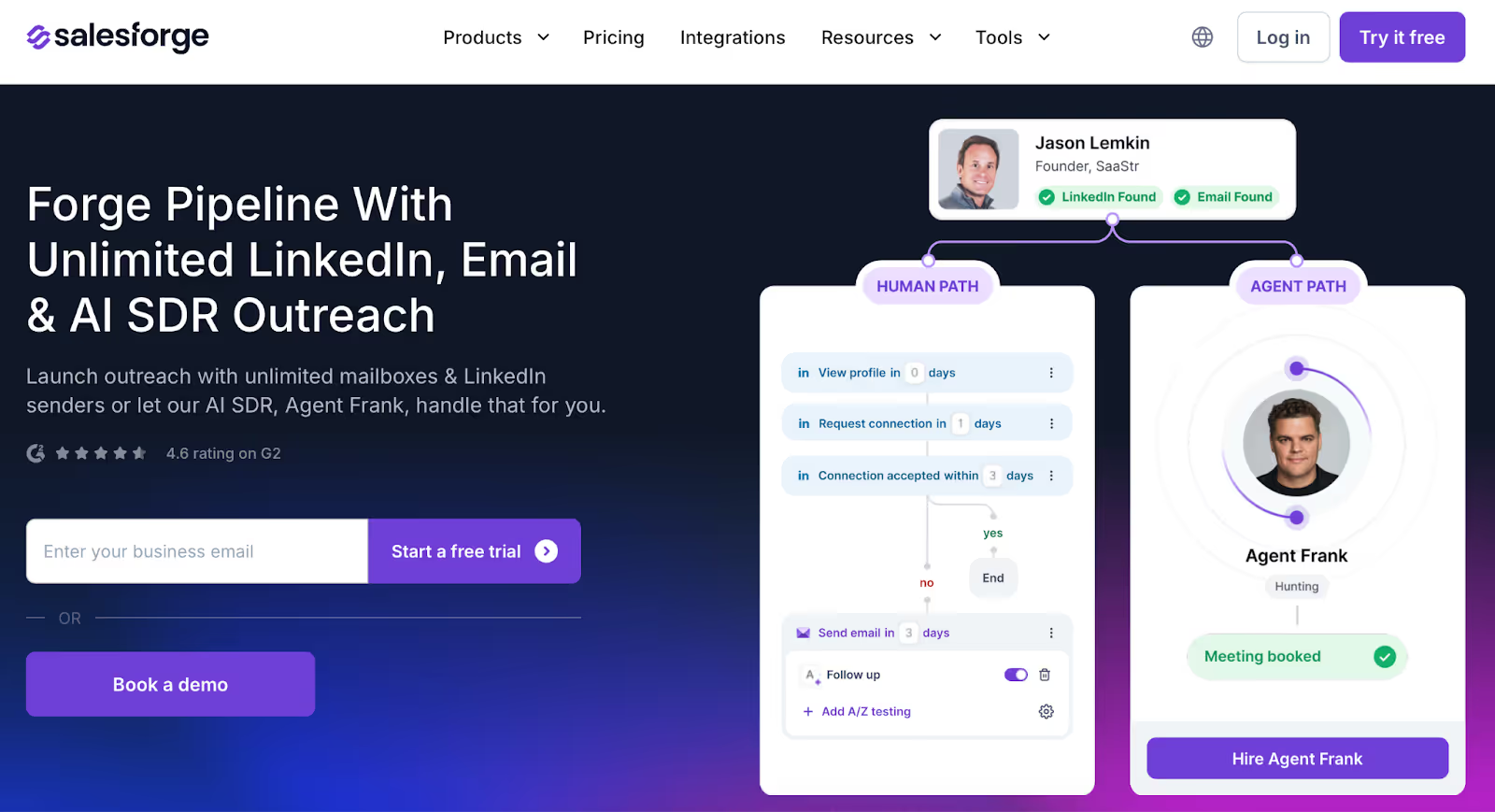
When looking for the best dripify alternatives, Salesforge stands out as a top choice compared to other tools in the market.
Dripify is limited to LinkedIn only, while other tools like Linked Helper and Salesforge offer broader features for teams needing more than just LinkedIn automation.
Here’s the gap: Dripify = LinkedIn only.
The second you want email, multi-channel, or safe deliverability… you hit a wall.
That’s why a lot of teams switch to Salesforge
It’s not just automation. It’s a full sales execution platform:
- Run LinkedIn + email outreach in one place.
- Get built-in deliverability tools (warmup, rotation, Primebox™) so your emails land in the inbox, not spam.
- Pay predictable pricing — $40 for Pro, $80 for Growth, or $416 if you want Agent Frank, the AI SDR that books meetings for you.
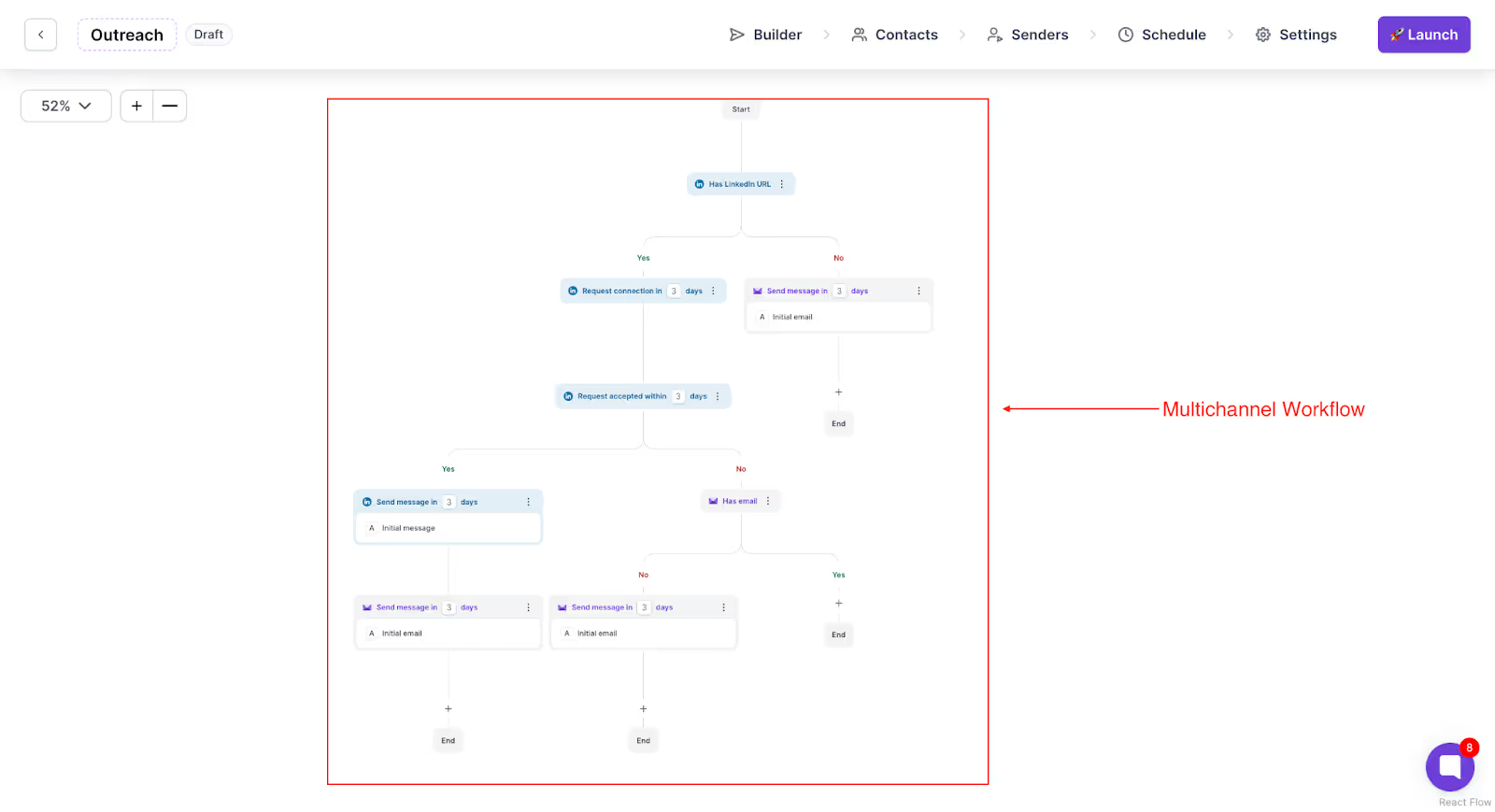
Here’s the difference:
- Dripify = LinkedIn only. Limited features. It gets expensive fast.
- Salesforge = LinkedIn + email, better deliverability, A/B testing, Auto Warmup, AI personalization, and lower cost at scale.
- Other tools like Linked Helper may offer LinkedIn automation, but lack the multi-channel and deliverability features that Salesforge provides.
If all you need is LinkedIn automation, stick with Dripify.
But if you want to scale across channels in 2025, and you want predictable pricing with built-in deliverability, Salesforge is the smarter choice.
Try Salesforge free. See how it stacks up against Dripify.

.png)
