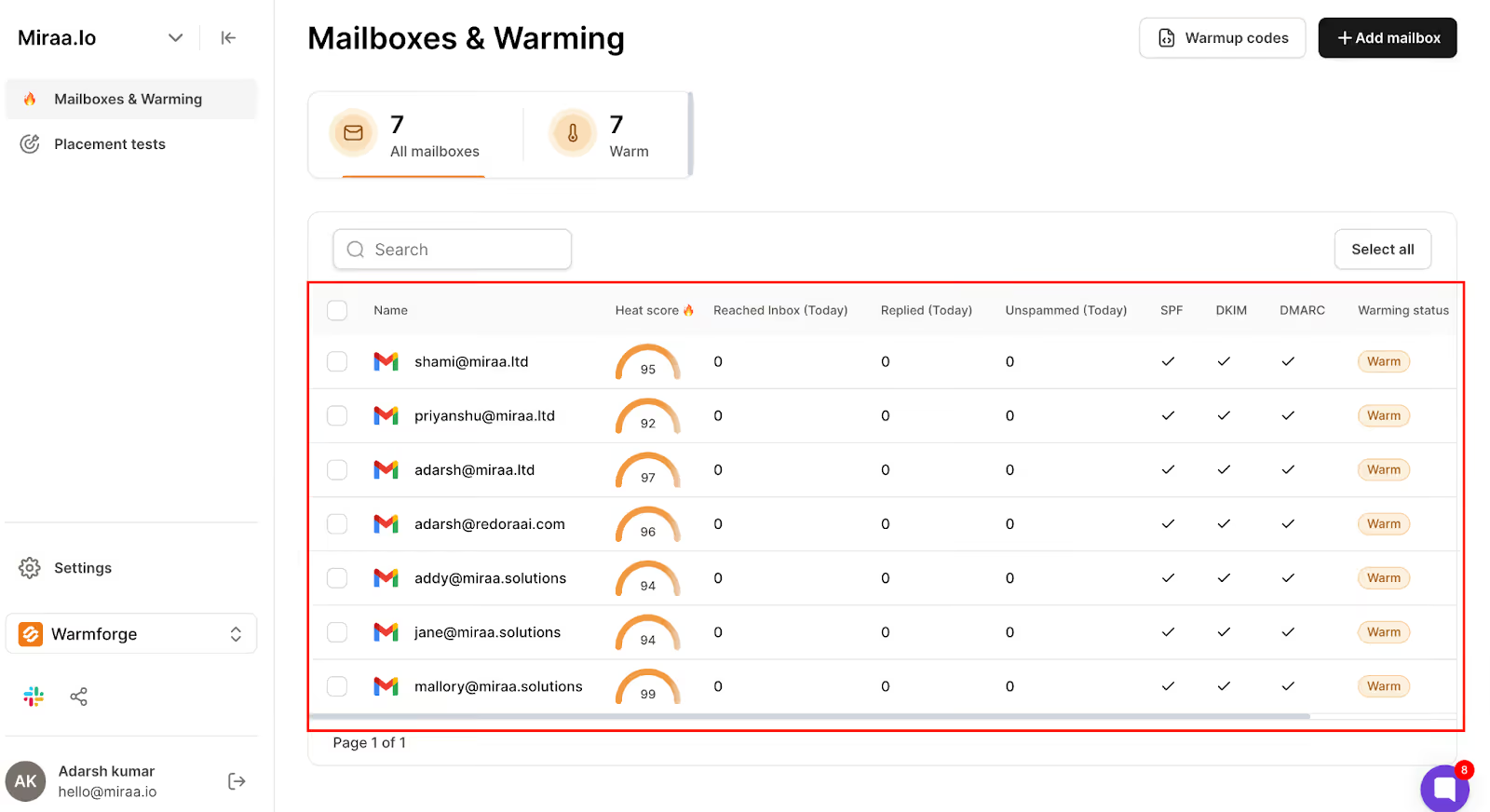
This image shows the Account Warm-up monitoring in Warmforge
Best for:
B2B sales teams, cold email agencies, and founders who want to run both LinkedIn and email outreach together with strong deliverability and no sending limits.
Pricing:
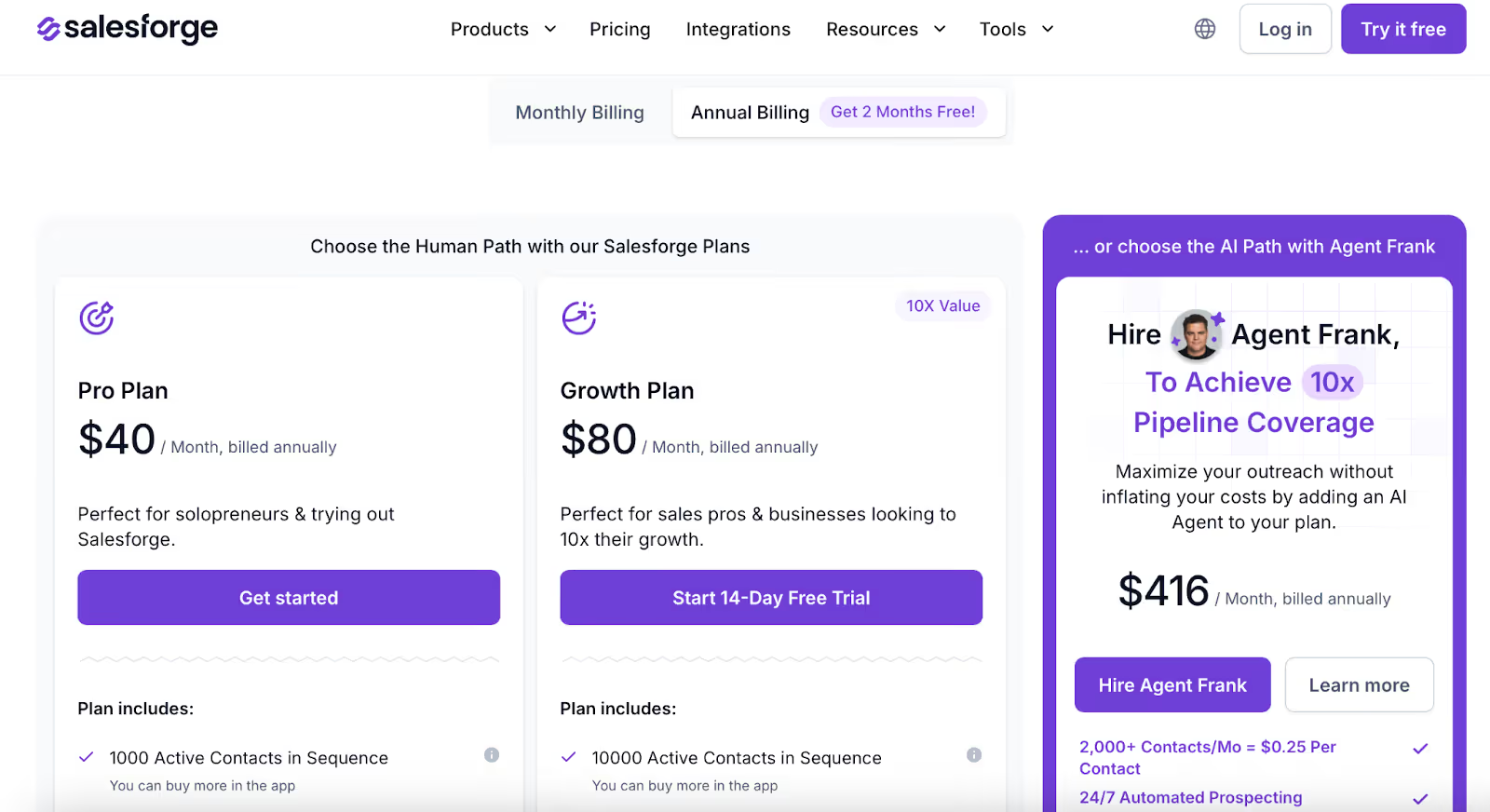
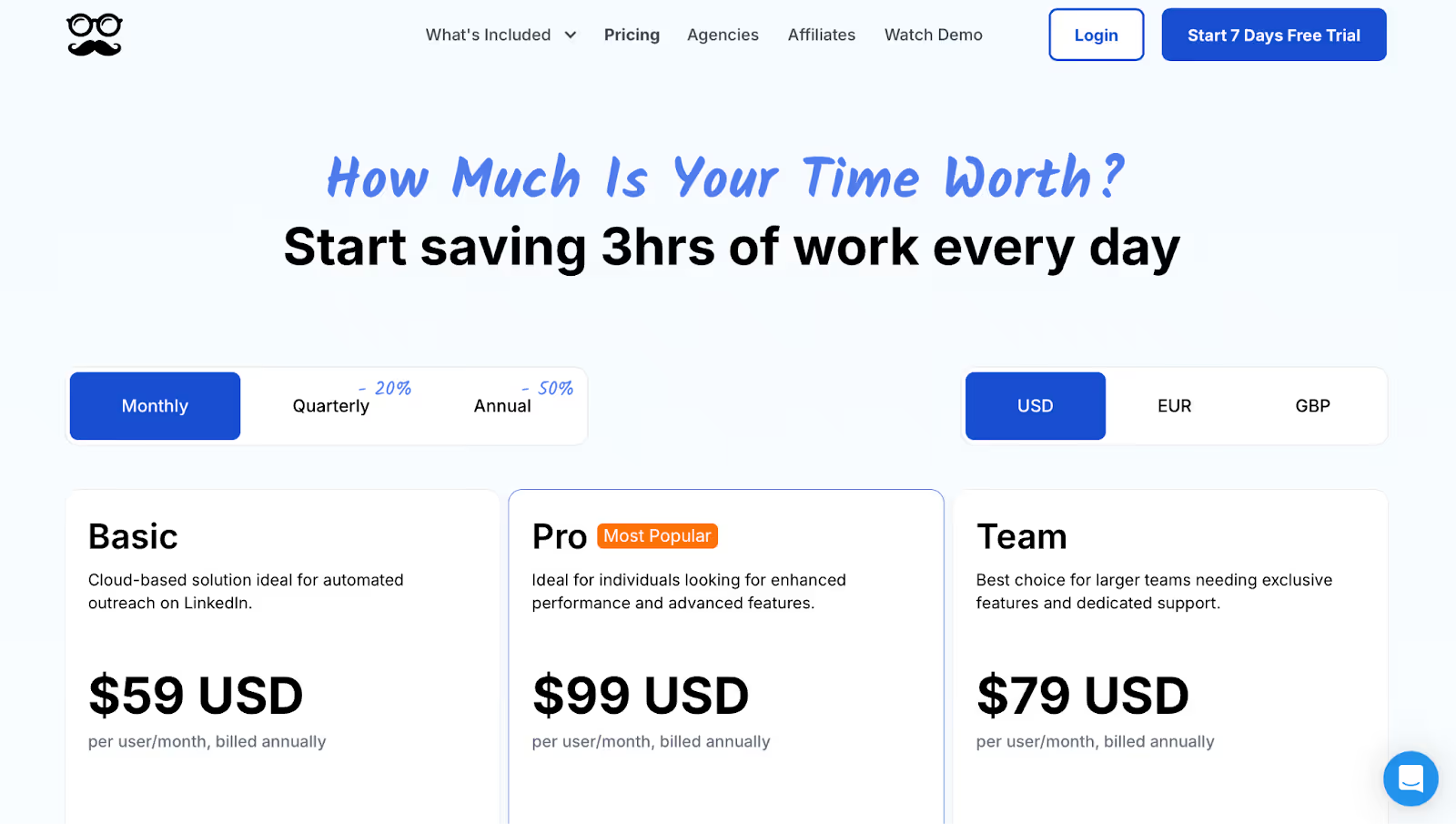
This image shows the Salesforge Pricing
Pro Plan: $48/month, for solopreneurs testing outreach
Growth Plan: $96/month, for teams needing scale and unlimited LinkedIn senders
Agent Frank Add‑on: $499/month (quarterly billing), for AI SDR automation
Pros:
Unlimited LinkedIn + email sending
Free unlimited warm‑up
AI SDR to automate full outreach
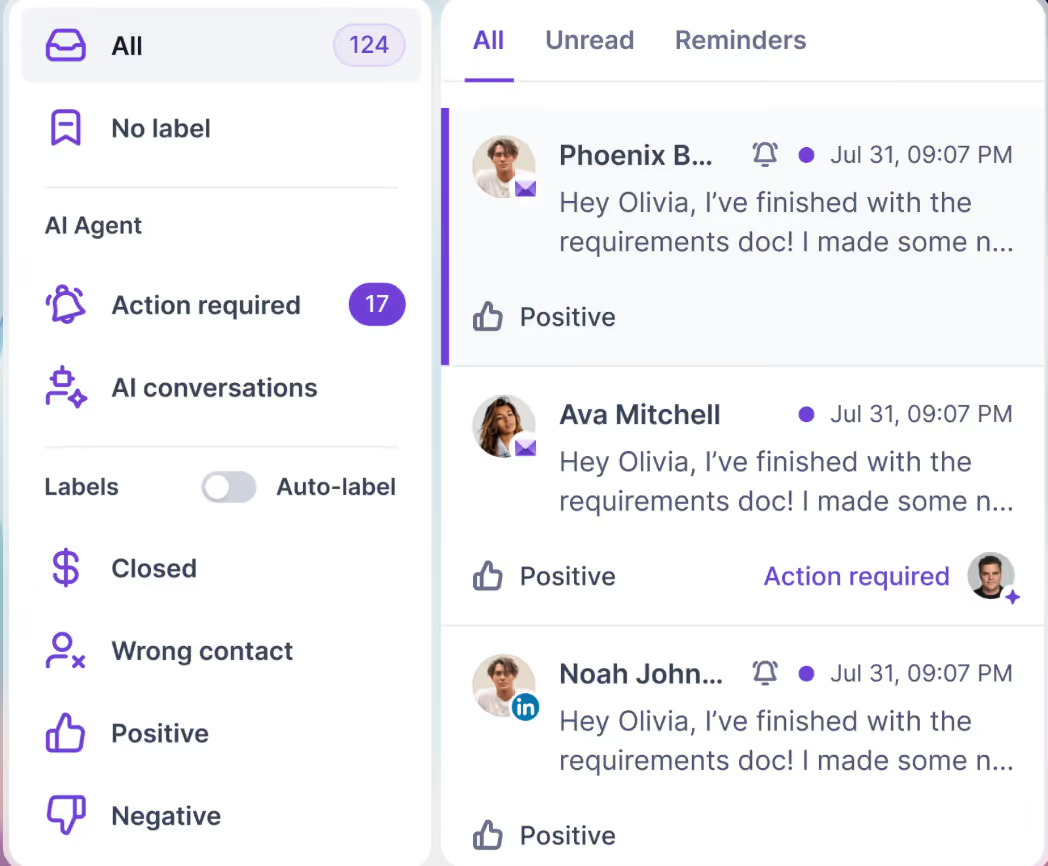
Manage all replies in one place
Affordable for scaling
Cons:
Agent Frank is a paid add‑on
Might feel advanced for total beginners
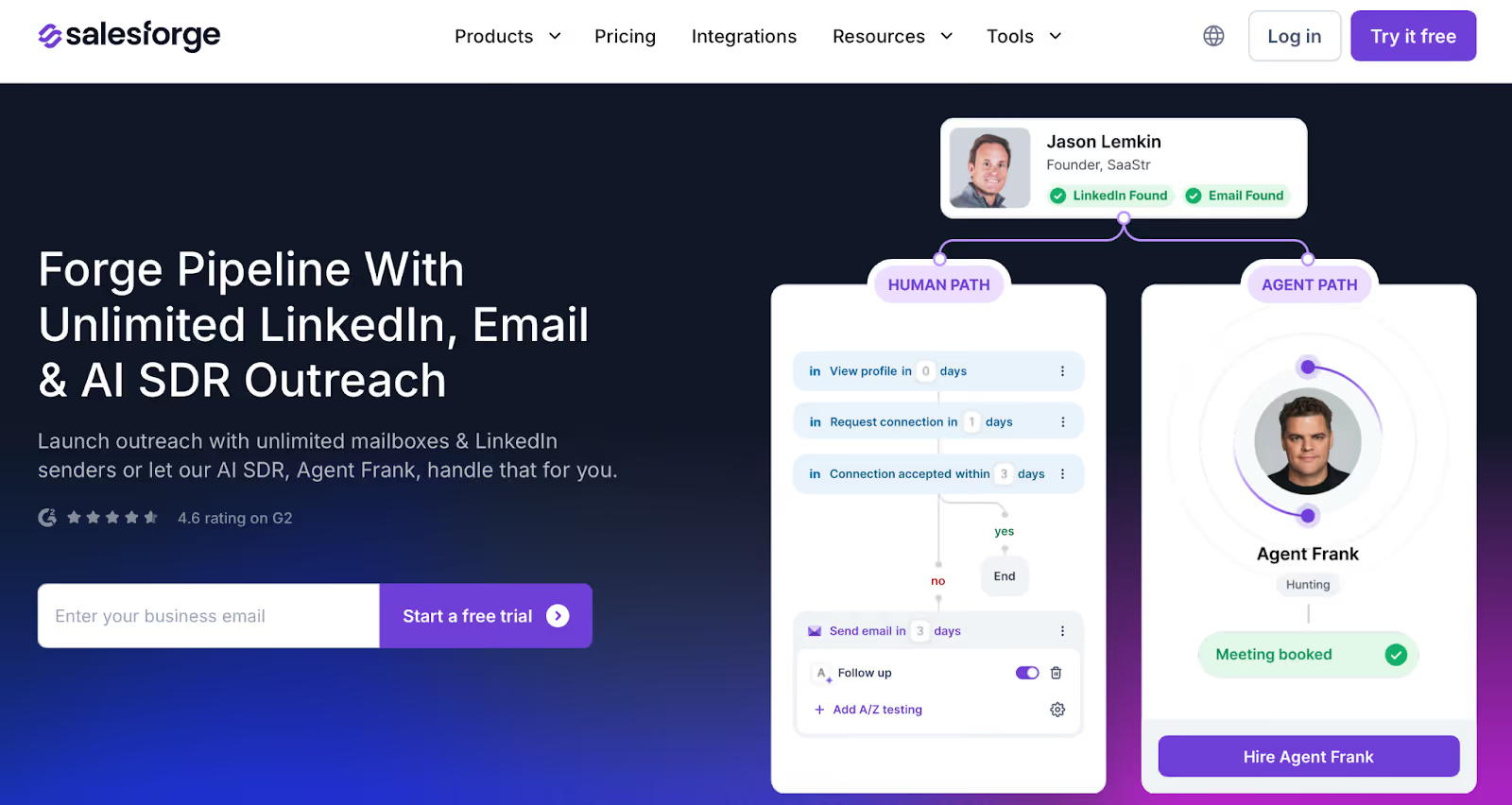
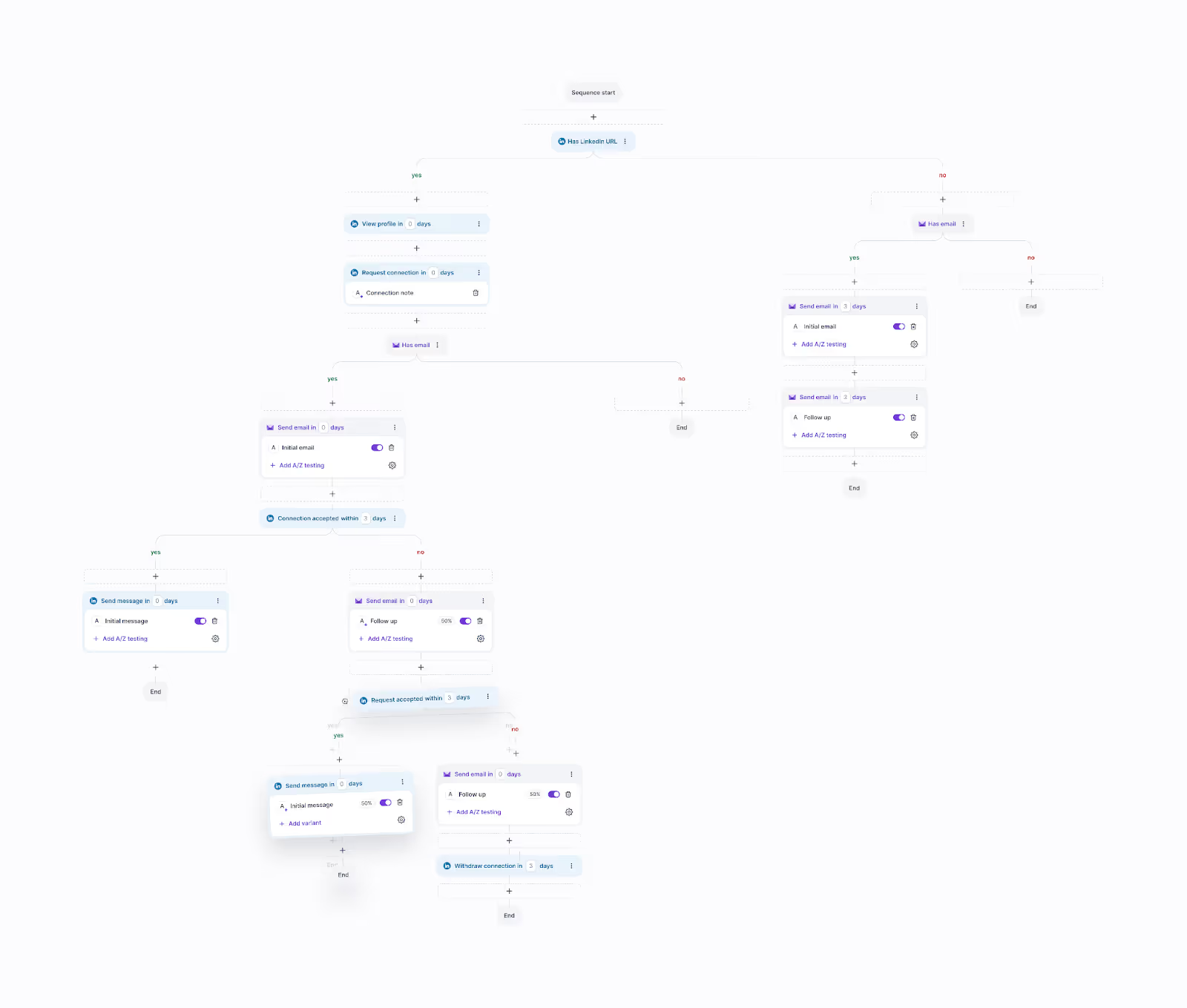
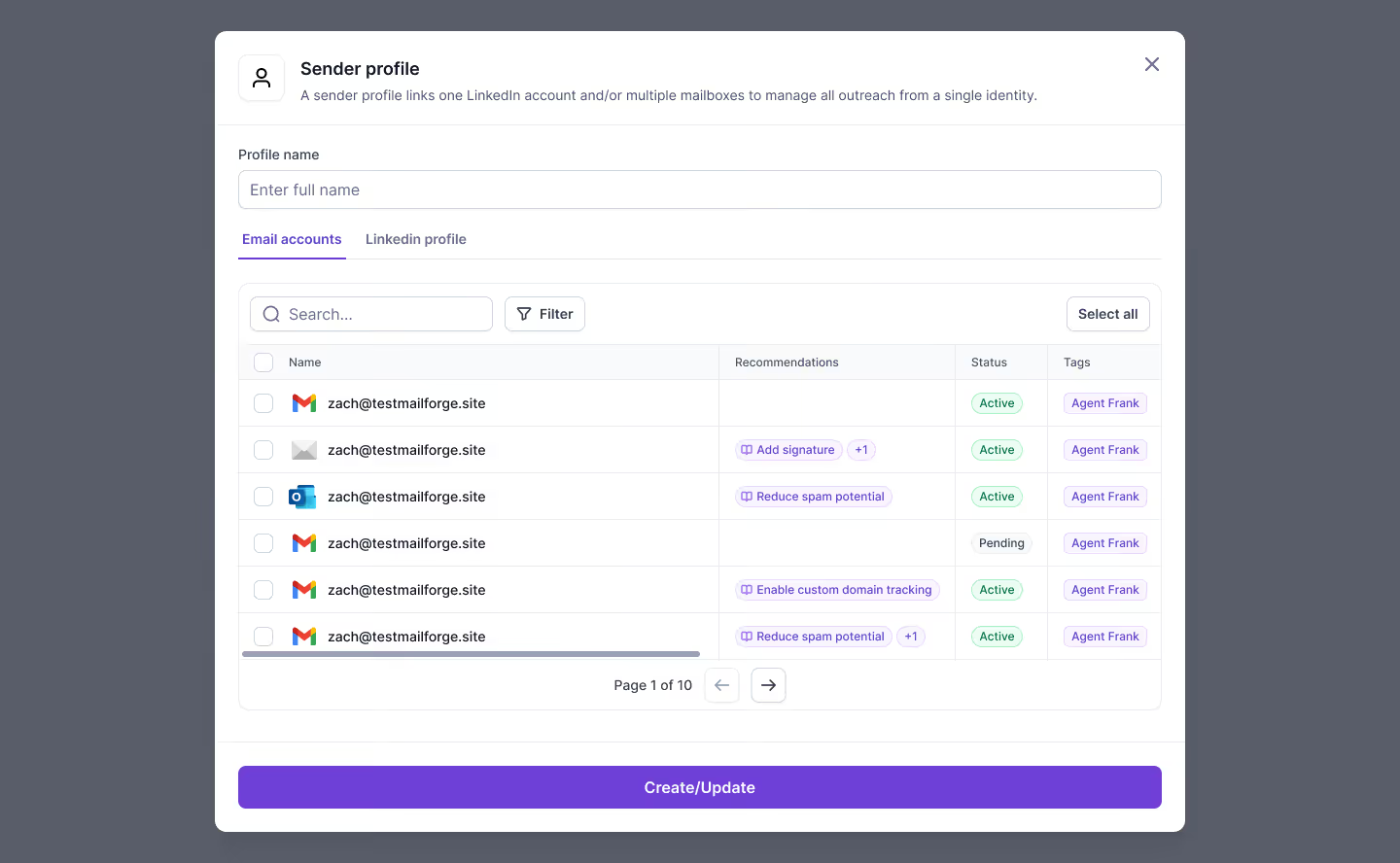
If your goal is to send LinkedIn messages and cold emails together, track every reply in one inbox, and keep your deliverability strong, Salesforge is the most complete tool for B2B lead generation.
#2. HeyReach — Best for Managing Multiple LinkedIn Accounts Safely
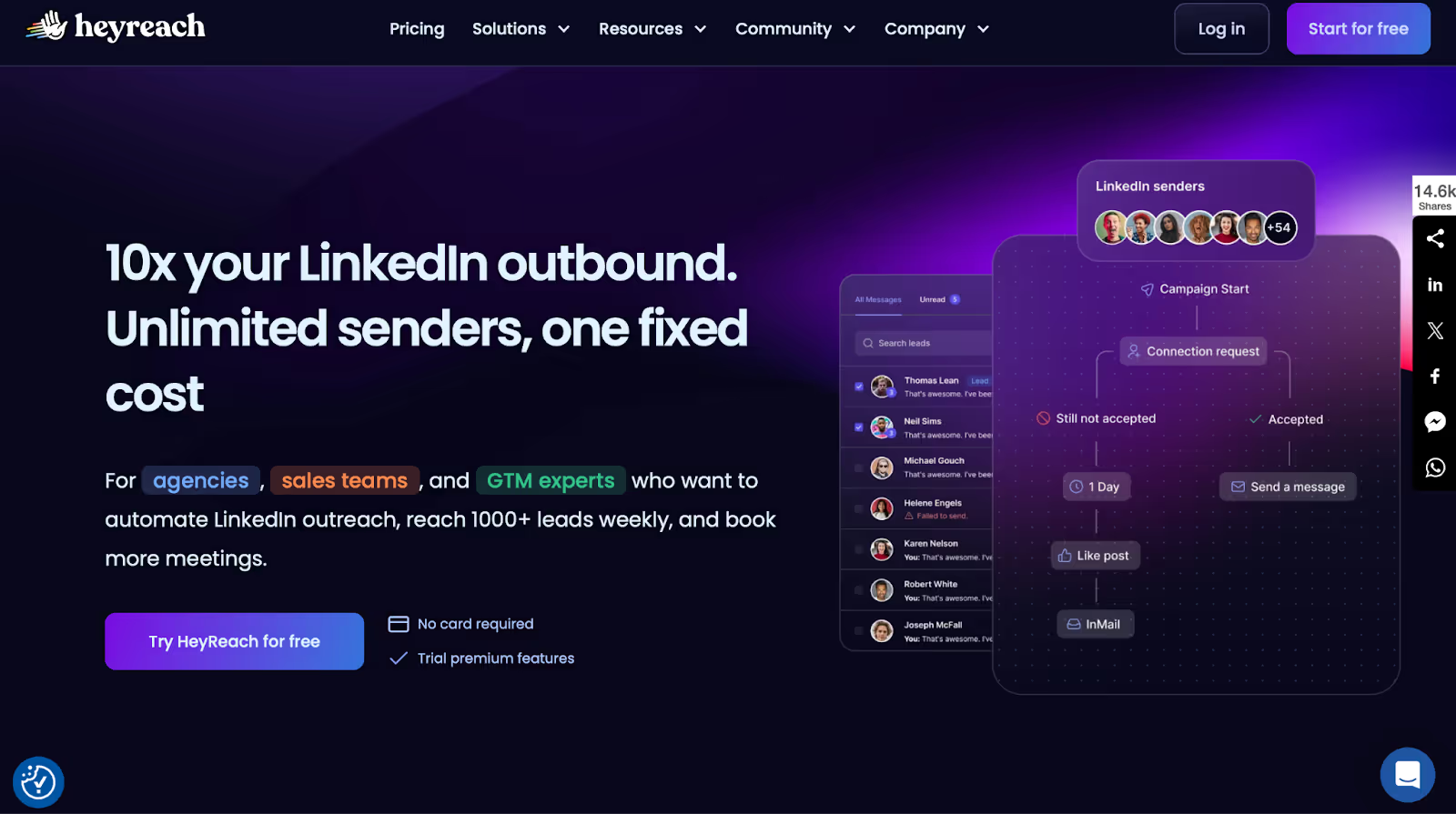
This image shows the HeyReach Homepage
If you're running multiple LinkedIn campaigns across different accounts, HeyReach is built for you.
You can connect many LinkedIn accounts, send messages, rotate between senders, and reply to leads, all from one place.
And you won’t need to worry about LinkedIn bans, because HeyReach follows strict sending rules to keep your accounts safe.
It’s also very easy to set up. Most users say they were able to get started within minutes.
The dashboard is clean, simple to use, and works well even if you’re not technical.
One thing users love is the customer support. You’re not just talking to a bot, their team actually listens, helps quickly, and cares about your results.
If you use tools like Clay, you’ll like the way HeyReach connects with them.
You can enrich leads, build lists, and push contacts into your LinkedIn campaigns automatically.
Key features:
Connect and rotate unlimited LinkedIn accounts
Send automated connection requests and messages
Use "if connected" logic for smart follow-ups
Manage all replies in one inbox
Native integrations with Clay, HubSpot, Zapier, and more
Friendly, human support team
Best for:
Agencies and teams that manage multiple LinkedIn accounts and need to keep things safe, simple, and organized.
Pricing:
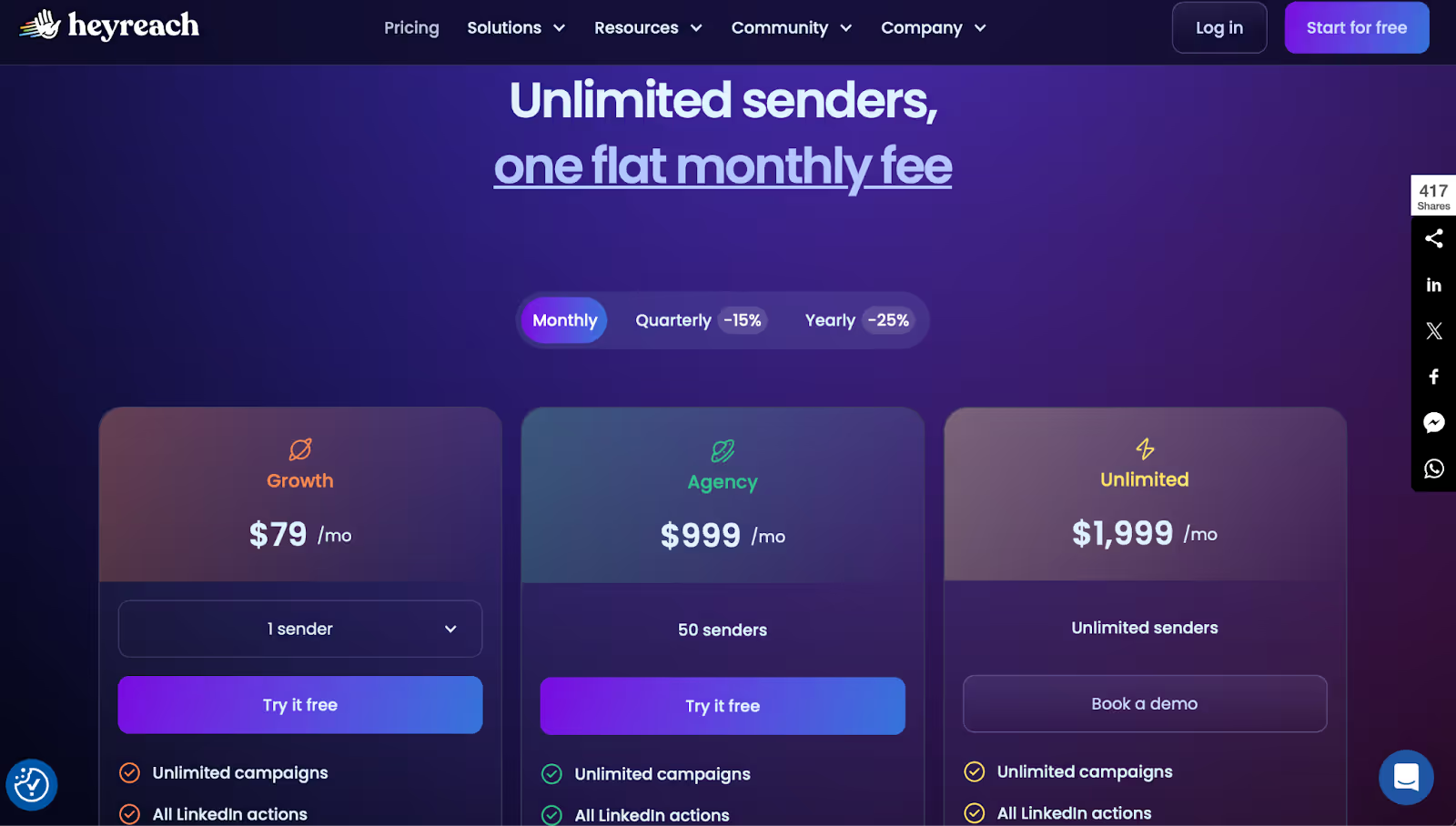
This image shows the HeyReach Pricing
Growth Plan: $79/month
Agency Plan: $999/month (for 50 senders)
Unlimited Plan: $1,999/month (unlimited senders)
All plans come with a free trial and no credit card required
Pros:
Easy to set up and use
Strong support team that helps fast
Safe sending with inbox rotation
Works great with Clay and other tools
Lets you scale outreach across many accounts
Cons:
This image shows the G2 user review highlighting a limitation in HeyReach, it can’t easily exclude blacklisted leads unless an action is first performed on their profiles.
Can’t blacklist leads unless an action is taken on them first
Some users wanted more control over complex multi-channel flows
Reporting features are limited
If you're running LinkedIn outreach at scale and want safe automation with strong support, HeyReach is a smart choice, especially for agencies and teams managing many accounts.
#3. Expandi — Best for Personalized LinkedIn Campaigns With Smart Automation
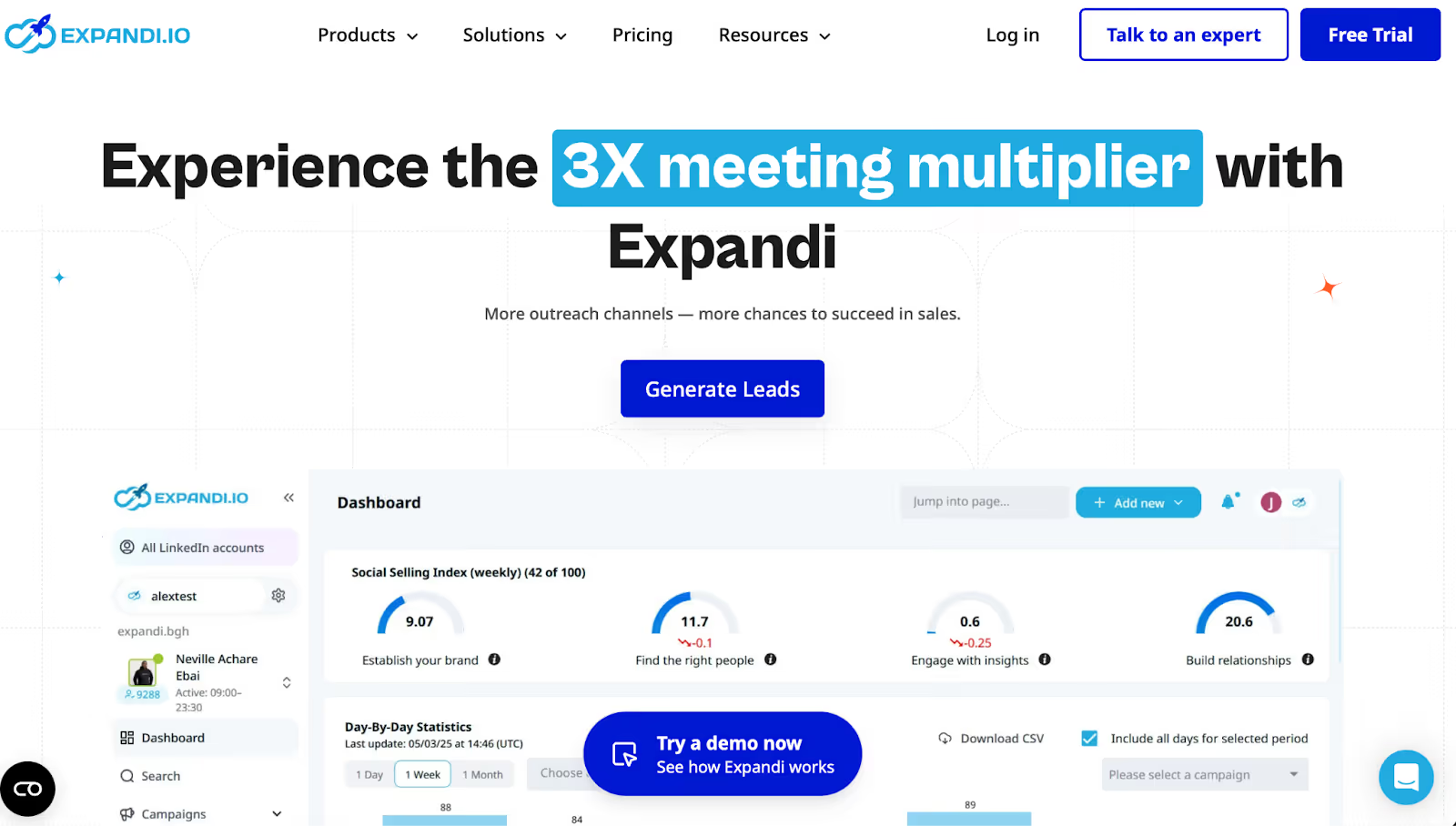
This image shows the Expandi Homepage
If you want to send LinkedIn messages that feel personal, but do it at scale, Expandi is a good choice.
It helps you build smart outreach campaigns where you can add different actions, like visiting a profile, sending a message, or even following up by email, all in one flow.
In Expandi, you don’t have to start from scratch.
Expandi gives you ready-made templates, and it works with tools like Sendspark and Hyperize if you want to add videos or GIFs to your LinkedIn messages.
Expandi also lets you track everything in detail, so you can see which steps are working and which ones need fixing.
If you get stuck, their support team is fast and helpful, even offering live calls to solve problems.
That said, some users say onboarding feels a bit complex at first, and the dashboard could be easier.
You also need a credit card to start the free trial, which some people didn’t like.
Key features:
Smart sequence builder with "if this, then that" logic
Add LinkedIn + email steps in one campaign
Works with video and image personalization tools
Central inbox to manage conversations
Supports CSV imports, blacklists, and CRM integrations
Campaign stats to track performance
Helpful support team with live strategy calls
Best for:
Founders, sales teams, and agencies who want to personalize LinkedIn outreach at scale using visual flows and smart triggers.
Pricing:
Business Plan: $99/month (7-day free trial available)
Custom plans: Available for large teams or white-label use
Pros:
Build flexible LinkedIn campaigns with conditions and actions
Supports video/GIF personalization
Easy to run follow-ups by email and LinkedIn
Very responsive customer support
Templates make setup faster
Cons:
You can’t run more than one LinkedIn profile at the same time.
You need to enter your credit card just to start the free trial.
Some users found the labels on the dashboard a bit confusing.
The onboarding could be easier, you might need help at first.
This image shows the G2 review highlighting Expandi.io’s onboarding complexity and the need for more guided setup support.
Email steps aren’t fully built into the sequence builder yet.
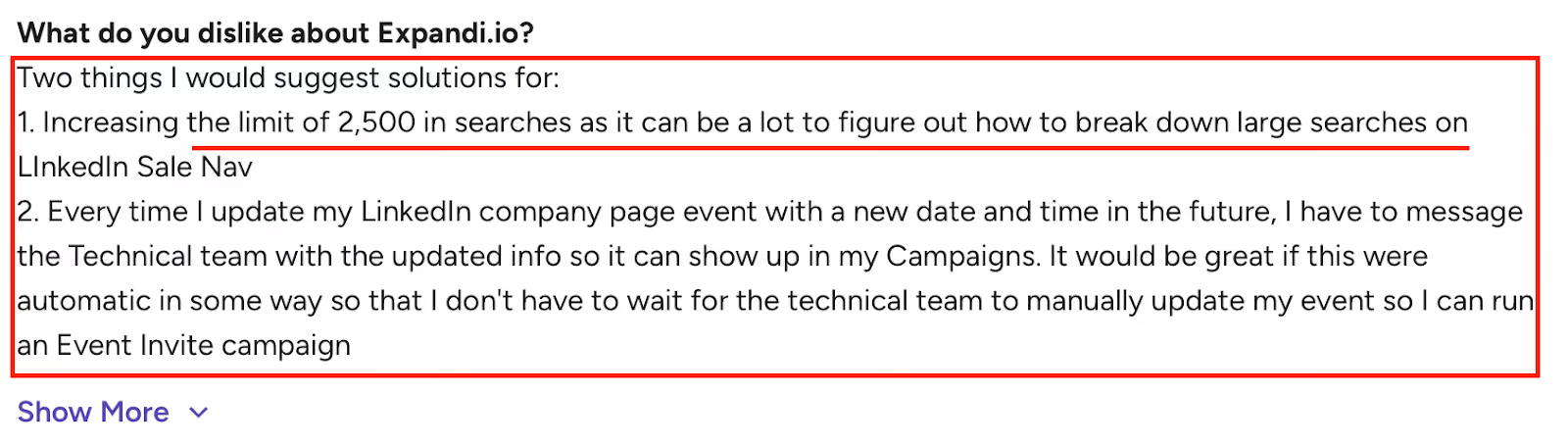
If you want to invite people to LinkedIn events, you’ll need to message their tech team.
Breaking down big LinkedIn Sales Nav searches can be tricky, 2,500 limit per chunk.
This image shows the G2 review mentioning Expandi.io limitations, search limit of 2,500 results and manual event updates on LinkedIn campaigns.
Some users felt the campaign builder needs more polish.
If you want to build smart, personalized LinkedIn campaigns with visual flows and strong support, Expandi is a great fit, especially for teams who care about detailed control.
#4. Salesflow — Best for Simple LinkedIn Outreach With Team-Friendly Features
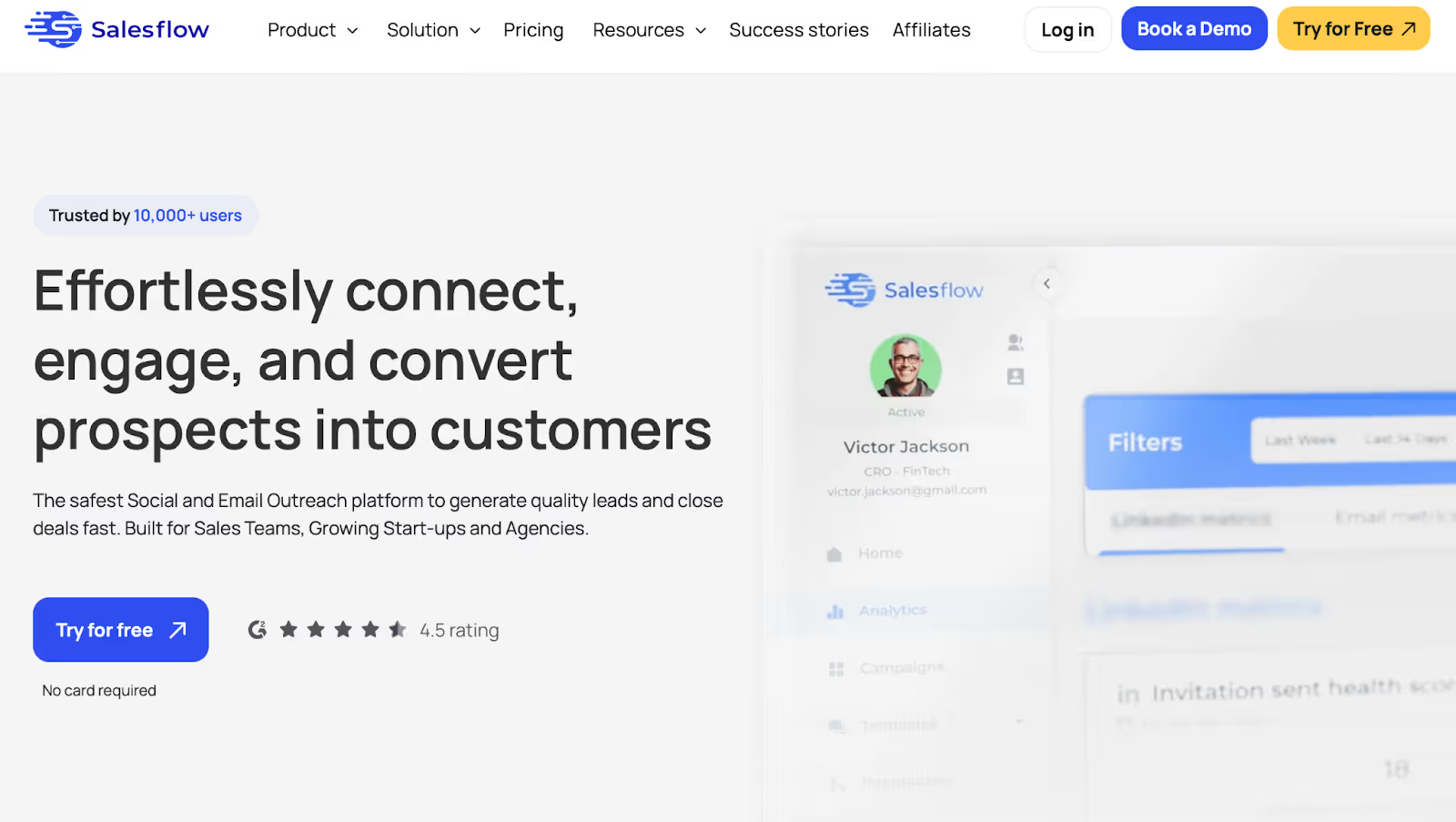
This image shows the Salesflow Homepage
Salesflow helps you send LinkedIn messages, follow-ups, and emails, all in one easy system.
You can launch your first campaign in under 5 minutes, and you don’t need to be technical to use it.
The setup is smooth, and users say the interface is clean and fast.
What makes Salesflow stand out is how well it works for teams and agencies.
You get a full admin view, team reporting, and even white-label branding for client work.
You can also send Open InMails (up to 800/month), manage multiple accounts, and run automated follow-ups, without needing multiple tools.
But there are some issues to keep in mind. LinkedIn accounts may disconnect often, requiring manual fixing.
Some users faced campaign errors or delays with reporting.
And if you use HubSpot, there’s no native integration, which means more manual work.
Key Features:
Social + email outreach in one platform
Visual workflows and message templates
Send up to 400 invites and 800 Open InMails/month
Admin dashboard to manage teams and clients
Advanced stats and A/B testing
CSV import and Zapier integration
White-label options for agencies
Best For:
Startups, sales teams, and agencies that want clean LinkedIn automation and easy client or team management.
Pricing:
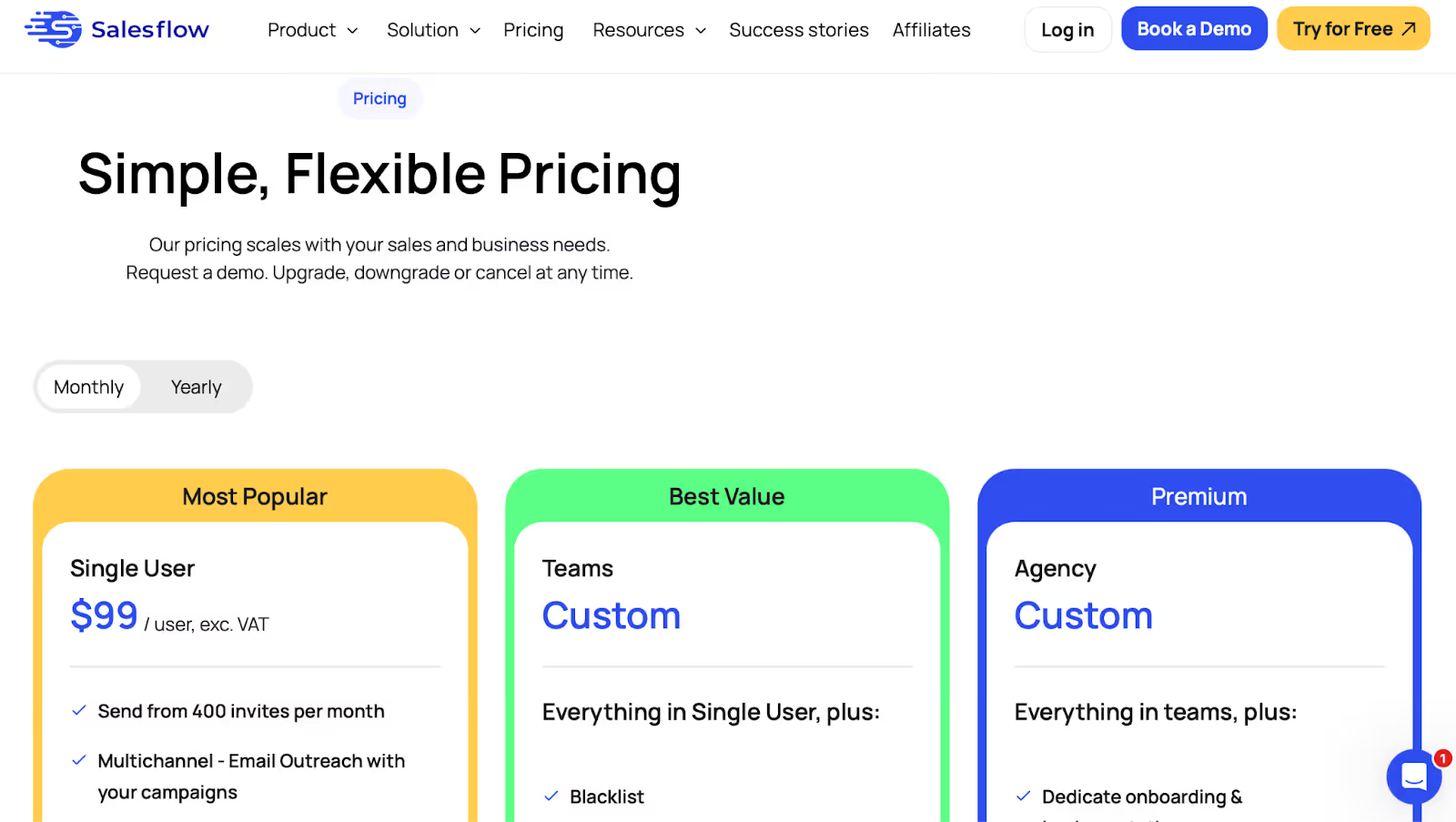
This image shows the Salesflow pricing
Single User Plan: $99/month (or $79/month yearly)
Custom Plans: For teams or agencies (white-label, dedicated IPs, onboarding, more)
Done-With-You Add-on: $199 one-time, Salesflow team builds your first campaign
Pros:
Easy-to-use UI, first campaign can be live in minutes
Lets you send 800+ Open InMails monthly
Includes real-time inbox management and reply templates
Admin dashboard gives full team or client visibility
Great for managing multiple LinkedIn accounts at once
A/B testing tools and analytics help improve campaigns
Zapier and CSV import make workflows easier
White-label and agency support with global dashboards
Cons:
LinkedIn accounts sometimes disconnect and need manual re-login
No native HubSpot CRM integration, syncing replies takes extra steps
Campaigns can stop running with no alerts or clear reason
This image shows the G2 review mentioning Salesflow campaign errors that stop unexpectedly without notifications, suggesting better error alerts.
Stats and reports sometimes load slowly or feel cluttered
No way to copy-paste campaigns between accounts
This image shows the G2 review noting Salesflow’s limitations in copying campaign texts between profiles and slow stats loading times.
Campaign setup UI may confuse non-English users
Auto-tagging replies by sentiment doesn’t always work well in other languages
Setup with Captcha can be tricky or frustrating for some users
This image shows the G2 review highlighting Salesflow’s lack of a global contact database and difficulty duplicating campaigns easily.
If you want a simple tool that does LinkedIn and email outreach and works well with teams or clients, Salesflow gives you just that, as long as you’re okay with a few manual fixes.
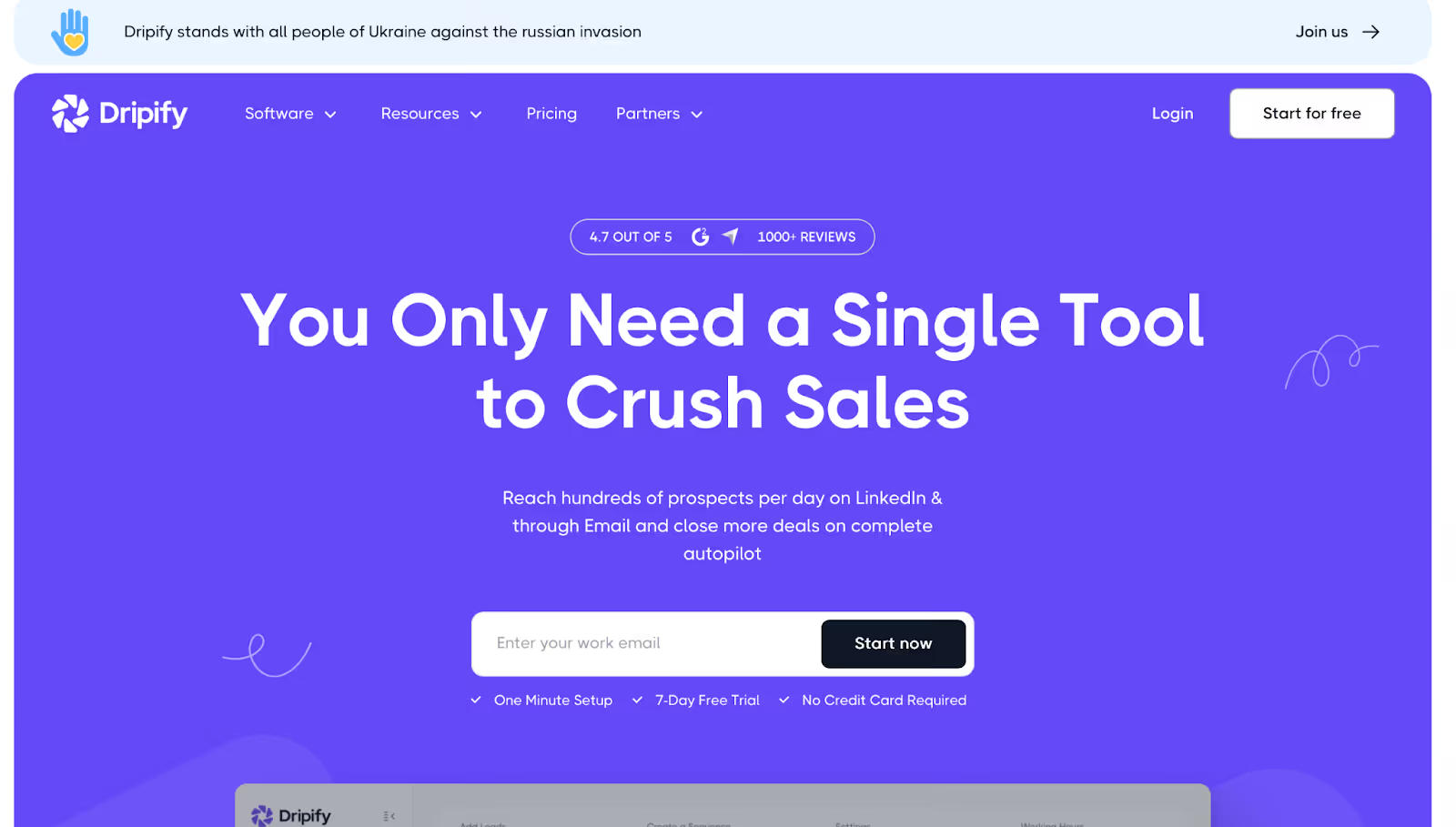
#5. Dripify — Best for LinkedIn + Email Outreach With Easy Automation
This image shows the Dripify Homepage
Dripify helps you run LinkedIn and email campaigns on autopilot.
You can build smart sequences using actions like connection requests, follow-ups, delays, and even email steps, all in one flow.
What makes Dripify stand out is how simple the setup is. Many users said they had a live campaign running in under 10 minutes.
It’s beginner-friendly and doesn’t feel technical, even for non-coders.
You can also personalize messages with 20+ variables, use A/B testing, track results in a clear dashboard, and manage your whole sales team from one place.
But a few users noted that the lead list and inbox tools need work, they feel clunky and need extra steps.
Dripify also doesn’t grab real work emails (only LinkedIn-linked emails), and it requires Zapier to connect with CRMs like Salesforce or HubSpot.
Key Features:
LinkedIn + email drip campaigns in one place
Email finder and built-in verifier
20+ personalization variables (including AI icebreakers)
A/B testing for LinkedIn messages and emails
Unified inbox for replies and follow-ups
Analytics dashboard with team performance tracking
Works with Zapier and Make
Best For:
B2B teams and agencies who want to automate LinkedIn and email outreach without needing multiple tools.
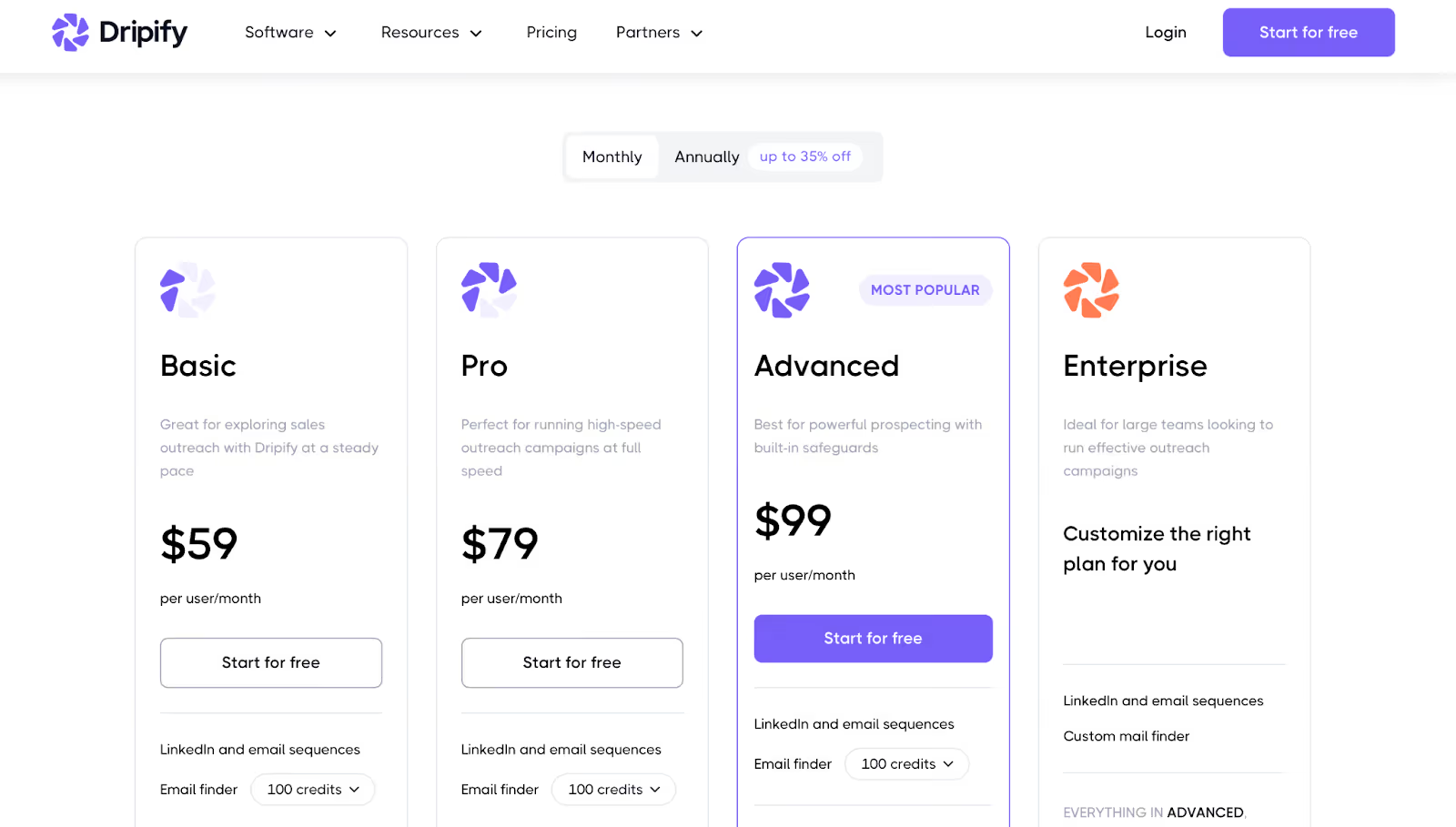
Pro Plan: $79/month – unlimited campaigns, inbox, CSV export
Advanced Plan: $99/month – adds team features and stronger security
Enterprise Plan: Custom pricing for large teams
7-day free trial with no credit card required.
Pros:
Super simple to set up, just a few clicks and you’re ready to go.
Clean drag-and-drop UI makes it easy to build LinkedIn campaigns.
Works in the background while you focus on other tasks.
Adds 8–12 high-quality leads per day without extra effort.
Helps book qualified calls and puts them directly on your calendar.
Gives fast replies with AI support inside the app.
Campaign reports are short, visual, and easy to understand in 3 seconds.
Fully automates follow-ups and stops when someone replies.
Great for growing your LinkedIn network without doing it manually.
Save all your conversations so you never lose track.
Cons:
No native Salesforce integration, you’ll need Zapier or a workaround.
This image shows the G2 review noting Dripify’s lack of direct Salesforce integration and reliance on third-party tools like Zapier for connectivity.
Can’t export leads directly from LinkedIn Sales Nav, manual work needed.
This image shows the G2 review mentioning Dripify’s lack of an easy export option for LinkedIn Sales Navigator leads, requiring extra tools or manual copying.
Team collaboration is limited, can’t share contact lists across team members.
The inbox and lead list UI is clunky and needs fewer clicks.
You can’t tweak very complex campaign scenarios due to LinkedIn limits.
Billing issues happen often, users get locked out when payments fail.
This image shows the G2 review criticizing Dripify’s high pricing, poor billing via Fastspring, delayed support, and issues caused by new AI features.
Live chat support is now slower and handled mostly by bots.
Profile optimization and SSI score help is missing, users want more support here.
Reporting isn’t super detailed, just the basics.
Feels a bit expensive for the features you get.
If you want to run LinkedIn and email campaigns side by side, Dripify gives you full automation, personalization, and clean results, just be ready to handle a few workarounds with CRM and leads.
#6. Skylead — Best for Visual Campaign Building With Smart LinkedIn and Email Flows
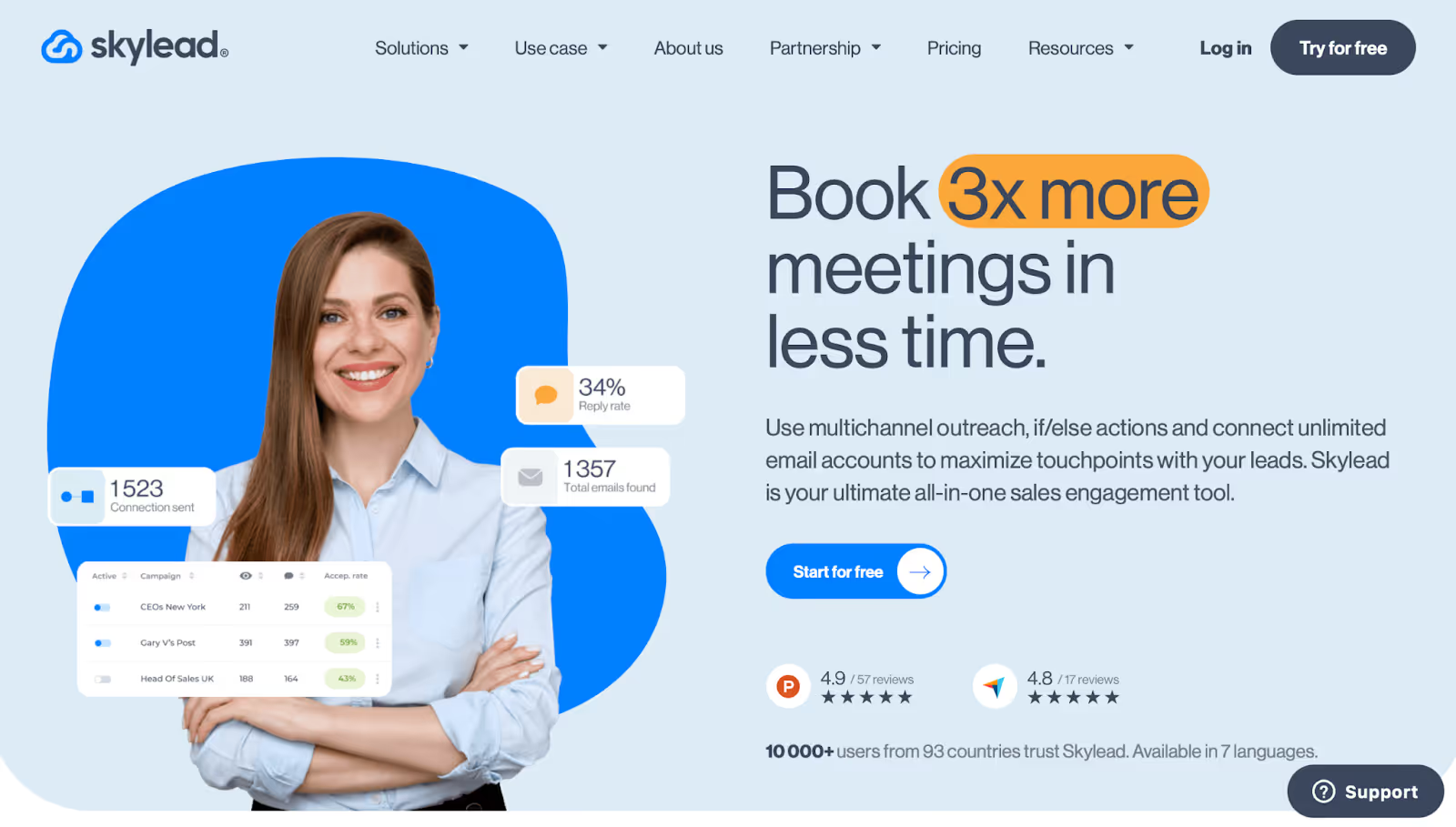
This image shows the Skylead Homepage
Skylead is a smart LinkedIn outreach tool that helps you build powerful multichannel campaigns.
You can combine LinkedIn, email, and even InMail steps in one smart visual flow, with “if-this-then-that” logic to match each lead’s behavior.
The UI is super beginner-friendly.
You can drag and drop steps, personalize messages with custom variables, and even include personalized GIFs or images to boost replies.
It also gives you tools for email verification, auto warm-up, inbox reply tracking, and smart filters, all inside one clean dashboard.
But some users said it’s missing a few things, like native CRM integrations, shared lead tagging, and faster email delivery at times.
The onboarding could also be smoother for first-time users.
Key Features:
Visual campaign builder with smart logic (if/else)
Multichannel outreach: LinkedIn, email, InMail
Unlimited email sending with inbox rotation
Auto warm-up for better email deliverability
Email finder + verifier in the same flow
Personalized images and GIFs (Sendspark integration)
Tags, custom variables, and dynamic placeholders
Reporting, A/B testing, blacklist, and team dashboards
Best For:
Founders, marketers, and recruiters who want more control over multichannel outreach without writing code.
Pricing:
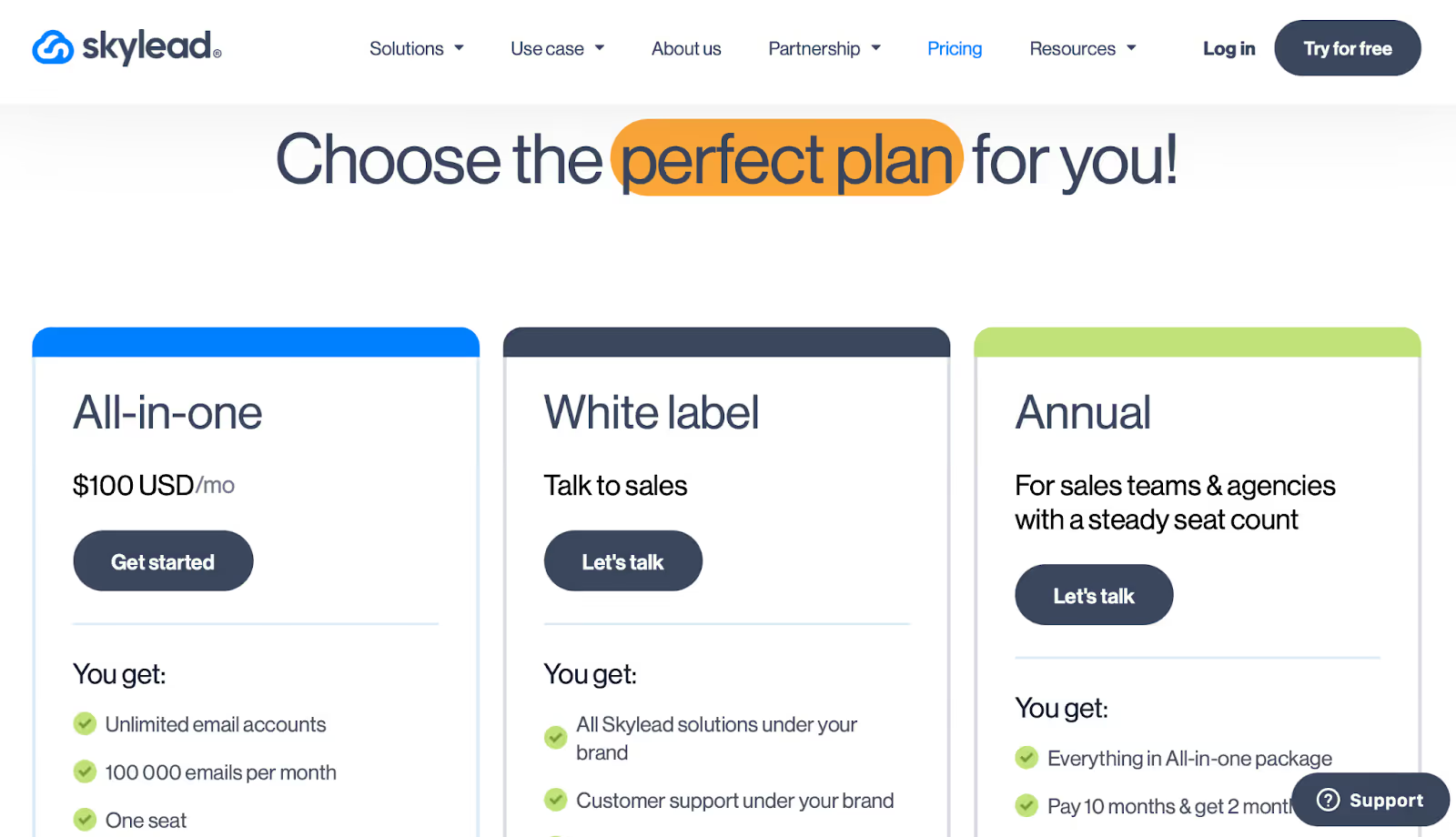
This image shows the Skylead pricing
All-in-One Plan: $100/month per seat
White-Label Plans: Custom pricing with full rebranding
Free 7-day trial with no credit card needed
Pros:
Lets you build visual workflows using drag-and-drop
Campaigns can use email, LinkedIn, and InMail together
You can switch from automation to 1-on-1 messages any time
Finds and verifies emails automatically inside flows
Warm-up feature boosts domain health across multiple inboxes
Supports personalized GIFs and images inside cold emails
Tags and filters help manage leads and chat replies better
Auto-pauses campaigns when someone replies (no double messages)
Smart Inbox tracks all replies in one place
Cons:
No native CRM integrations (only Zapier workaround available)
This image shows the G2 review noting Skylead’s lack of native CRM integrations, requiring Zapier for connections, and suggesting smoother direct syncing.
Some users experienced delayed email delivery during campaigns
Can’t label or tag LinkedIn leads from an internal CRM view
This image shows the G2 review highlighting Skylead’s lack of internal CRM or LinkedIn contact tagging to build segmented campaigns.
Onboarding takes time, initial setup feels tricky for some
Reports and lead export could include more lead-level data
Few users noted auto logout from LinkedIn during long sessions
Lacks deeper template customization for different teams
If you want a clean, powerful way to run multichannel outreach with smart logic, Skylead gives you full control, just be ready for a learning curve and a few missing CRM features.
#7. Waalaxy — Best for Fast, Budget-Friendly LinkedIn Prospecting
This image shows the Waalaxy Homepage
Waalaxy helps you reach 500M+ LinkedIn profiles and run simple outreach flows using LinkedIn and email, even if you’ve never used a tool like this before.
It’s known for its ease of use.
You can send automated invites, follow-up messages, and emails without needing any technical skills.
Everything runs from a Chrome extension, and you can launch a basic campaign in under 10 minutes.
It also includes an email finder, conversation manager, team dashboard, and optional inbox add-on, all in a very low-cost plan that starts at ₹885/month.
But it’s not perfect. Waalaxy doesn’t offer deep CRM integrations (only Zapier), and some users reported bugs, import delays, and a clunky email follow-up setup.
It also works better with Sales Navigator or LinkedIn Premium, so free users may see limits.
Key Features:
LinkedIn invites, messages, and follow-ups in one campaign
Optional cold email steps for multichannel prospecting
Email finder with monthly credits (based on plan)
Chrome extension-based interface (no software setup)
Shared team dashboard with access control
Smart Inbox add-on for tagging and conversation handling
Safe limits (800 invites/month) with anti-duplicate detection
Integrates with 2000+ apps via Zapier/Make
Best For:
Freelancers, startups, and small teams who want a simple LinkedIn lead gen tool at a low monthly price.
Pricing:
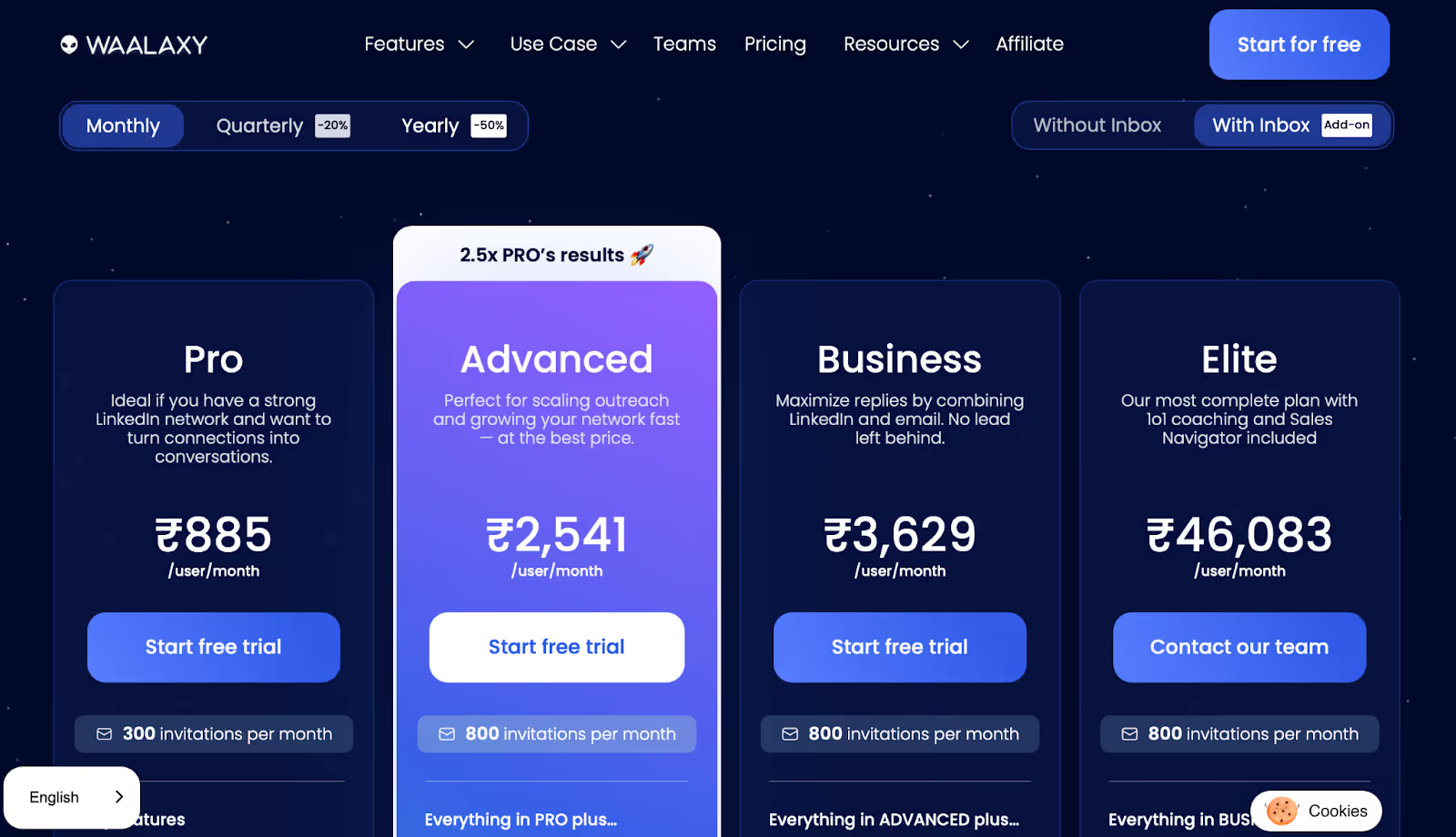
This image shows the Waalaxy Pricing
Pro Plan – ₹885/mo: 300 invites, follow-ups, CRM sync, 25 email credits
Advanced – ₹2,541/mo: 800 invites, live support
Business – ₹3,629/mo: Cold emails, follow-up, 500 credits, multi-senders
Elite – ₹46,083/mo: 10K credits, coaching, Sales Nav included
Chrome extension makes it super easy to launch campaigns
Email finder built-in with monthly credits based on plan
Auto-detects replies and stops follow-ups automatically
You can schedule LinkedIn + email steps in one flow
Safe to use with invite throttling and account protection
Shared inbox lets you tag chats, save replies, and set reminders
Team features let you share leads and manage users from one place
Works with CSV imports and pulls leads from Sales Nav or Recruiter Lite
Users love the fast setup, campaigns start in under 10 minutes
Cons:
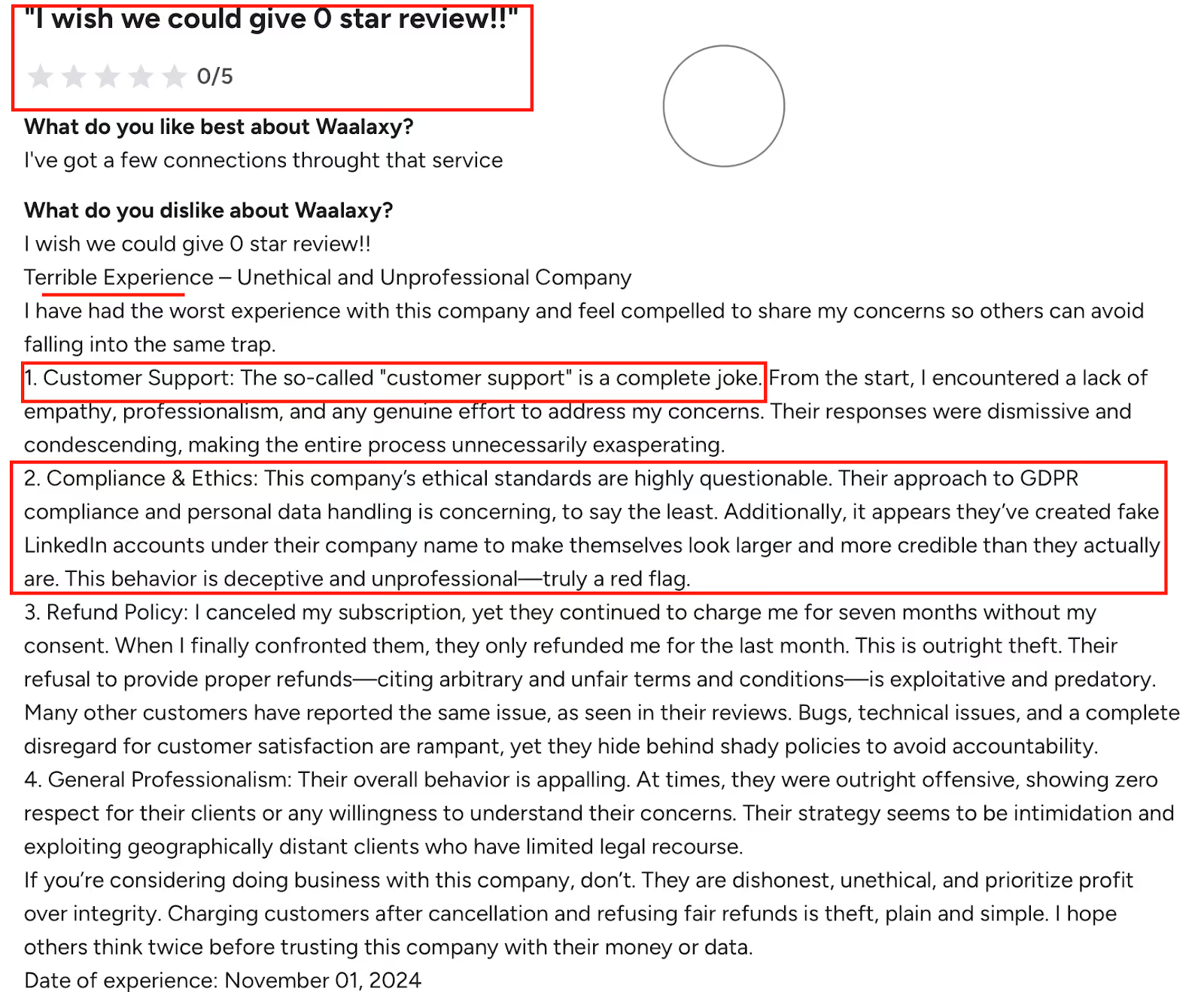
This image shows the G2 review criticizing Waalaxy’s poor customer support, questionable ethics, fake LinkedIn accounts, and billing issues after cancellation.
No native CRM integrations (Zapier/Make only)
Import from Sales Nav sometimes takes longer than expected
Email follow-up flow can be confusing to configure at first
Inbox and email steps are paid add-ons, not in base plan
Works better with LinkedIn Premium/Sales Nav than free accounts
Users reported occasional bugs and clunky UX on some steps
No Apollo integration or native HubSpot/Zoho sync
AI personalization features still underdeveloped
This image shows the G2 review pointing out Waalaxy’s downtime, slow imports, verification hassles, and poor-quality AI features.
Some complaints about slow or scripted customer support
If you want a simple, low-cost LinkedIn tool that works fast, Waalaxy is one of the best choices, especially for beginners or small teams that don’t need advanced CRM features.
#8. Salesloft — Best for AI-Powered Sales Engagement With Multi-Channel Cadences
This image shows the Salesloft Homepage
Salesloftis a full sales engagement platform that helps SDRs and sales teams stay organized, automate their workflows, and manage cold outreach across LinkedIn, email, calls, and even SMS.
It’s packed with features like AI subject line suggestions, cadence optimization, call intelligence, and predictive deal scoring, all inside a clean dashboard.
Salesloft also integrates deeply with Salesforce and HubSpot, syncing every email, call, and note in real time.
You can also track activity, coach reps using call recordings, and get data-backed insights for every step of your outbound process.
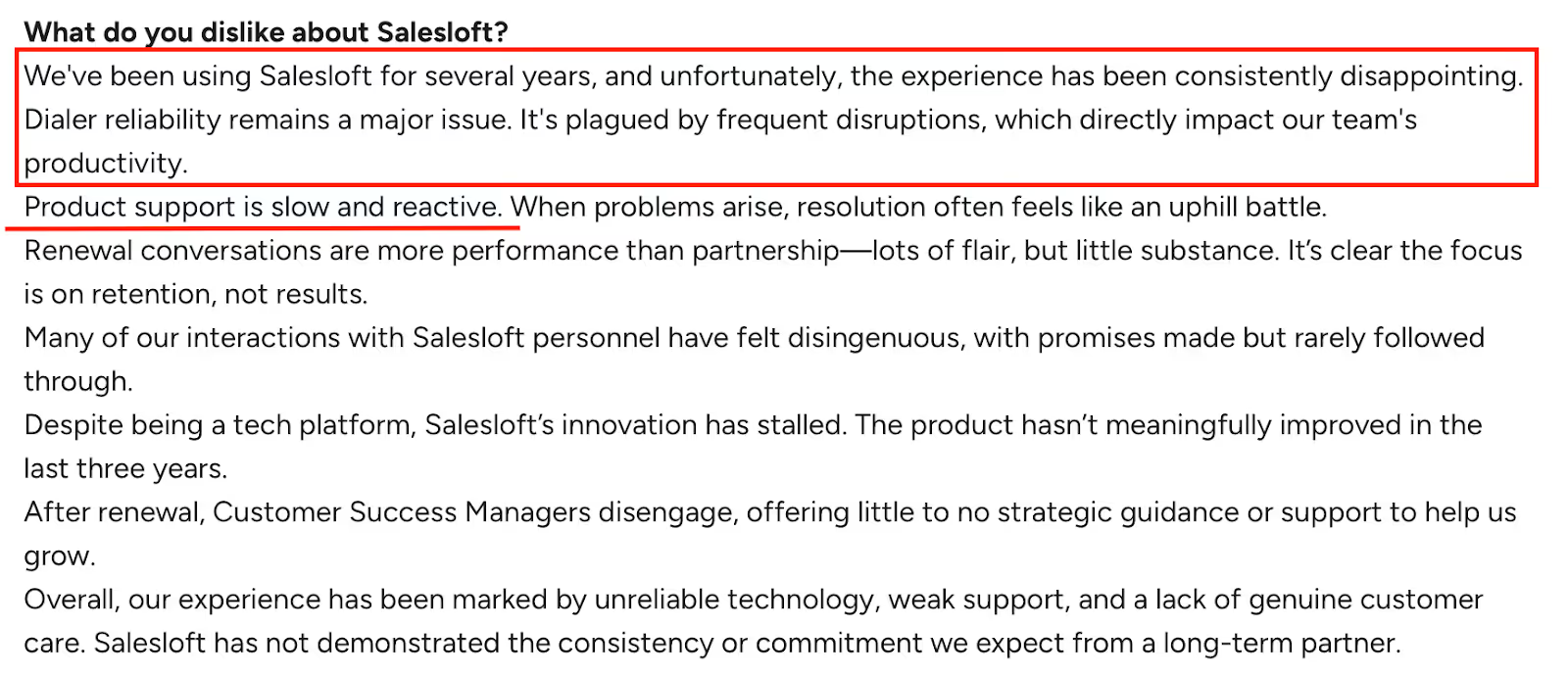
But some users said the dialer is slow, support is weak, and UI updates have made things worse, not better.
A few teams reported high staff turnover, poor follow-through from CSMs, and serious bugs (like CRM sync breaking after platform updates).
Key Features:
AI suggestions for subject lines, timing, and personalization
Conversations+ for call intelligence and real-time coaching
Deal engagement scoring to prioritize hot leads
Dashboards for team performance, call logs, reply tracking
Chrome extension for quick outreach
Analytics with open/reply/click tracking
Best For:
Enterprise sales teams and SDRs who want an AI-first engagement tool to manage high-volume, multi-channel outbound.
Pricing:
Salesloft doesn’t list pricing publicly, you’ll need to contact sales.
Pros:
AI suggests subject lines, email edits, and send time to boost replies
Deep LinkedIn + Salesforce integration with auto-sync
You can build complex, multi-step cadences with calls and WhatsApp
Cadence builder is intuitive and helps reps stay on task
Real-time call tracking with summaries, sentiment, objections
Reps can tag, coach, and score conversations for faster follow-up
Built-in dashboards help managers coach and track performance
Great onboarding for enterprise teams, especially in EdTech and SaaS
Cons:
This image shows the G2 review criticizing Salesloft for unreliable dialer performance, frequent disruptions, and slow, reactive product support.
Dialer is slow and unreliable, frequent lags during calls
Reports are hard to customize beyond basic filters
LinkedIn steps are still manual and hard to track
Support is often slow, reactive, or scripted
Some users saw high churn in CSMs, up to 8 in 3 years
CRM sync (Salesforce) once broke for 2 weeks during an outage
Email formatting can be clunky if pasting branded content
Setup and learning curve are steep for new teams
UI updates sometimes make workflows harder, not easier
If you're managing a full SDR team and need a sales engagement system with AI, analytics, and CRM sync, Salesloft delivers, but expect some bugs, slow support, and a steeper learning curve.
#9. Zopto — Best for Fully-Automated LinkedIn and Email Outreach Using AI
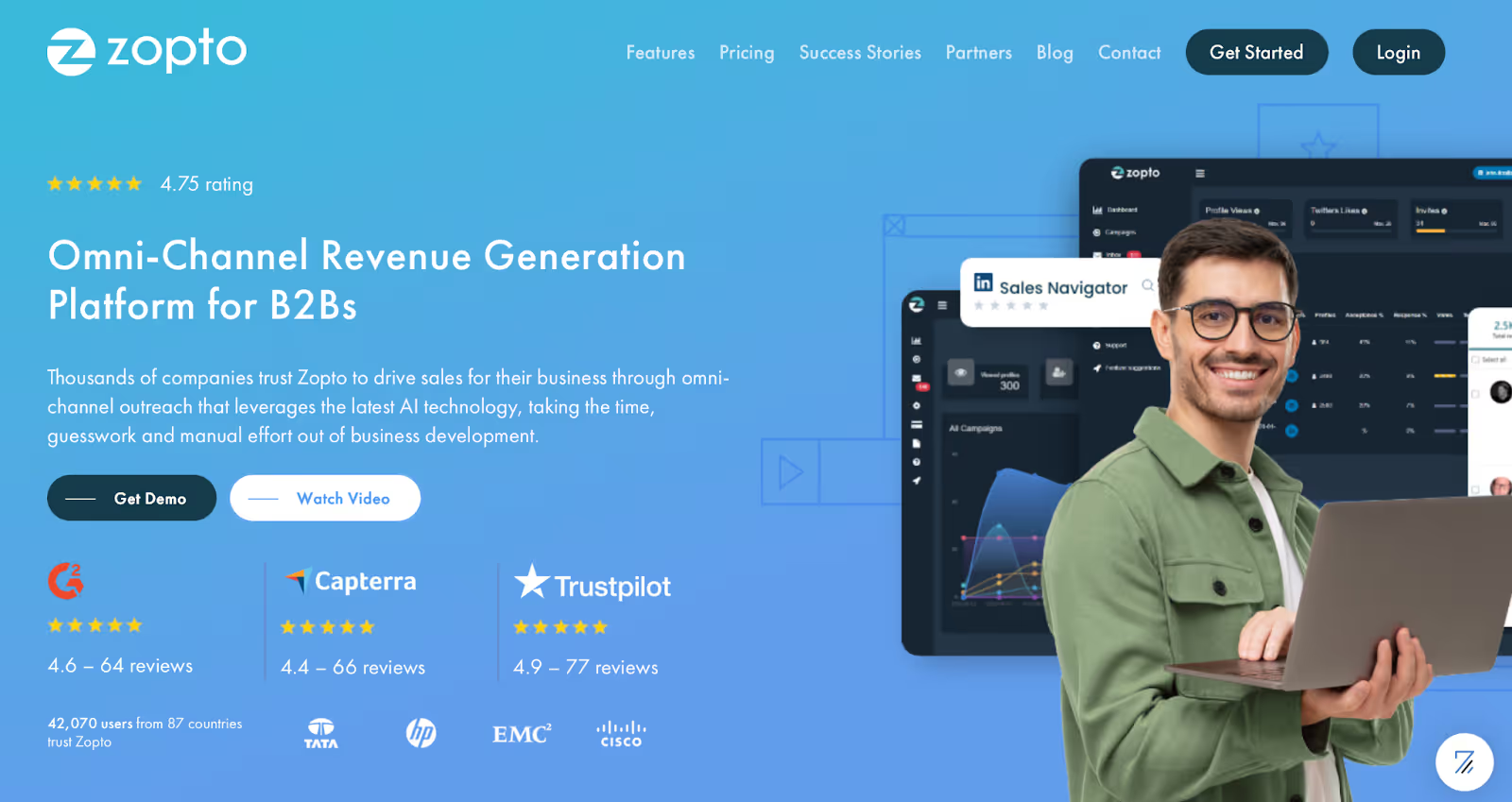
This image shows the Zopto Homepage
Zopto is a cloud-based lead generation tool that helps you run LinkedIn and email outreach together, using AI to create and manage your campaigns.
Their AI assistant Zhoo builds the whole campaign for you, including messages, email sequences, and even post templates.
You can reach up to 100 LinkedIn profiles, 100 InMails, 200 group messages, and 100 emails per day, all with built-in email enrichment, CRM sync, and A/B testing.
Zopto is also great for agencies, they offer a full white-label setup, sub-agency accounts, custom templates, and global dashboards with team-level analytics.
Key Features:
LinkedIn + email omnichannel sequences
Up to 5,000 emails/month included
AI assistant “Zhoo” builds complete outbound campaigns
A/B testing, lead tagging, and campaign stats
Dedicated campaign manager (on all paid plans)
CRM integrations: Salesforce, HubSpot
Email + domain verification
Cloud-based, no Chrome extension needed
White-label dashboard (for agencies)
AI persona builder, smart replies, and sentiment detection
Best For:
Sales teams or agencies that want AI to handle most of the campaign building, from messages to replies, and scale without needing tech skills.
Pricing:
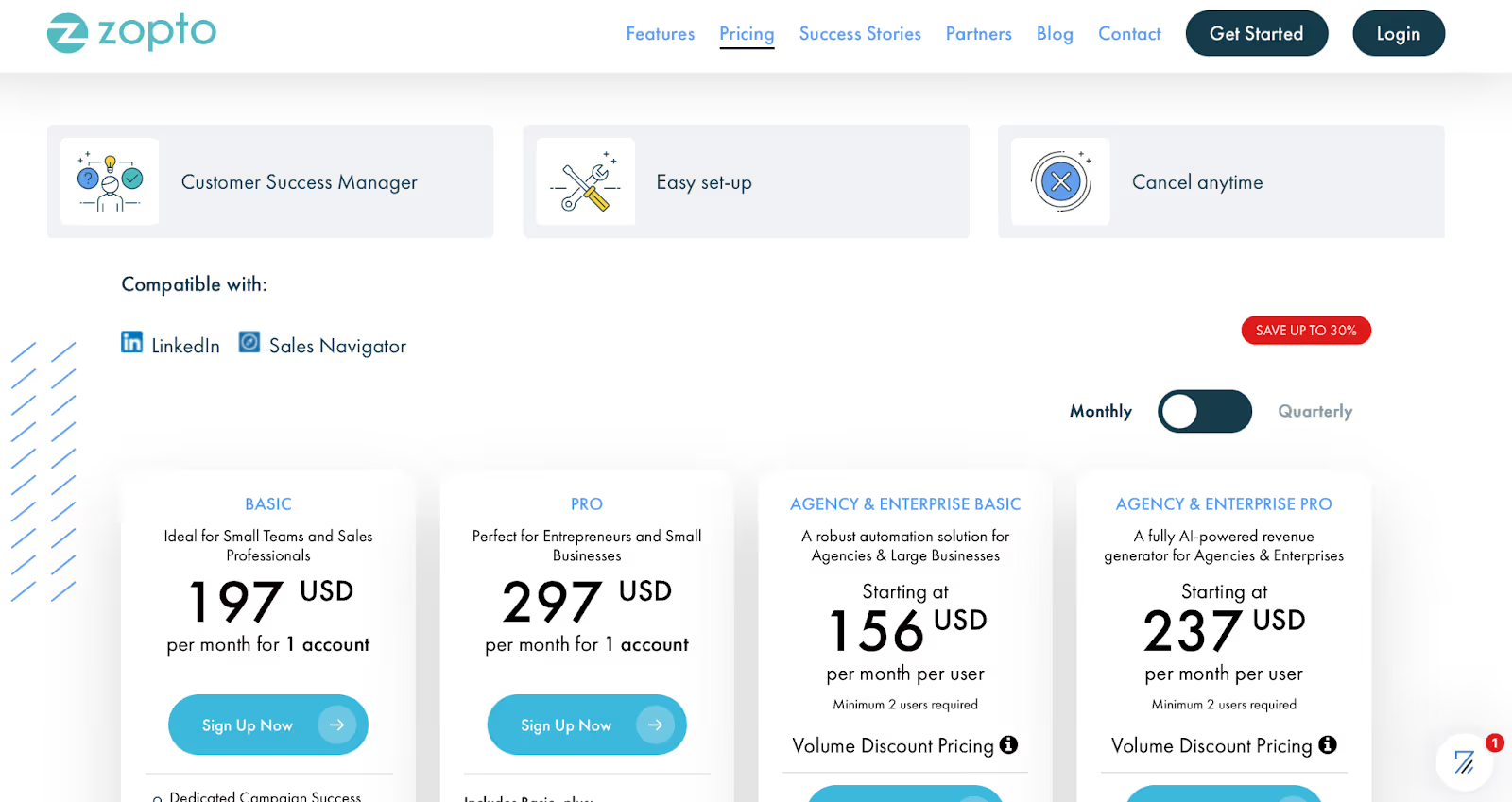
This image shows the Zopto Pricing
Basic: $197/month per account
Pro: $297/month per account
Agency Basic: Starts at $156/user/month
Agency Pro: Starts at $237/user/month
Volume discounts available
White-label option costs $997 one-time
Pros:
You can run multi-channel outreach without touching code
AI “Zhoo” writes sequences, follow-ups, and manages replies
Comes with 5,000 email contacts/month, no extra fee
Real-time analytics and A/B testing built in
Customer support team is fast and responsive (shoutout to Stefan & Edgar)
Dashboard is clean and beginner-friendly
Works well with LinkedIn Sales Navigator filters
White-label option makes it ideal for outreach agencies
Cons:
This image shows the G2 review describing Waalaxy’s frequent downtime, verification hassles, slower imports, and low-quality AI features.
Hard to cancel subscriptions, cancellation flow is confusing
Some users reported bugs and slow UI during peak times
Email builder lacks visual formatting options
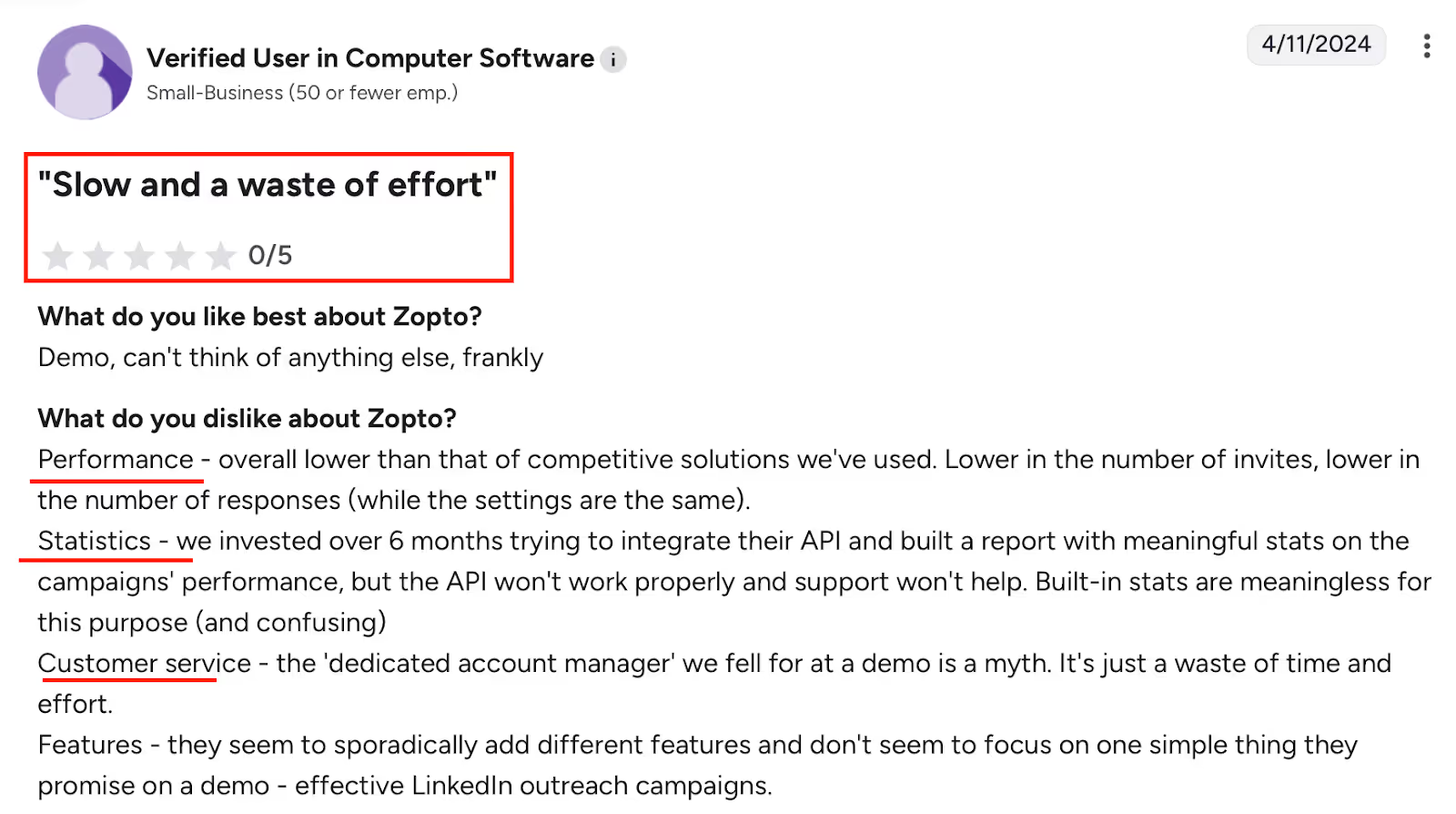
API doesn’t always sync properly with CRM for stats
This image shows the G2 review giving Zopto a 0/5 rating, citing poor performance, broken API, confusing statistics, and unhelpful customer support.
Campaign setup can feel confusing if you’re new to automation
Limited outreach volume unless upgraded
Support varies, some users got top-tier help, others were ghosted
Free LinkedIn accounts won’t work well, you’ll need Sales Navigator
If you want AI to do the heavy lifting on LinkedIn + email outreach and prefer a hands-off setup, Zopto delivers.
Just be careful during onboarding, and double-check how to cancel if you ever need to.
#10. Dux-Soup — Best for LinkedIn Automation With Deep Customization
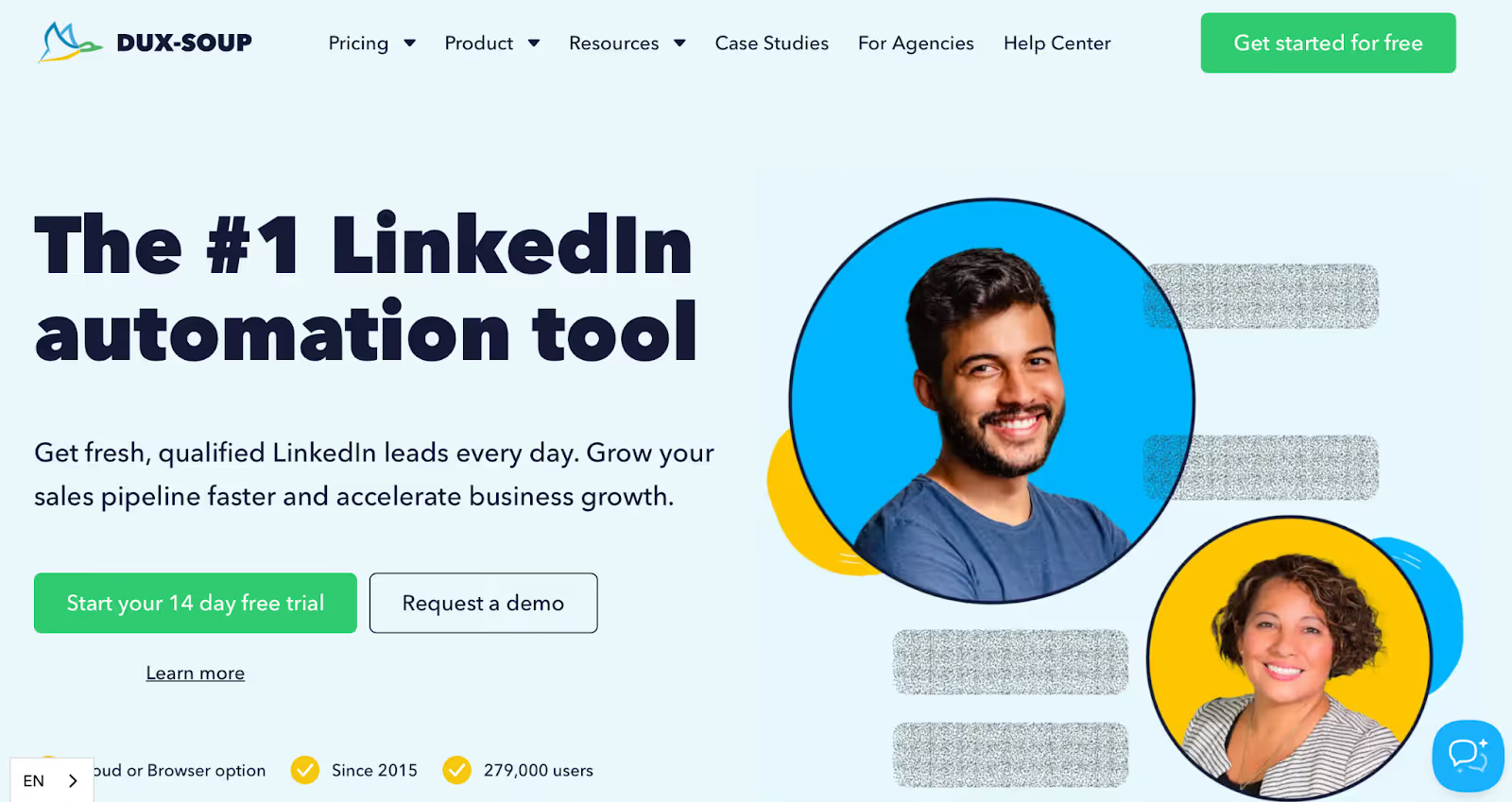
This image shows the Dux-Soup Homepage
Dux-Soup is one of the oldest and most flexible LinkedIn automation tools out there.
If you want full control over how your outreach works, without hitting LinkedIn’s limits, this tool gives you all the levers.
It lets you run drip campaigns with up to 12 LinkedIn actions (connect, follow, endorse, message, etc.) and lets you stack those actions with custom delays and response triggers.
You can even auto-withdraw invites, tag leads, export CSVs, or integrate with HubSpot, Pipedrive, or your internal CRM.
There's a cloud-based version (Cloud Dux) that’s “always on,” so you don’t need your computer running to execute campaigns.
Or you can start cheaper with their Pro or Turbo plans via Chrome.
Key Features:
Works with LinkedIn, Recruiter, and Sales Navigator
Fully customizable drip campaigns
Drag-and-drop campaign builder
Smart delays, auto-pausing, and response detection
Team plans with shared inbox and dashboards
CRM integrations (HubSpot, Zapier, custom APIs)
Export contacts and campaign stats to CSV
Cloud version: 24/7 automation from Dux’s servers
Best For:
B2B users who want a detailed, rule-based LinkedIn automation system, with more safety, personalization, and data control.
Pricing:
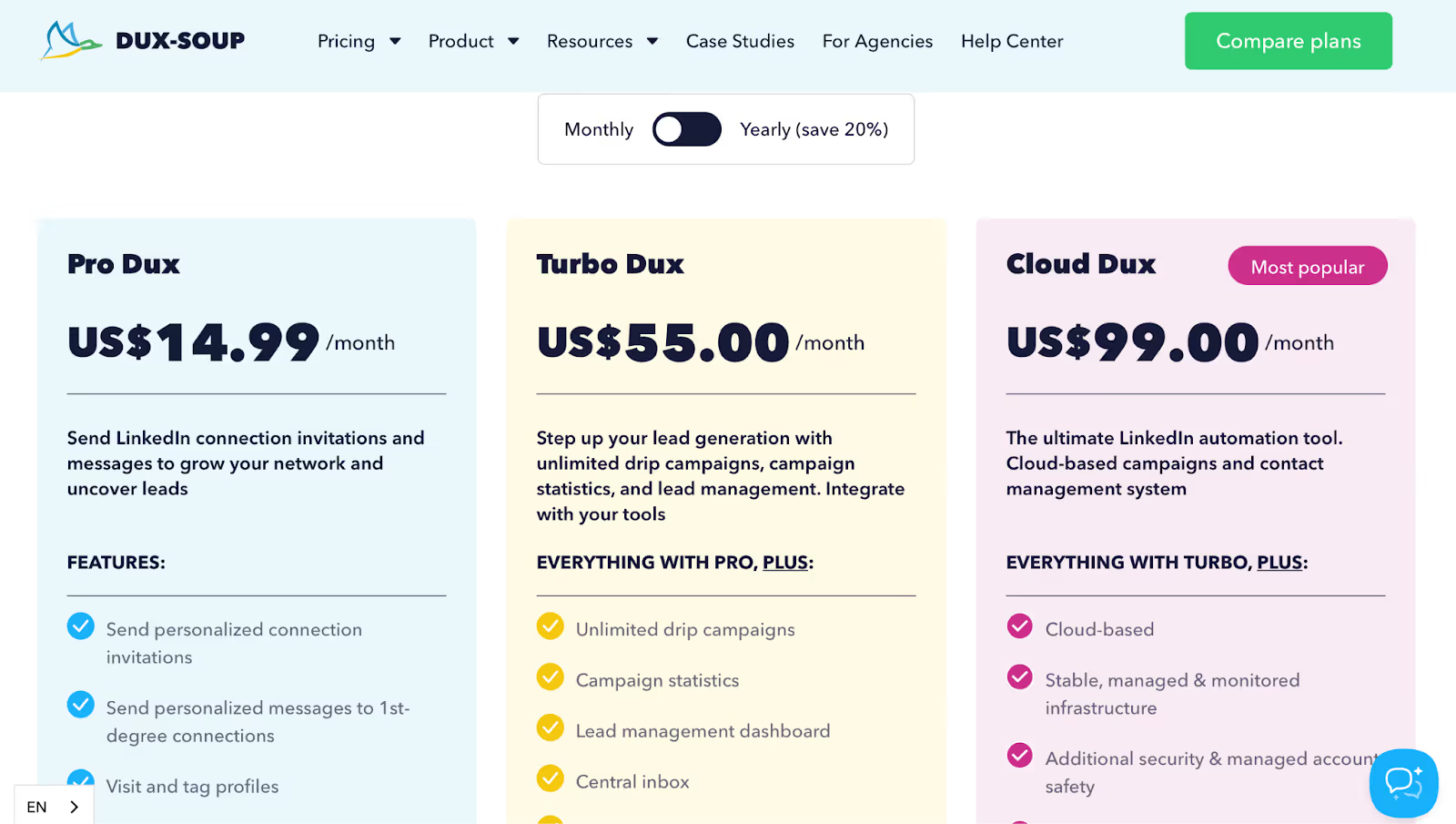
This image shows the Dux-Soup Pricing
Pro Dux: $14.99/month (basic actions only)
Turbo Dux: $55/month (drip campaigns, stats, team inbox)
Can run up to 12 LinkedIn actions in one drip campaign
Offers response detection to stop spam and auto-pause flows
Works well even with MirrorProfiles or multiple accounts
Campaign editor is very detailed, drag and drop style
Lets you tag, score, and segment leads manually
CSV export is easy, clean, and useful
Compatible with LinkedIn, Sales Nav, and Recruiter
Cloud Dux version works even when browser is closed
Strong YouTube training + knowledge base
Cons:
UX can be confusing, especially for new users
Once a message is queued, you can't edit it mid-campaign
No built-in CRM or pipeline view, external setup needed
Team features only available on Cloud plans
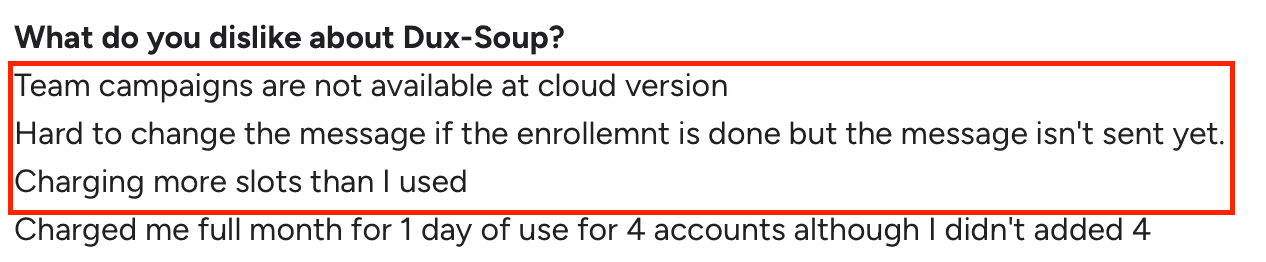
This image shows the G2 review mentioning Dux-Soup’s lack of team campaigns in cloud version, difficulty editing unsent messages, and inaccurate billing.
Manual withdrawal of invites (in basic version)
HubSpot integration lacks depth
This image shows the G2 review stating Dux-Soup’s UX is not very intuitive, setup can be confusing, and HubSpot integration feels incomplete.
Occasionally charges for extra seats unintentionally
Slow support during finance or billing issues
If you're technical and want full campaign control, Dux-Soup gives you the deepest customization and automation power.
But it’s not beginner-friendly, make sure to take their free tutorials before jumping in.
#11. Meet Alfred — Best for Automating Human-Style Outreach Across LinkedIn, Email & Twitter
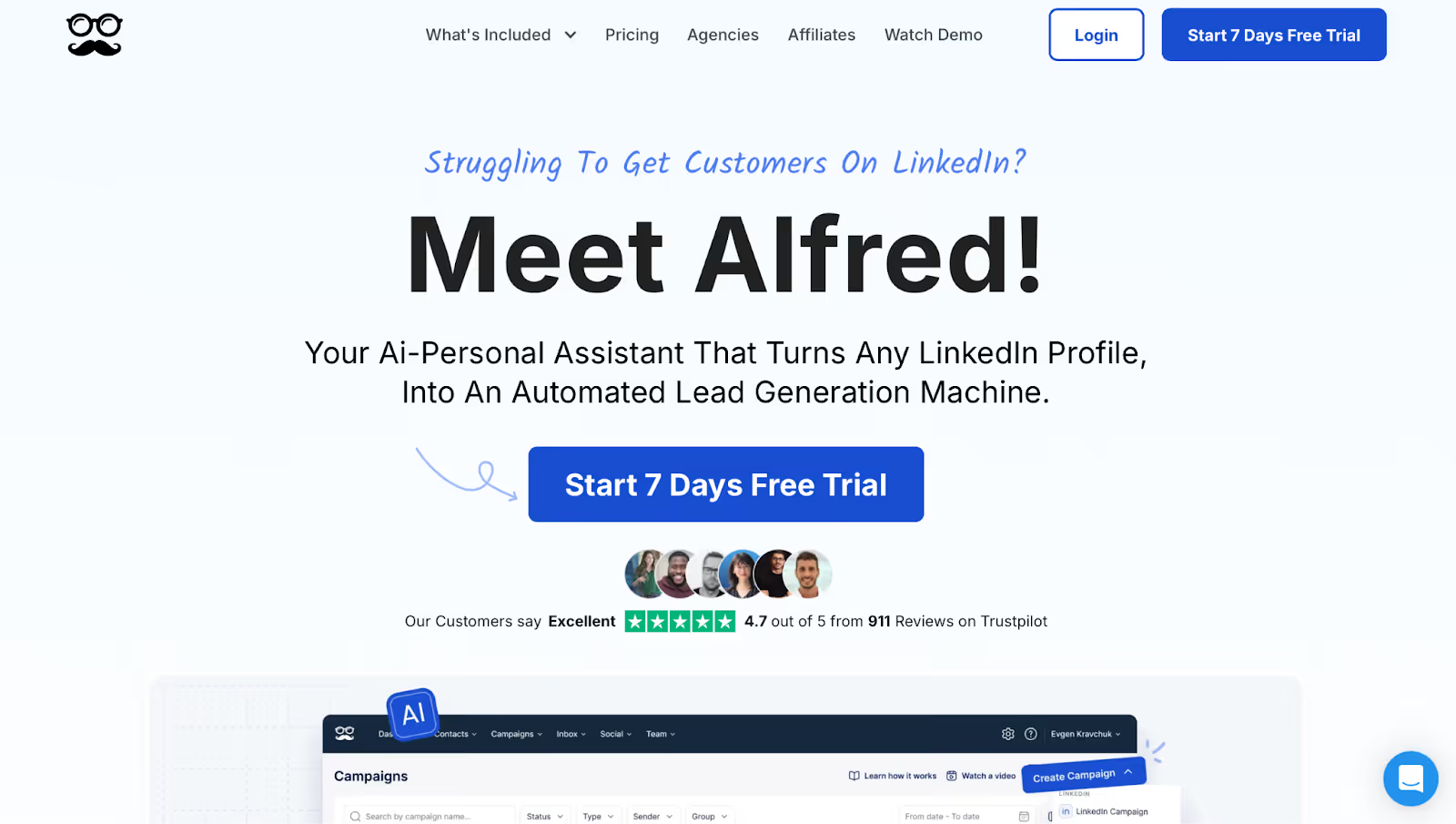
This image shows the Meet Alfred Homepage
Meet Alfred is an all-in-one AI-powered outreach tool that helps you send personalized LinkedIn messages, emails, and even tweets, all from one dashboard.
It is a virtual SDR that handles prospecting while you focus on closing.
It comes with a built-in Lead Finder, LinkedIn CRM, social media scheduler, AI personalization, and a unified inbox to track replies from all channels.
If you're a solo founder or a scaling team, Alfred gives you a full suite to run outreach like a pro without needing extra tools.
Multi-channel sequences with smart reply detection
Auto-replies for birthdays, new roles, anniversaries
Custom snippets, LinkedIn templates, and attachments
CRM-like inbox with tagging, filters, and notes
Team management, shared templates, and analytics
Works with LinkedIn basic, premium, and Sales Navigator
White-label options for agencies
Cloud-based, no local installs needed
Best For:
Startups, agencies, and solo founders who want to automate LinkedIn, email, and Twitter outreach in one place without switching tools or writing complex flows.
Team: $39/month/user (shared inbox, team controls)
Free 7-day trial available
Annual billing gets 50% off
Pros:
Clean, beginner-friendly dashboard
Automates birthdays, job changes, and H2H (human to human) touches
Works great even for non-tech users
Unified inbox keeps all LinkedIn/email/X replies in one view
Lead Finder finds and enriches contact data
Affordable, even for bootstrapped teams
White-label and team options available
Helps you nurture, not just cold-pitch
Cons:
Support is hit or miss, slow replies during billing issues
Campaign types are limited by plan, upgrade often needed
Can’t build campaigns for Facebook profiles (only pages)
LinkedIn blocks possible if you start with too many actions
This image shows the G2 review describing MeetAlfred issues like account blockage when adding multiple accounts and lack of automatic email bounce removal.
No native email bounce removal
Some users hit restrictions quickly due to LinkedIn quotas
Pro plan needed for multi-channel outreach
Red flags from LinkedIn automation are possible if overused
If you want to automate human-like outreach and keep it simple, Meet Alfred works great.
It helps you connect, engage, and stay top-of-mind without feeling robotic.
But go slow in the beginning and pick the right plan based on your outreach volume.
#12. Linked Helper — Best for Safe, Downloadable LinkedIn Automation With Built-in CRM
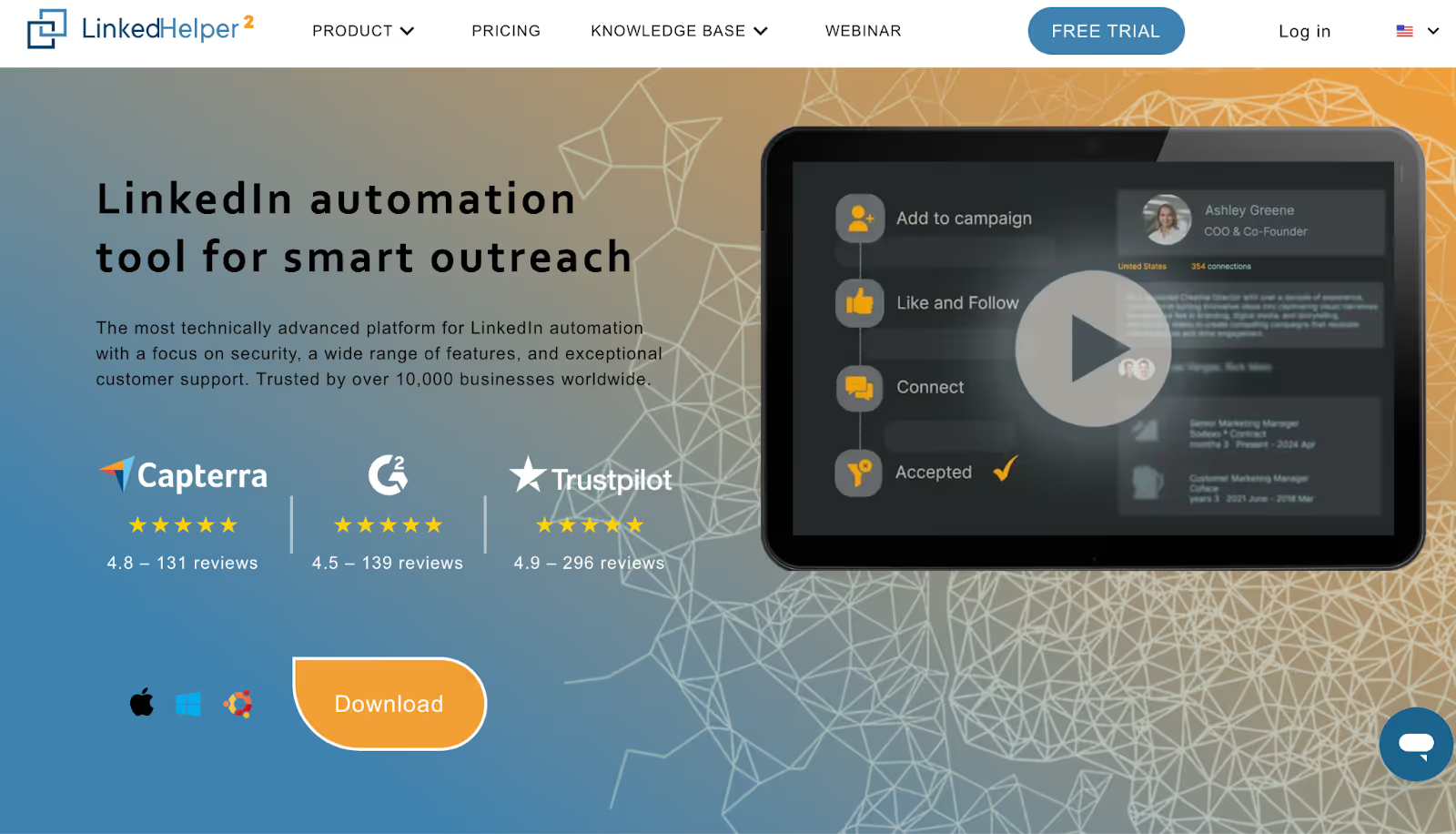
This image shows the Linked Helper Homepage
Linked Helper is a downloadable LinkedIn automation app that gives you deep control over your outreach without risking your account.
Unlike browser extensions, it runs as a standalone app, and that’s what makes it one of the safest tools for sending personalized LinkedIn messages at scale.
It’s packed with features like smart message chains, auto-profile visiting, InMails, event invites, email finding, and an in-built LinkedIn CRM.
If you like campaign flexibility and don’t mind a desktop install, it’s a strong pick, especially for freelancers and small teams.
Key Features:
Full automation: follow, endorse, invite, message, withdraw
Works with LinkedIn Basic, Premium, Sales Navigator, and Recruiter
Smart drip sequences with reply detection
Email finder (with 610–3,200 monthly credits depending on plan)
Built-in LinkedIn CRM with notes, tagging, and campaign history
Post boost tools (auto-like, comment, tag prospects)
Freelancers, marketers, and small teams who want powerful LinkedIn automation with advanced controls and local safety, without relying on browser plugins.
Pricing:
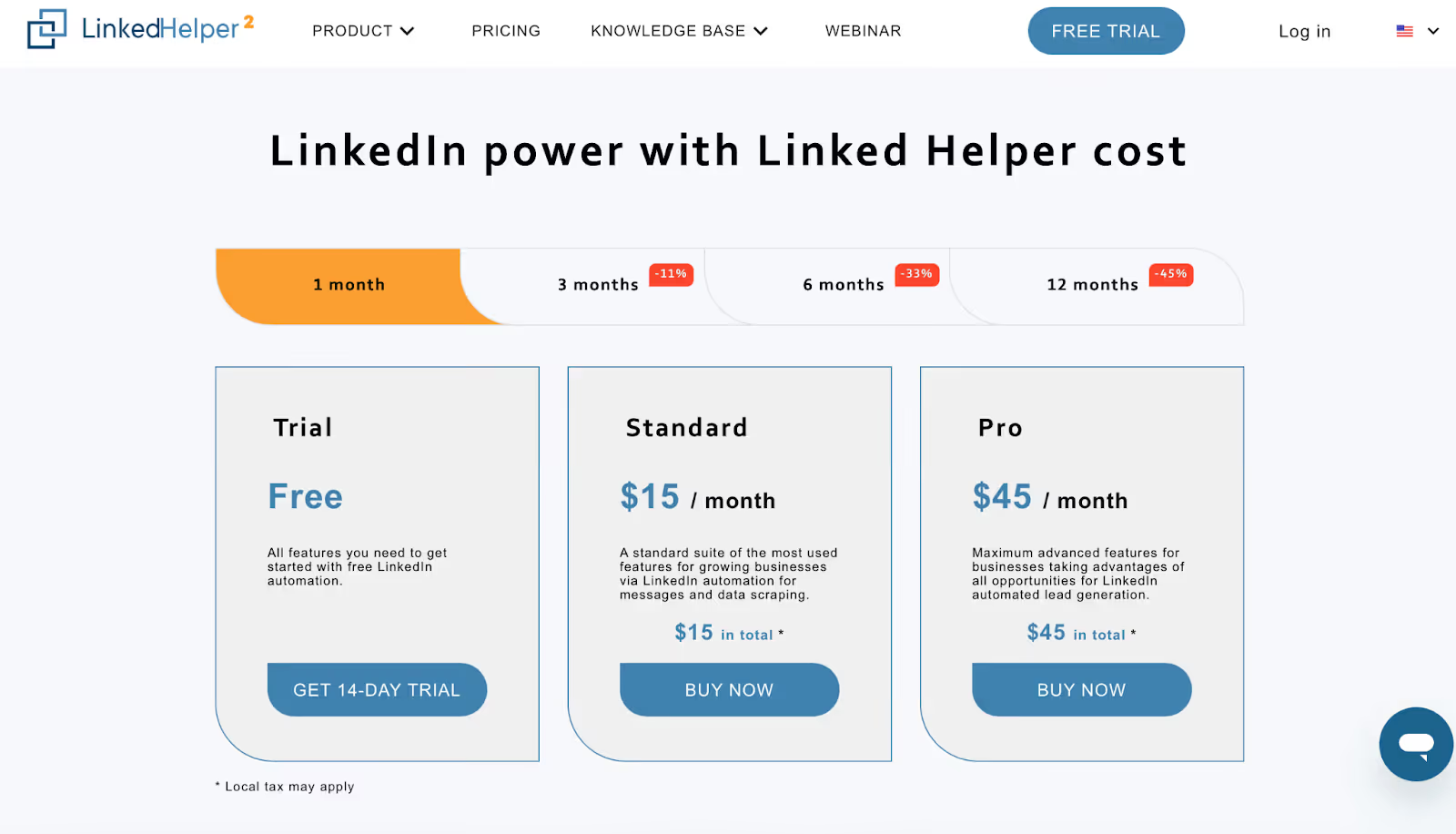
Alt Text: linked Helper Pricing
Trial: 14-day free
Standard Plan: $15/month (basic automations)
Pro Plan: $45/month (email finder, CRM, full funnel builder)
Includes 610–3,200 email lookup credits
No seat minimums
Pros:
One of the safest LinkedIn tools (no browser extension)
Runs on your computer, no API blocks
Lets you build full outreach funnels with reply triggers
CRM is built-in with tagging, notes, and history
Includes email finding, no need for extra tool
20+ LinkedIn actions automated in one flow
This image shows the G2 review mentioning Linked Helper’s limitation of allowing only 20 post likes per day.
Works with Sales Navigator + InMails
Very cheap compared to other tools
Loved by users in 180+ countries
Cons:
This image shows the G2 review criticizing Linked Helper’s outdated interface, setup difficulty, random glitches, unreliable support, and strict refund policy.
Interface feels clunky and outdated
Learning curve is high for new users
No cloud-based version yet
Only runs while your computer is on
Setup takes longer than cloud tools
Limited to 1 LinkedIn account per license
Some bugs during updates or campaign flows
Support can be slow for billing/refund issues
If you want deep automation, complete data ownership, and full safety, Linked Helper is a powerful choice.
Just be ready for a bit of a learning curve, especially if you’re used to browser-based tools.
Conclusion: Which Tool Should You Choose?
Choosing the right LinkedIn lead generation tool really depends on what you need.
If you're just starting out, something like Dripify or Waalaxy is easy to use.
If you're running campaigns for clients, tools like HeyReach or Zopto are safer.
And if you're doing high-volume LinkedIn outreach, you’ll need a tool that keeps your accounts safe and gets replies.
But if you want one tool that does LinkedIn + email outreach together, keeps your inbox warm, and even lets you run unlimited accounts…
👉 Salesforge is your best bet.
You can write messages once, use the built-in AI SDR, and send across LinkedIn + email without switching tools.
Compare the 10 best LinkedIn outreach services for B2B lead generation in 2026. Features, pricing, and honest reviews from someone who builds this category.
















.png)

.png)