You’re on LinkedIn. You’re busy. These 11 Chrome extensions will save your day.
If you’re:
Sending LinkedIn messages one by one
Manually copying emails from profiles
Still tracking leads in a spreadsheet
Or doing any part of your sales, recruiting, or marketing work by hand on LinkedIn…
You’re wasting time.
Some Chrome extensions also help you manage or integrate with other social media platforms, making it easier to handle multi-platform engagement and productivity.
That’s exactly why we made this list: to help you choose the right tools to optimize your workflow.
11 powerful LinkedIn Chrome extensions you need in 2026.
These tools help you do things like:
Write AI-generated messages that sound human (with Salesforge)
Find verified emails right from LinkedIn (with Hunter, Lusha, UpLead)
Automate your outreach and follow-ups (with Waalaxy, Octopus CRM)
Track opens, clicks, and replies (with Saleshandy)
Warm up cold leads without sounding spammy (with Apollo, Dux-Soup)
You’ll see exactly what each tool does, who it’s best for,
and why it’s worth installing.
If LinkedIn is part of your daily workflow.
This article will save you hours.
Let’s dive in.
TL;DR
Salesforge: Unified LinkedIn + email outreach platform with built-in mailbox warm‑up and no seat‑based pricing. Often considered the best extension for multichannel outreach; paid plans start at $39/month.
Dux‑Soup: LinkedIn‑only automation tool that handles profile visits, connection requests, messaging and drip sequences. Often considered the best extension for LinkedIn automation.
Apollo.io: Lead‑generation extension that pulls verified emails & phone numbers from LinkedIn, integrates with CRM + outreach. Paid plans start at $49/month.
UpLead: Browser extension offering real‑time email verification on LinkedIn plus advanced filters like technographics and intent.
Waalaxy: Multichannel tool combining LinkedIn workflows (connect → message) with cold email follow-ups, team support and large invite limits.
Hunter.io: Minimalist Google Chrome extension for email‑finding and verification, quick lookup of work addresses/domains with basic CRM integration.
Lusha: Google Chrome extension showing direct‑dial phone numbers and email addresses on LinkedIn profiles, credit‑based usage.
Skrapp.io: Email lookup tool for LinkedIn/website domains; simple workflows and export features tuned to lead production.
Saleshandy: Cold‑email automation platform where LinkedIn‑sourced lists feed into sequences; includes warm‑up, tracking and sender rotation.
Octopus CRM: LinkedIn‑automation toolbox featuring bulk invites, messaging, auto‑endorsements and funnel building, at accessible pricing.
How We Picked These Tools?
We picked tools that help you:
Work faster on LinkedIn, especially for sales professionals
Find leads, emails, and contacts easily with easy access to features and data
Send messages and follow-ups without stress
Here’s exactly what we looked for:
It must work directly inside LinkedIn, no switching between tabs or using ten different tools.
It has to be simple, you don’t need to be “techy.” These tools are easy for anyone to use and provide easy access to the features and data you need.
It should save real time, if it doesn’t help you skip boring, manual tasks, we didn’t include it. We prioritized tools that offer safe automation and comply with LinkedIn's usage limits.
It needs to give real contact info, so we looked for tools that find verified emails and phone numbers, ensuring clean data and high data quality.
It should be affordable, many of these tools have free plans or low-cost options to get started.
People should actually like it, we checked what real users are saying, and only picked the top-rated ones.
It must still work great in 2026, nothing outdated. All tools here are tested and working right now.
11 Best LinkedIn Chrome Extensions for 2026
Tool
Best For
Outreach Type
CRM Integration
LinkedIn Automation
Email Finder
Built-in Warm-Up
Free Plan
Starts From
Salesforge
Multi channel outreach
LinkedIn + Email
Yes
Yes
Yes
Yes
No
$48/month
Dux-Soup
Drip Campaigns
LinkedIn Only
No
Yes
No
No
No
$14.99/month
Apollo.io
Lead Database
LinkedIn + Email
Yes
Partial
Yes
No
Yes
$0/month
UpLead
B2B Emails
LinkedIn + Export
Yes
No
Yes
No
No
$99/month
Waalaxy
Multi channel outreach
LinkedIn + Email
Yes
Yes
Yes
No
No
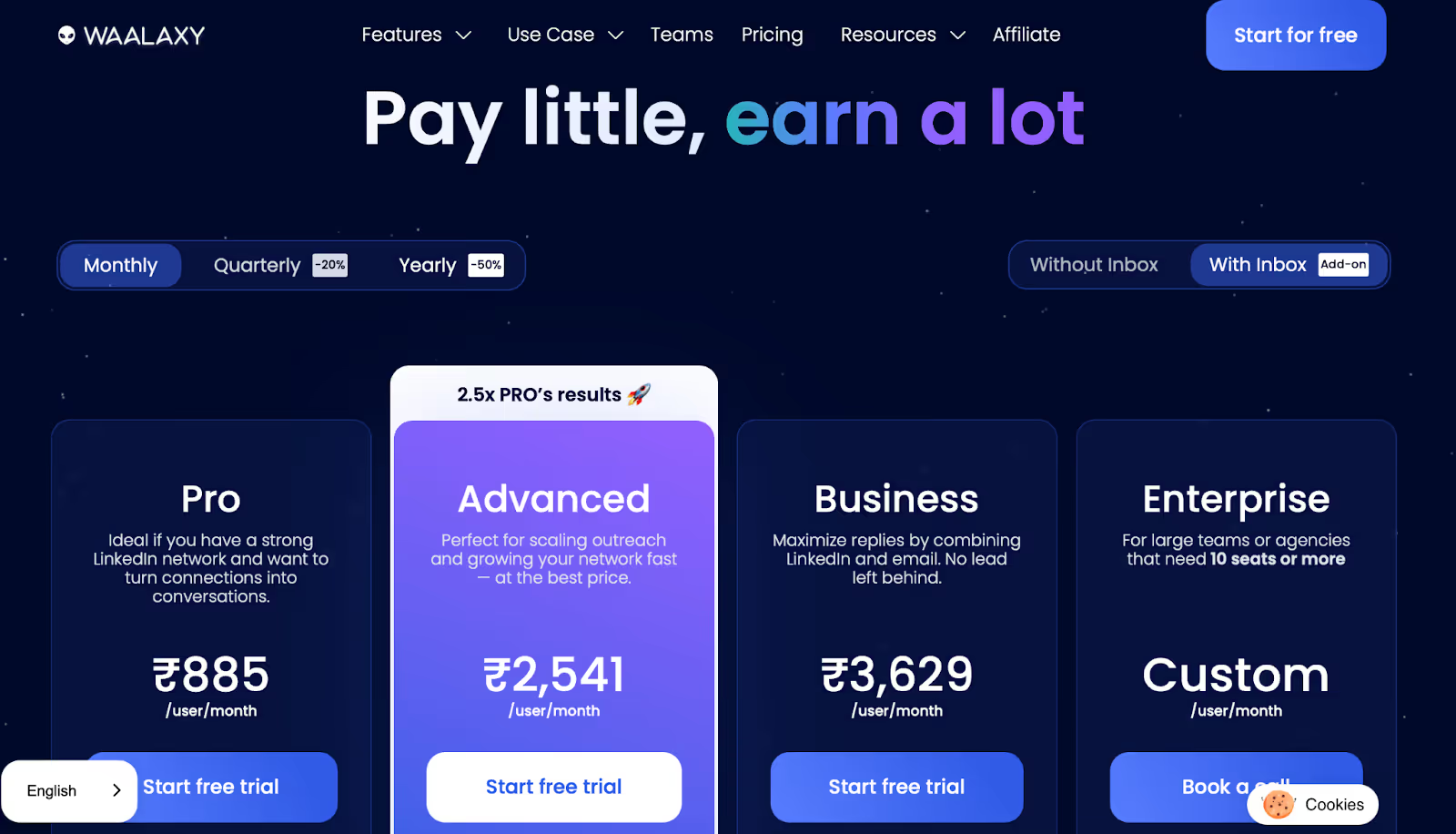
₹885/month
Hunter.io
Quick Emails
Email Only
Basic
No
Yes
No
Yes
$0/month
Lusha
Contact Lookup
LinkedIn Only
Yes
No
Yes
No
Yes
$0/month
Snov.io
All-in-One
LinkedIn + Email
Basic
Add-on
Yes
Yes
No
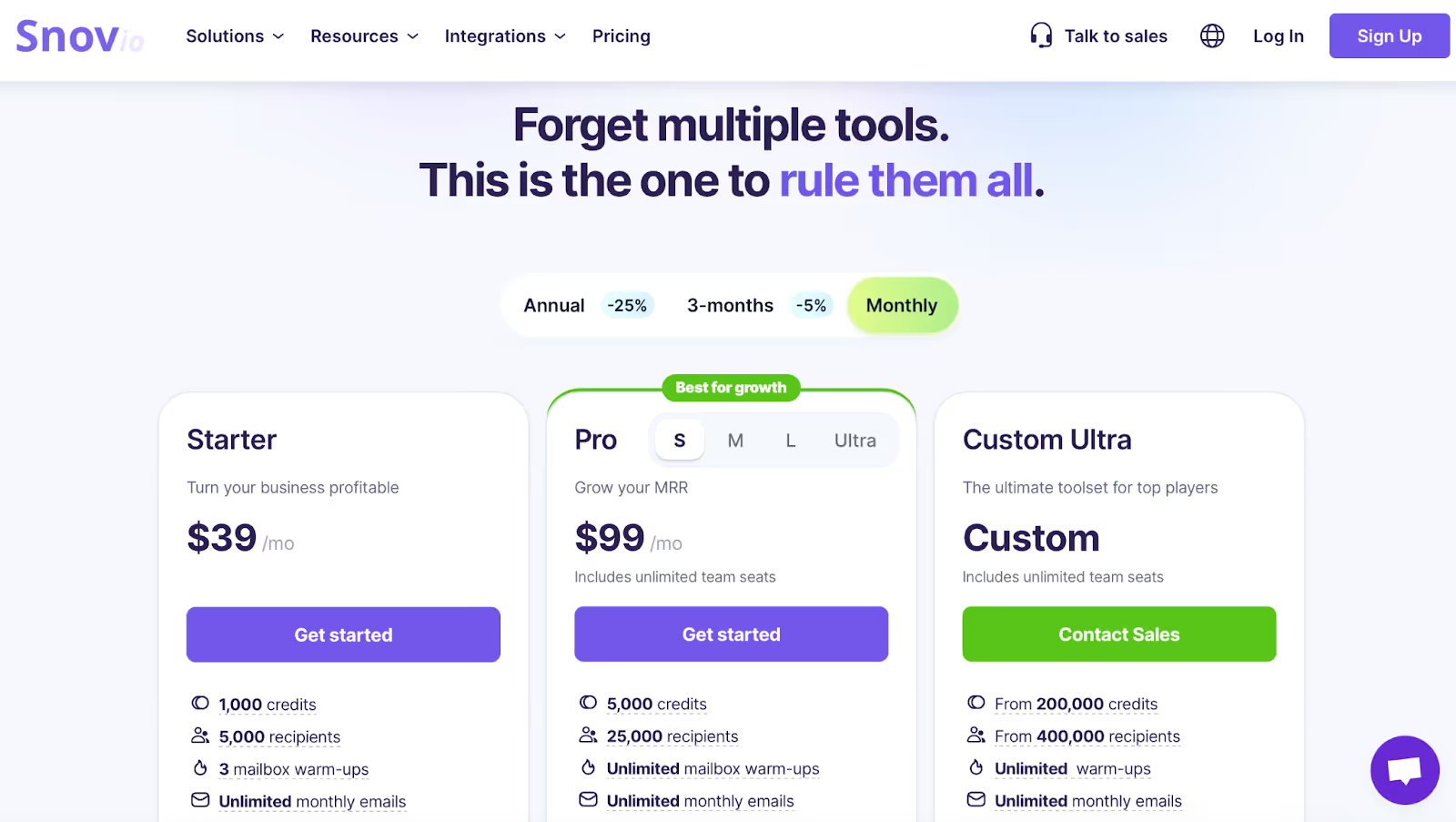
$39/month
Skrapp.io
Fast Emails
LinkedIn + Export
Basic
No
Yes
No
Yes
$0/month
Saleshandy
Email Outreach
Email Only
Limited
No
Yes
Yes
Trial Only
$36/month
Octopus CRM
LinkedIn Tasks
LinkedIn Only
Zapier Only
Yes
No
No
Trial Only
$9.99/month
1. Salesforge – For Running LinkedIn and Email Outreach in One Place
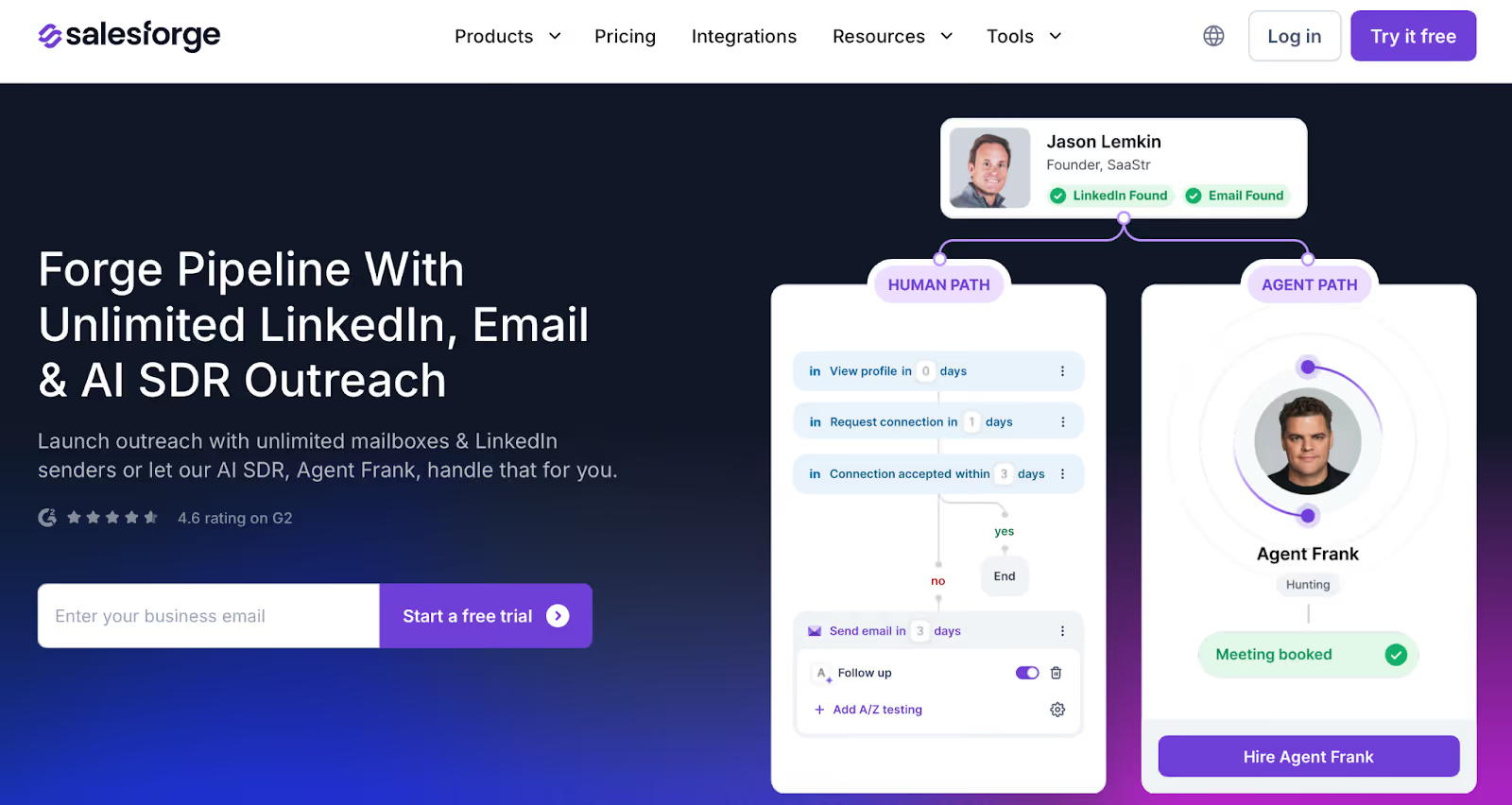
This image shows the Salesforge Homepage
Salesforge Chrome Extension helps you run LinkedIn and email outreach together, without switching between tools.
The tool helps turn LinkedIn into a powerful multi channel outreach and CRM tool by integrating LinkedIn messaging, email, and other channels into unified campaigns.
You can connect multiple LinkedIn accounts, send messages at scale, and manage all replies, email and LinkedIn, from one shared inbox. You can also add prospects directly into outreach sequences and manage the process through to closing deals.
Unlike most tools, Salesforge also includes its own email warm-up system, so you don’t need to pay extra to keep your messages out of spam.
It supports sending messages in different languages, offers built-in personalization options, can sync contact data with your CRM, and doesn’t limit you by number of users or seats.
Why It's One of the Best LinkedIn Chrome Extensions?
Lets you run LinkedIn and email outreach in one workflow
No seat-based pricing, add as many users and accounts as you need
Includes warm-up for your mailboxes at no extra cost
Built-in inbox to manage replies from both LinkedIn and email
Option to send messages in multiple languages
Works well for teams sending high volumes across different accounts
Cons:
The interface can take some time to learn if you're new to outreach tools
Monthly cost is higher than lightweight tools, better suited for teams or agencies
Agent automation feature (Agent Frank) is optional, but priced separately at a premium
Full setup (mailboxes, warm-up, personalization) may feel complex if you're just starting out
Best For:
Teams and agencies who send large volumes of LinkedIn and email messages, and want to manage everything in one place.
Pricing:
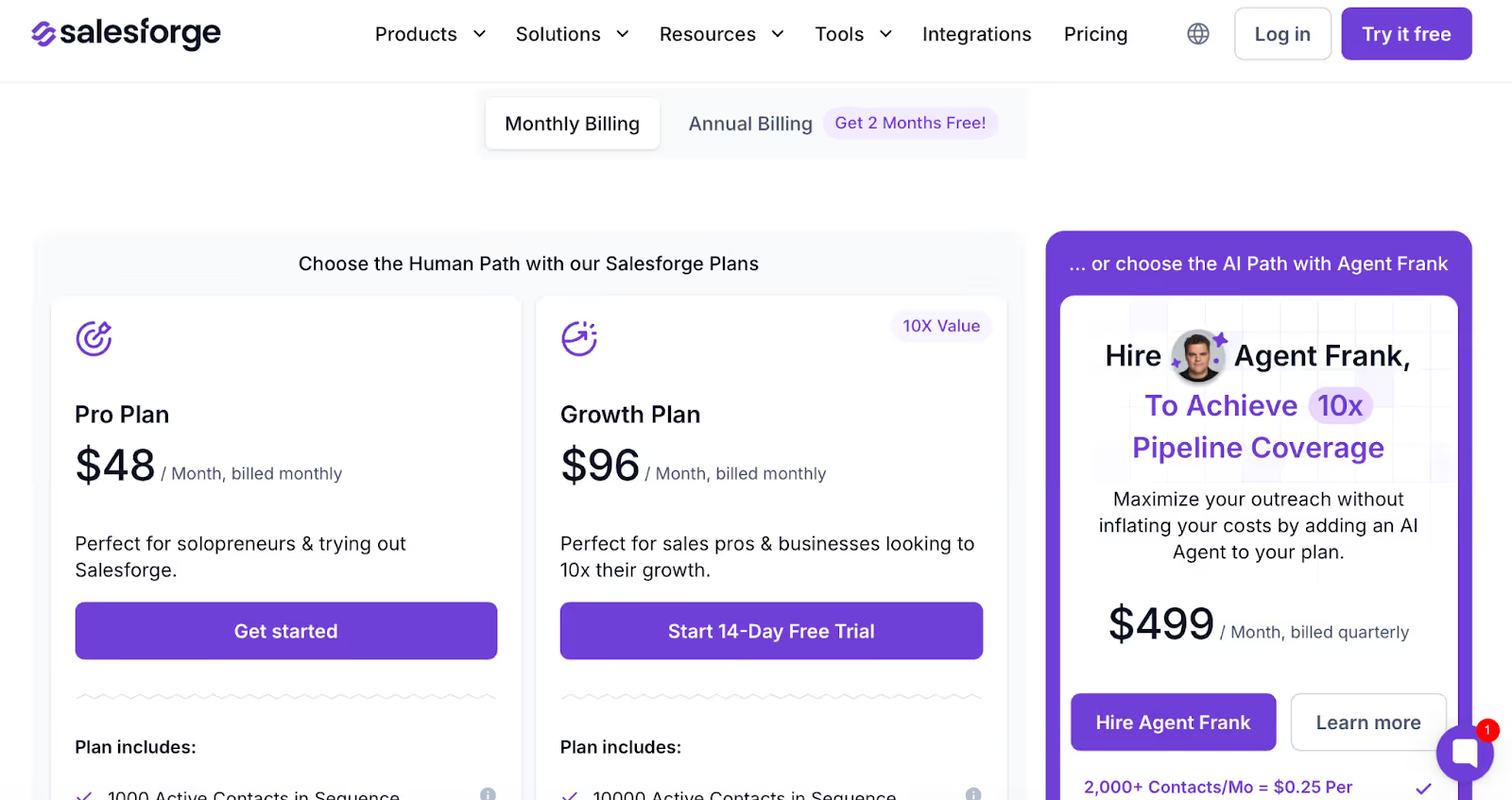
This image shows thSalesforge Pricing
Pro Plan – $48/month (for solo users)
Growth Plan – $96/month (unlimited users, more volume)
Agent Frank (automated outreach add-on) – $499/month (billed quarterly)
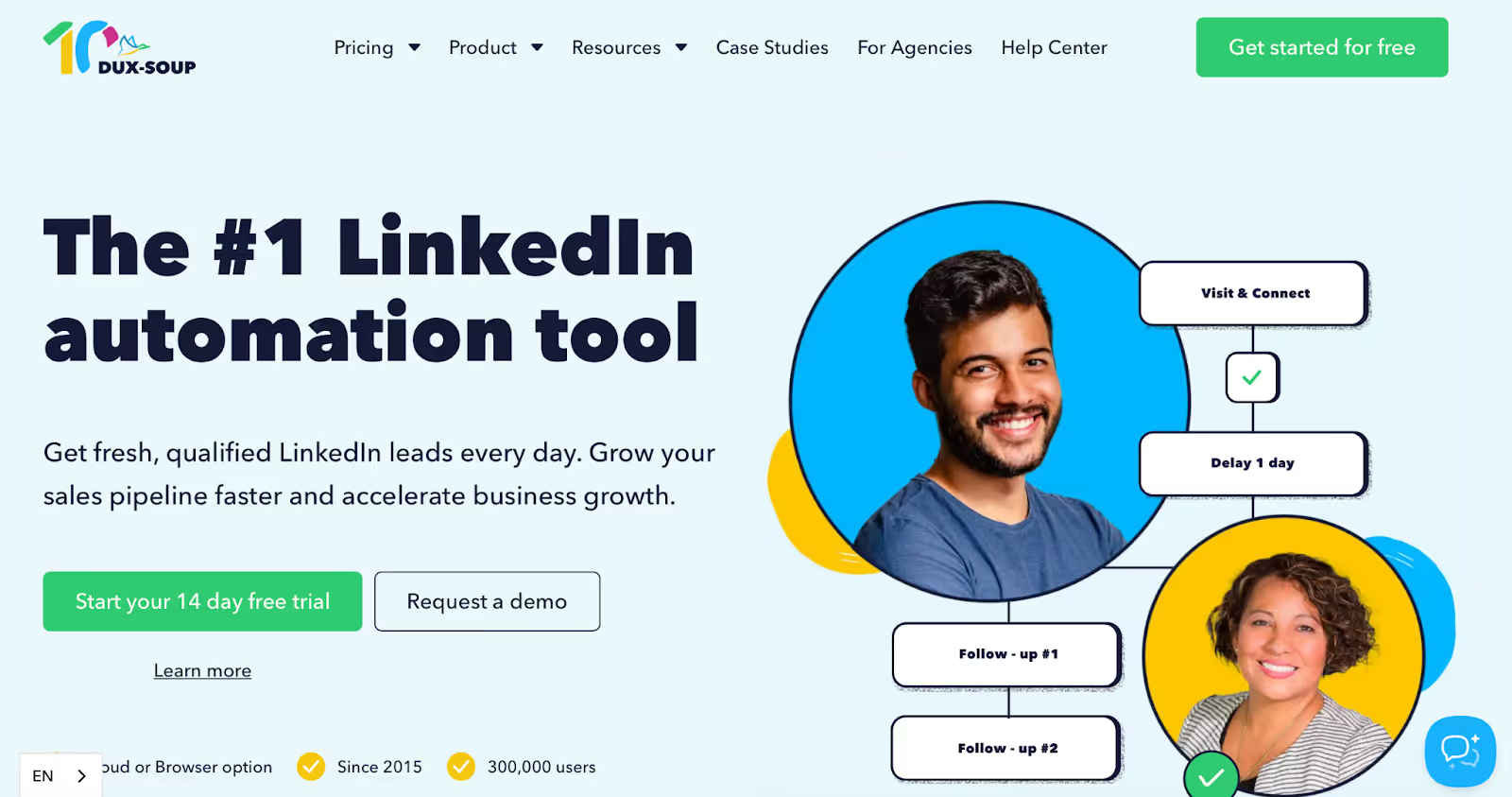
Dux-Soup is a LinkedIn automation tool and Chrome extension that helps automate LinkedIn tasks like visiting profiles, sending connection requests with auto connect features, and messaging first-degree contacts.
It works by creating sequences, or what they call “drip campaigns”, where you can set actions like connect, message, follow, or endorse, and run them in order with delays in between. Campaign setup is designed for safe automation, operating within LinkedIn's usage limits to ensure compliance and reduce the risk of account restrictions.
You can also tag leads, track replies, receive notifications for job changes in your network, and export LinkedIn profile data to CSV.
If you’re managing outreach at scale, Dux-Soup’s higher-tier plans include campaign analytics and a team dashboard for avoiding duplicate targeting.
Why It's One of the Best LinkedIn Chrome Extensions?
Lets you run automated LinkedIn campaigns with multiple actions
Sends connection requests and messages to targeted profiles
Supports campaign stats, response tracking, and tagging
Allows data export of visited profiles, including emails (when visible)
Team plans available with shared access and license control
Works in-browser or in the cloud (depending on plan)
Cons:
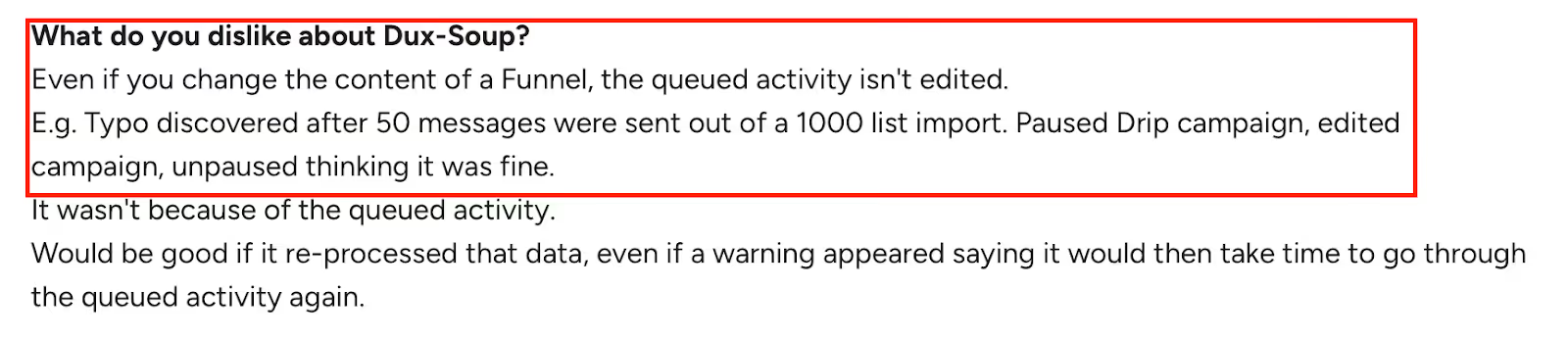
This image shows the Dux-Soup issue on queued activities don’t update after edits, causing outdated messages to send.
Once a campaign is active, you can't easily change messages already in the queue
Learning curve for beginners, campaign setup and settings need attention
Editing delays, steps, or logic mid-campaign can be tricky
User interface feels dated compared to newer tools
Manual steps still required for actions like invite withdrawals
No built-in CRM or full pipeline view, works better when paired with external tools
It is best for LinkedIn users who want to automate lead generation workflows like profile visiting, connecting, messaging, and light follow-ups.
Pricing:
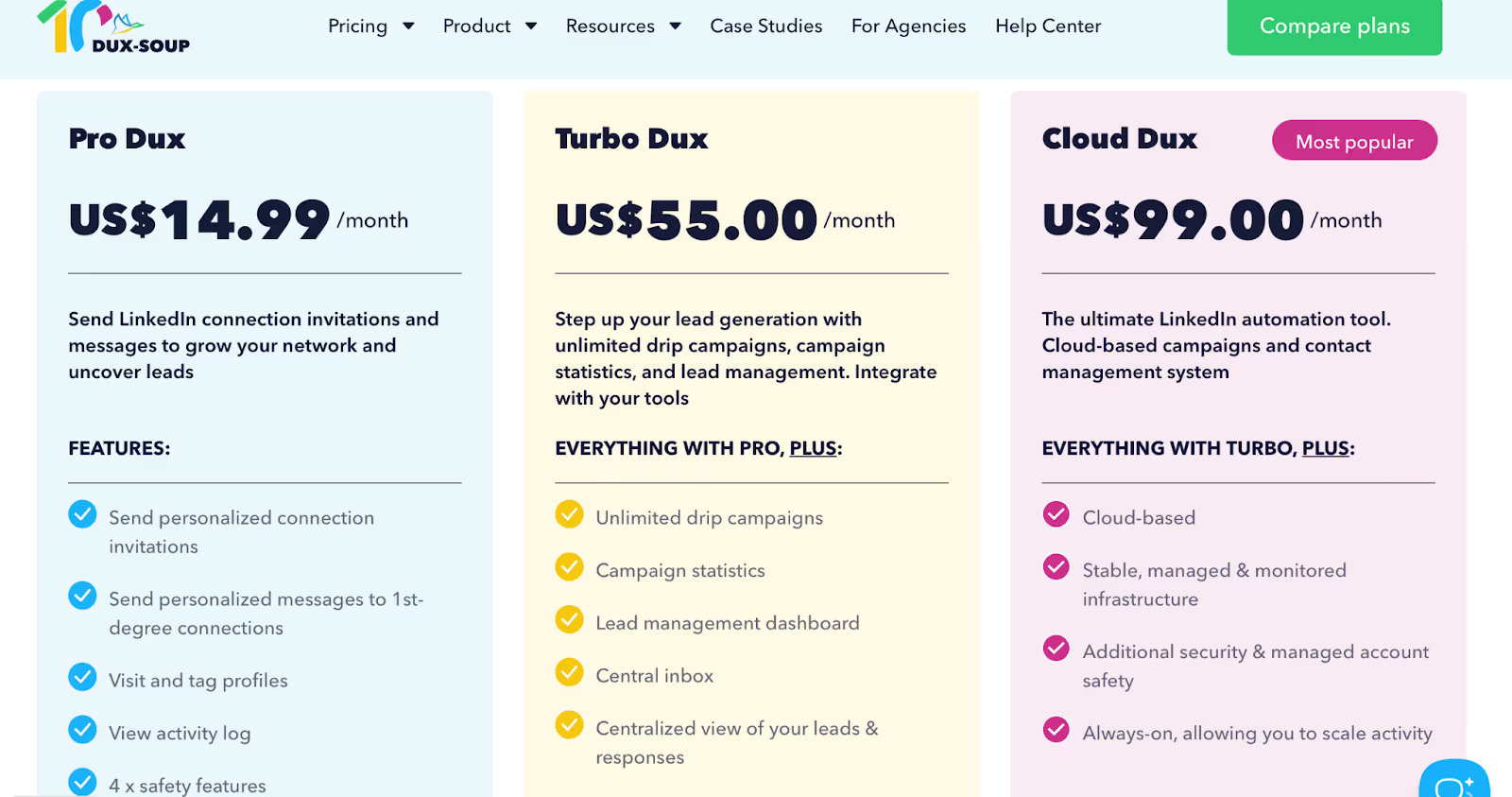
This image shows the Dux-Soup Pricing
Pro Dux – $14.99/month (basic automation features)
Turbo Dux – $55/month (drip campaigns, lead dashboard, inbox)
Team & Agency plans – From $41.25/month per seat (annual billing), with discounts for multiple licenses
3. Apollo.io: For Finding Verified Leads and Running LinkedIn Outreach at Scale
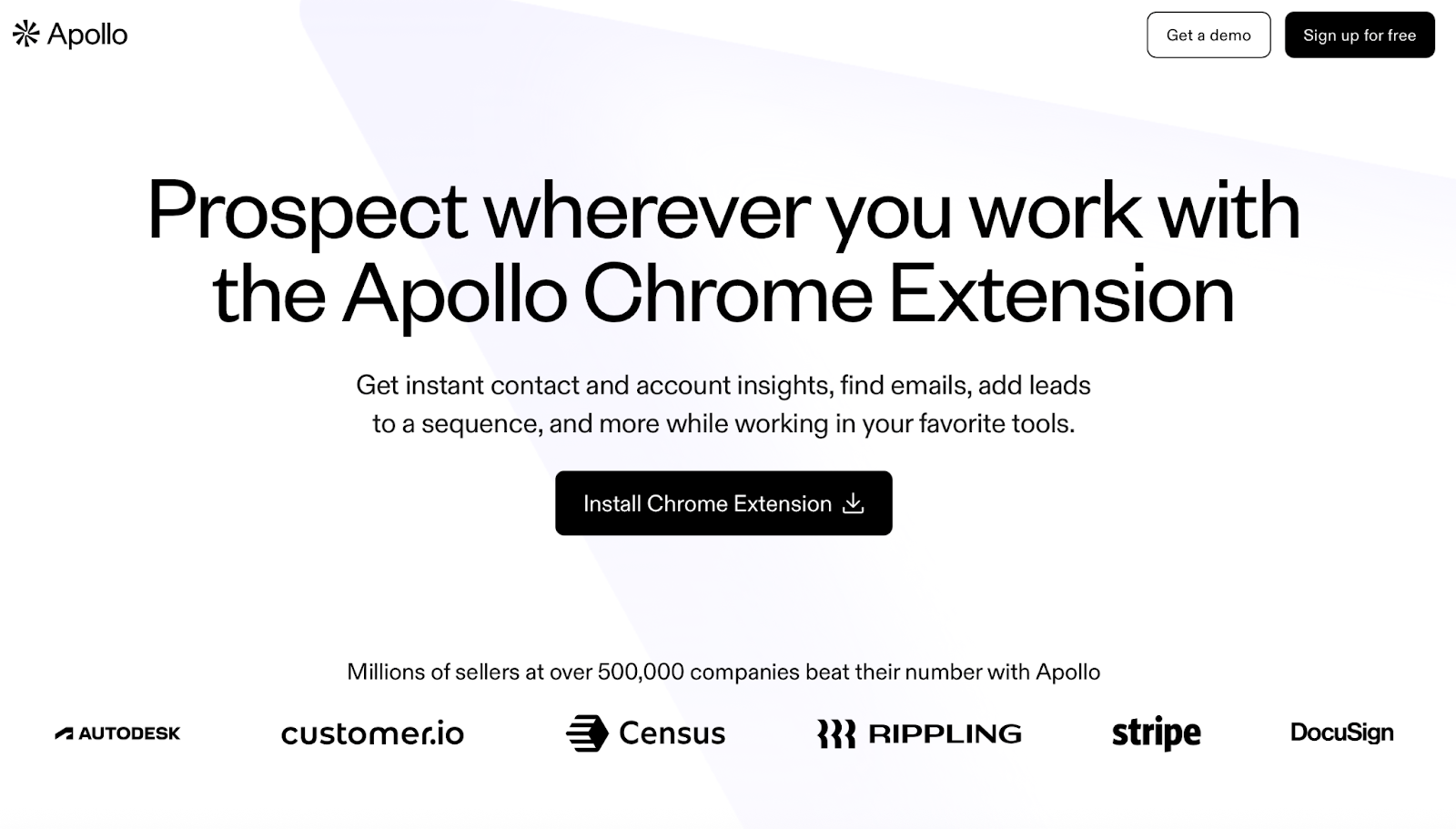
This image shows the Apollo.io Homepage
Apollo.io’s Chrome extension helps you find verified contact data while browsing LinkedIn, including emails, phone numbers, and company info, and lets you add leads directly into multi-step outreach sequences.
It’s designed to reduce manual work in the early stages of prospecting by combining LinkedIn data with a built-in lead database, email sequencing tools, and CRM integration. Apollo.io enables data extraction from LinkedIn, allowing you to export data seamlessly into your CRM for efficient workflow management.
You can create custom filters to target ideal prospects using job title and other advanced filters, making it easier to focus on the most relevant leads. Apollo.io supports lead capture and helps identify qualified leads by analyzing the prospect's LinkedIn profile, ensuring your outreach is targeted and effective.
The extension is often used by sales and marketing teams to pull contacts from LinkedIn into their Apollo account and manage everything from a single dashboard.
Why It's One of the Best LinkedIn Chrome Extensions?
Lets you find and save leads directly from LinkedIn
Shows verified emails and phone numbers on profiles
Allows you to launch email and LinkedIn outreach from one platform
Tracks email opens, clicks, and replies in real-time
Offers smart lead suggestions based on your targeting
Includes filters for job titles, industries, company size, and more
Supports syncing with CRMs like Salesforce and HubSpot
Cons:
Contact data can sometimes be outdated, especially for smaller companies
This image shows the Apollo.io review mentioning incorrect contact data and daily email sending limits.
Email sending limits apply on the free plan
The interface can feel cluttered when using advanced filters
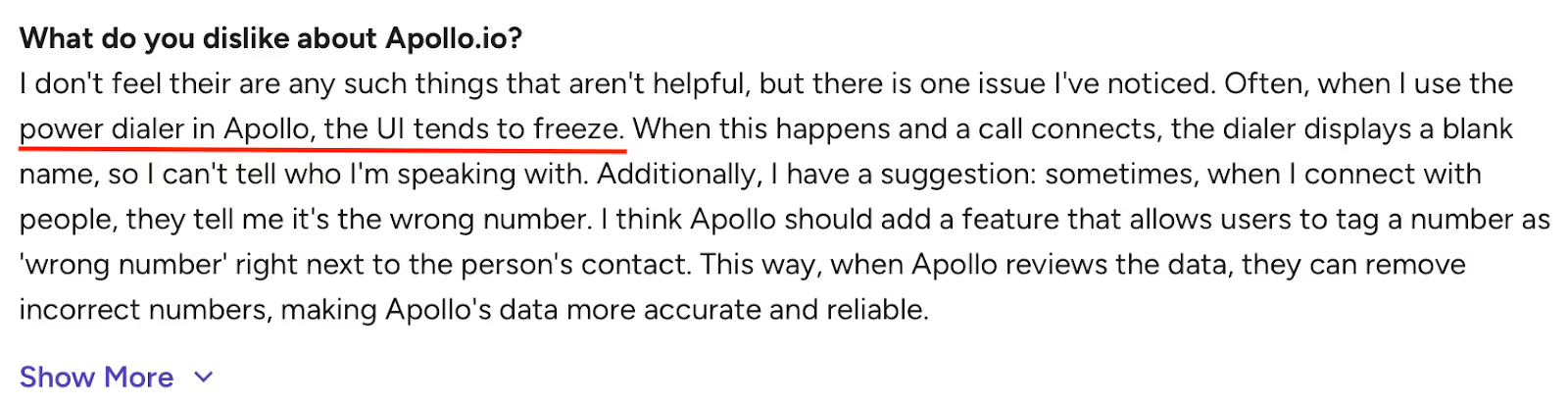
Power dialer may lag or freeze during calls
This image shows the Apollo.io review highlighting power dialer freezing issue and suggestion for wrong number tagging feature.
Call recording requires manual setup; not always reliable
Some key features have a learning curve for first-time users
It is best for Sales teams and marketers who need verified LinkedIn leads and want to manage both prospecting and outreach in one system.
Pricing:
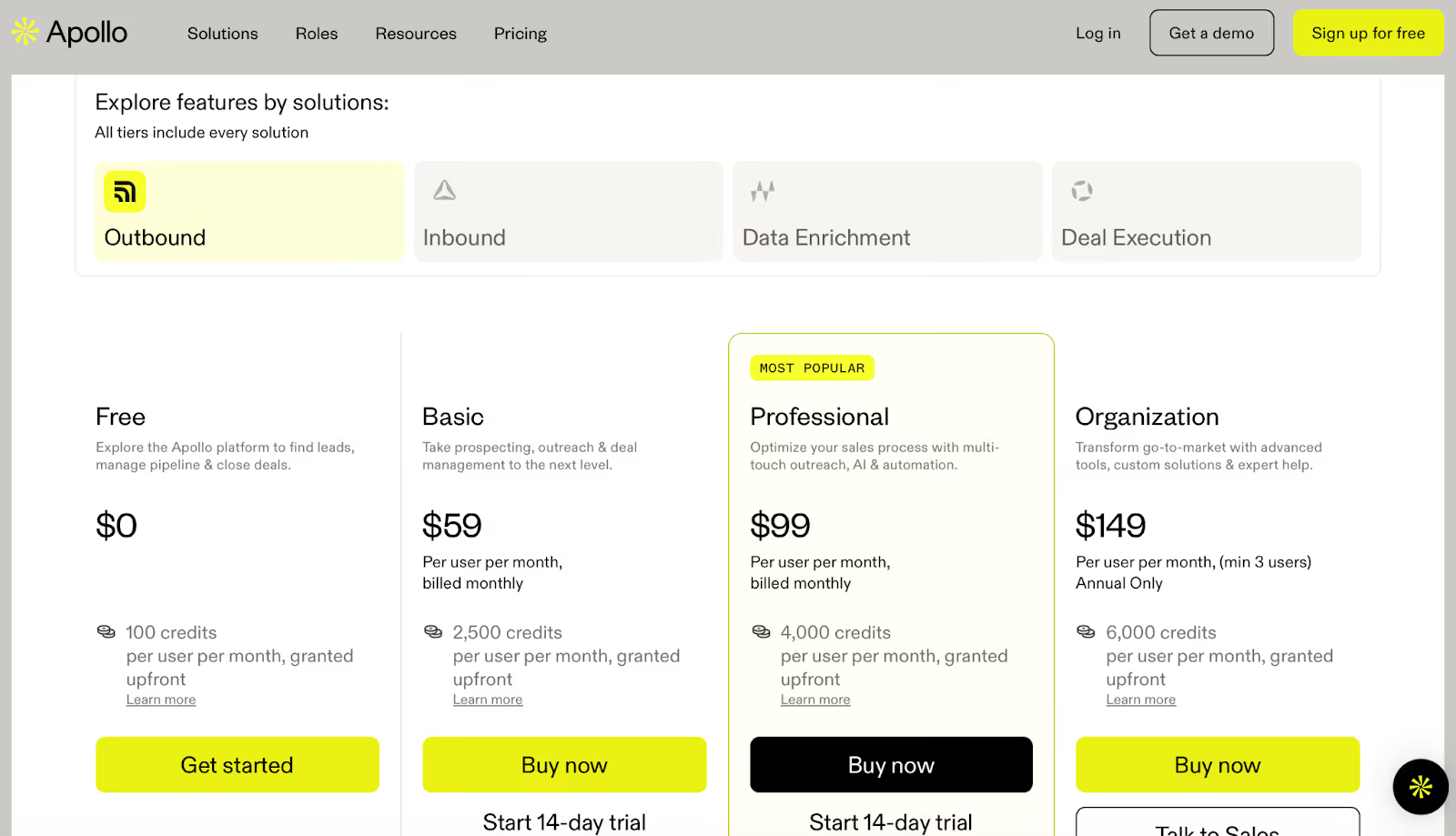
This image shows the Apollo.io pricing plans
Free Plan – $0/month (100 credits/month)
Basic – $59/month (2,500 credits/month)
Professional – $99/month (4,000 credits/month, more automation)
Organization – $149/month per user (advanced reporting, dialers, and security)
4. UpLead: For Finding Verified B2B Contacts with LinkedIn Filters
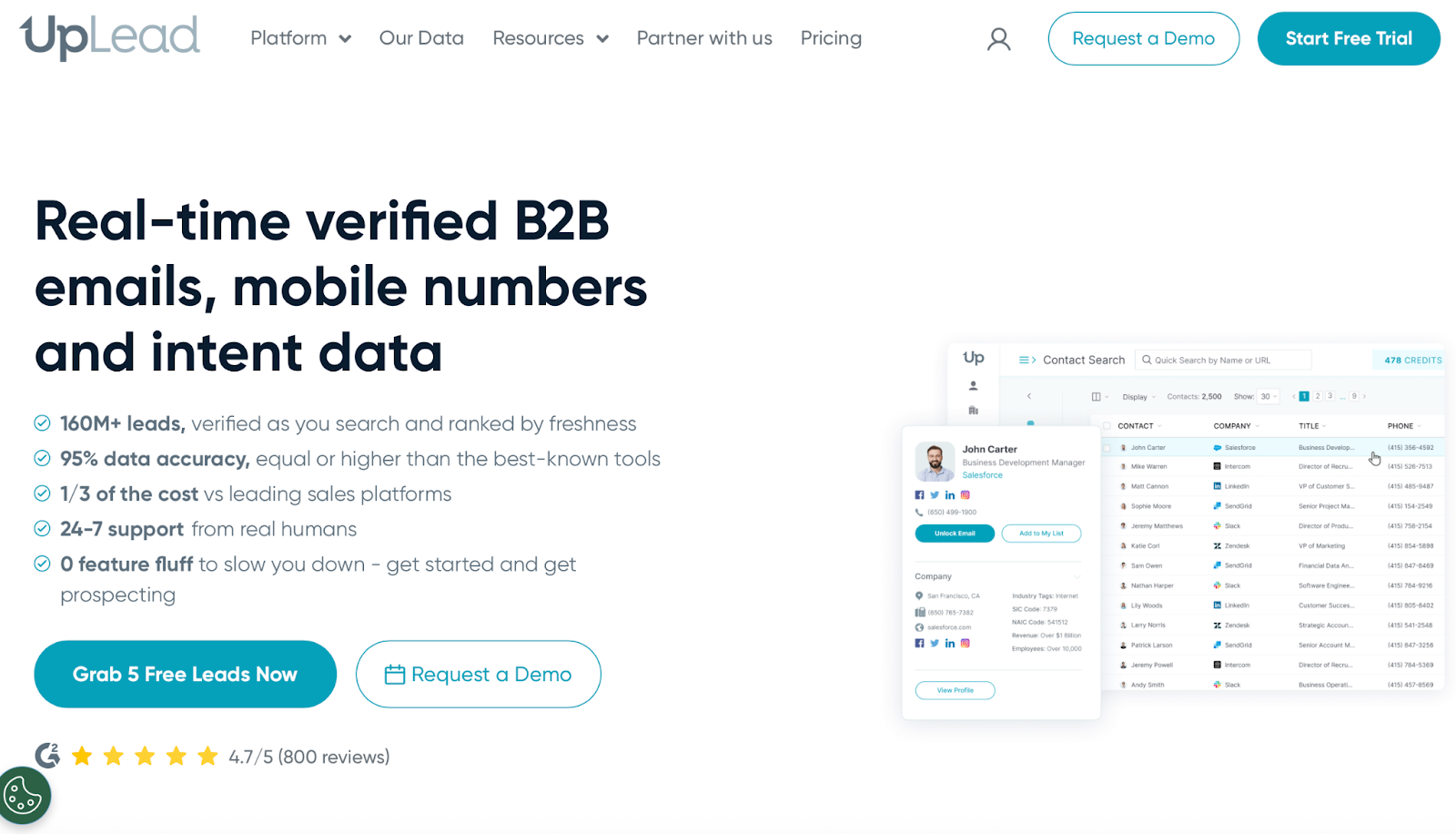
This image shows the UpLead Homepage
UpLead’s Chrome extension helps you find verified business contacts while browsing LinkedIn.
You can view email addresses, mobile numbers, and export data to your CRM for easy access. The extension also allows you to sync contact data automatically, keeping your CRM up to date without leaving the LinkedIn interface.
Unlike many tools, UpLead runs real-time email verification before charging a credit.
This ensures clean data for your outreach, resulting in fewer bounced emails and cleaner prospect lists from the start.
For users who want more control, UpLead includes advanced search filters like company tech stack, job role, and revenue size.
It also supports suppression lists, which is useful for avoiding duplicate outreach.
Why It's One of the Best LinkedIn Chrome Extensions in 2026:
Shows verified emails and mobile numbers directly on LinkedIn profiles
Supports over 50 advanced filters, including technographics and buyer intent
Allows exclusion of existing contacts via suppression lists
Easy data export to CRMs like HubSpot, Salesforce, Zoho, and more
Simple Chrome extension interface for finding and saving leads quickly
Works well for teams needing clean B2B data without large contracts
Cons:
This image shows the UpLead review mentioning slower performance on complex searches with large datasets on older systems.
Search filters can feel overwhelming for new users
Some contact data (especially phone numbers) may be outdated or incorrect
Only 5 credits available during the free trial
Complex searches may slow down on older systems
UI can feel crowded when using multiple filters at once
Minimum requirements (like selecting 5 intent categories) may feel restrictive
It is best for sales and marketing professionals who want clean, verified B2B contact data pulled straight from LinkedIn, without committing to long contracts.
Pricing:
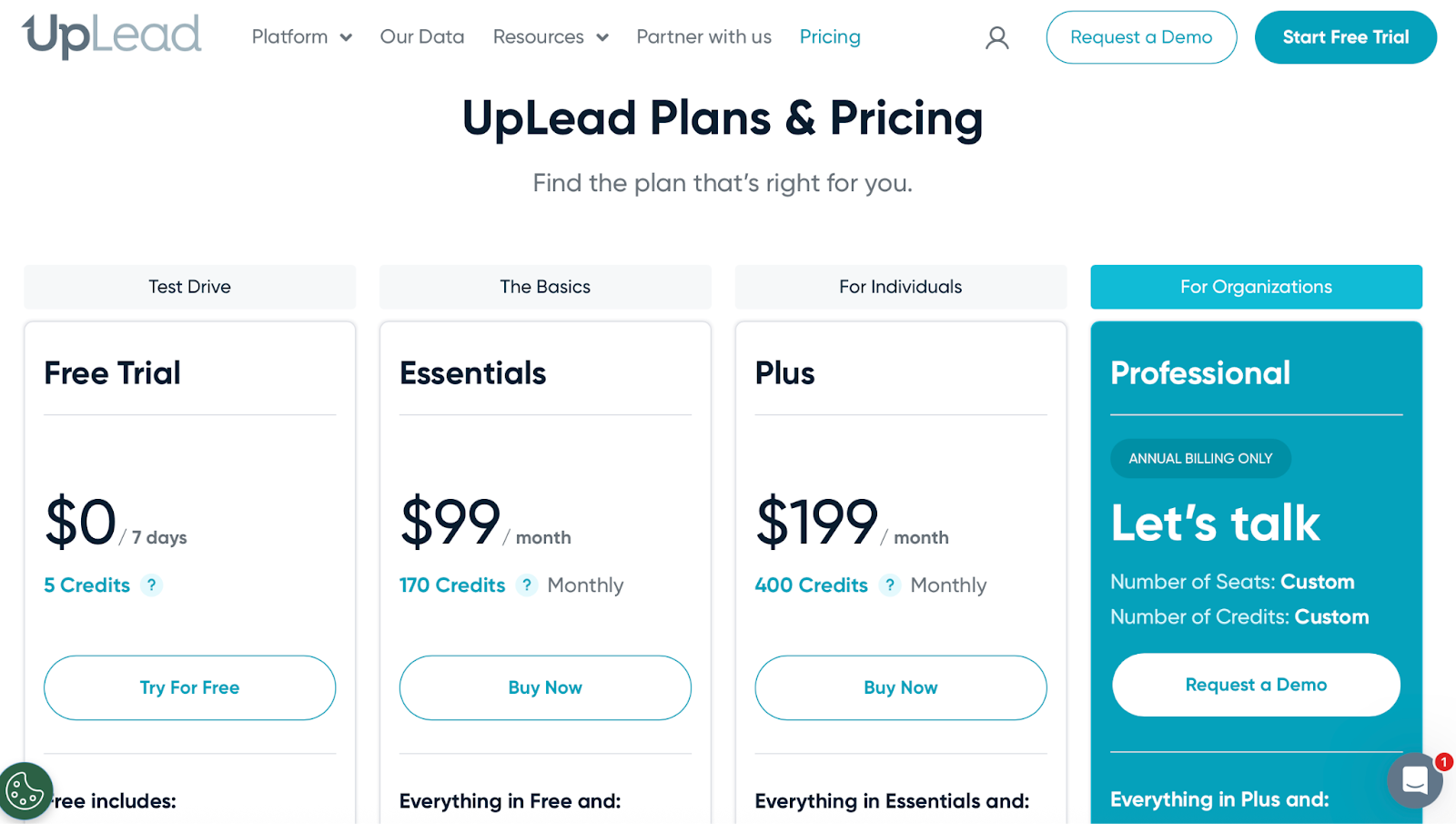
This image shows the UpLead Pricing
Free Trial – $0 (5 credits, valid for 7 days)
Essentials – $99/month (170 credits/month)
Plus – $199/month (400 credits/month, advanced filters, enrichment)
Professional – Custom pricing (includes buyer intent data, full API access, and team support)
5. Waalaxy: For Multichannel LinkedIn and Email Outreach at Scale
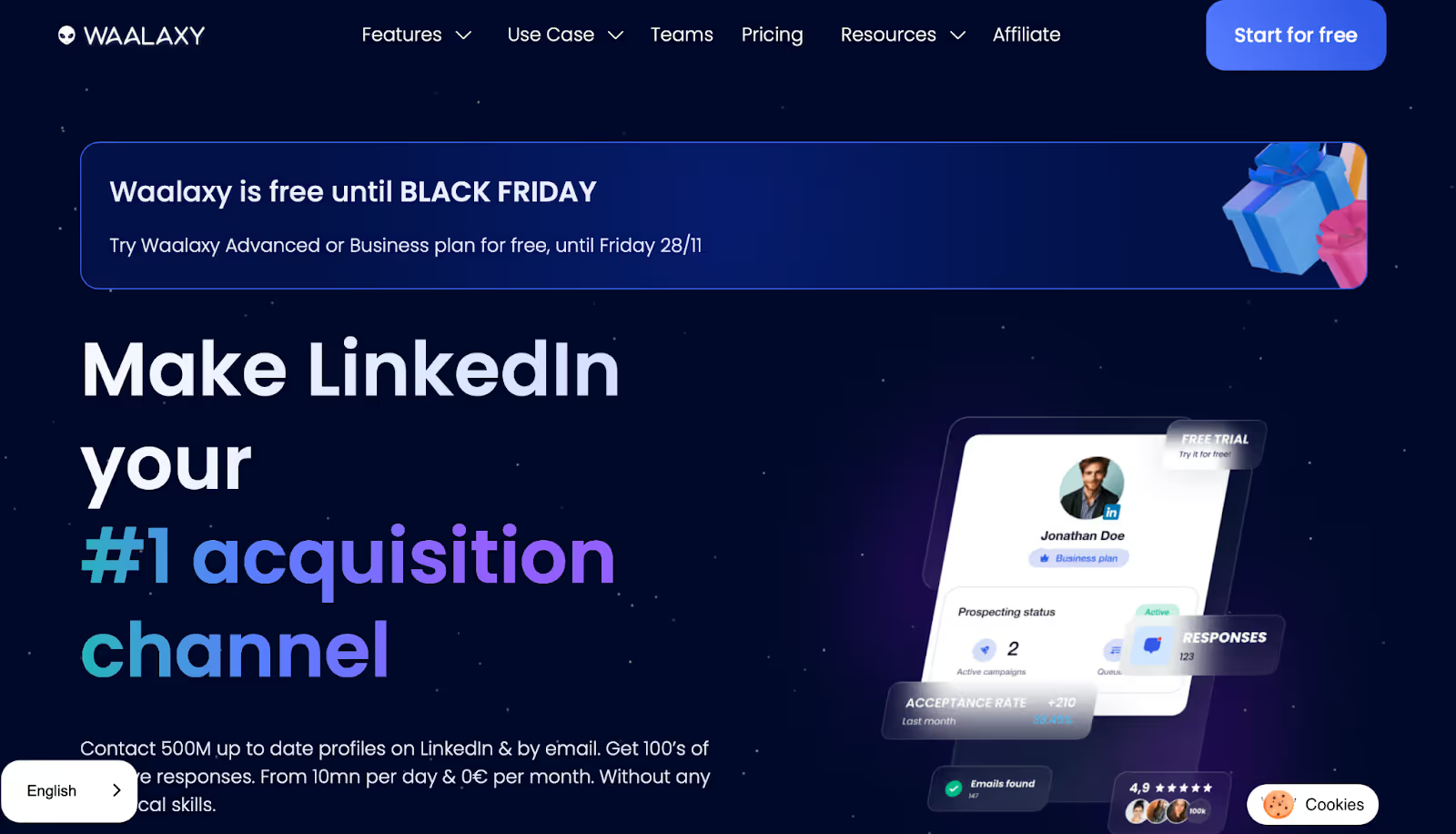
This image shows the Waalaxy Homepage
Waalaxy is a Chrome extension that automates LinkedIn prospecting and supports multi channel outreach, including LinkedIn, email, and phone calls.
It works by setting up workflows with steps like sending a connection request, then a message, then an email follow-up, or even scheduling a phone call, all without manual effort.
It also lets you manage your campaigns with inbox tagging, saved replies, lead scoring, and team features.
As a sales extension, Waalaxy enables multi channel flows, allowing you to launch up to 800 LinkedIn invites per month depending on your plan, and combine that with cold emails and phone calls to increase your reply chances.
Why It's One of the Best LinkedIn Chrome Extensions?
Run multistep LinkedIn campaigns (connect, message, follow-up)
Add cold email steps to make campaigns multichannel
Uses reply detection to automatically move leads through steps
Works with Basic LinkedIn, Sales Navigator, and Recruiter Lite
Includes built-in email finder with credits on all plans
Syncs with 2000+ tools (via CRM integrations and Zapier)
Supports team collaboration with shared control and user roles
Offers a LinkedIn Inbox add-on for easier lead management
Cons:
This image shows the Waalaxy review highlighting LinkedIn automation limits and better compatibility with Premium or Sales Navigator accounts.
UI and flow builder can be confusing for first-time users
Some email steps need manual configuration before launch
Occasional syncing delays with Sales Navigator imports
No native CRM integration for Zoho at the time of writing
Inbox features require a separate add-on
Basic support replies can take up to 48 hours (live chat only on higher plans)
Users on free LinkedIn accounts may face action limits faster
Refund and billing policies have been flagged as confusing by some users
Bug reports related to queue management and campaign freezes are common on lower-tier plans
It is best for sales reps, recruiters, and agencies looking to combine LinkedIn and email outreach into one flow, especially across small or mid-sized teams.
6. Hunter.io – For Finding and Verifying Emails Fast
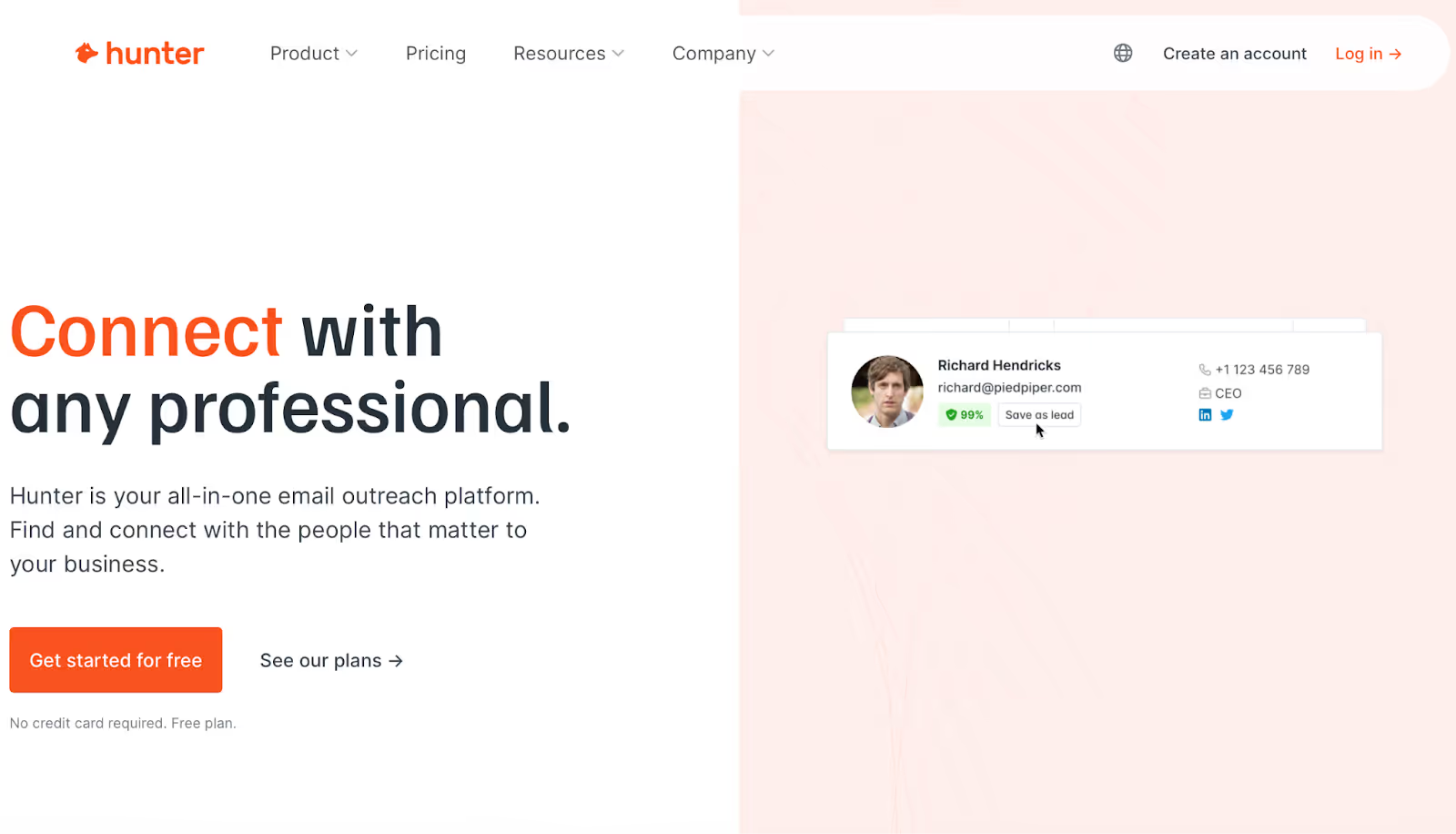
This image shows the Hunter.io Homepage
Hunter.io is a LinkedIn email finder Google Chrome extension that helps you find work email addresses and verify them.
It works directly on websites and LinkedIn, so you can quickly check if an email is real before sending outreach.
Teams mainly use it for email finding, domain searches, list building, verifying contacts before cold outreach, and to export data to other platforms like CRM systems.
It’s also helpful if you’re doing link-building, PR outreach, or any task where you need fast, reliable email contact data.
Why It's One of the Best LinkedIn Chrome Extensions?
Find email addresses from any company domain
Verify emails to reduce bounce rates
Save and organize leads inside Hunter
Works with CRM tools and Google Sheets
Includes bulk finder, bulk verifier, and domain search
Helps small teams send simple cold email campaigns
Easy-to-use Chrome extension for quick lookups
Good free plan with enough monthly credits for light users
Cons:
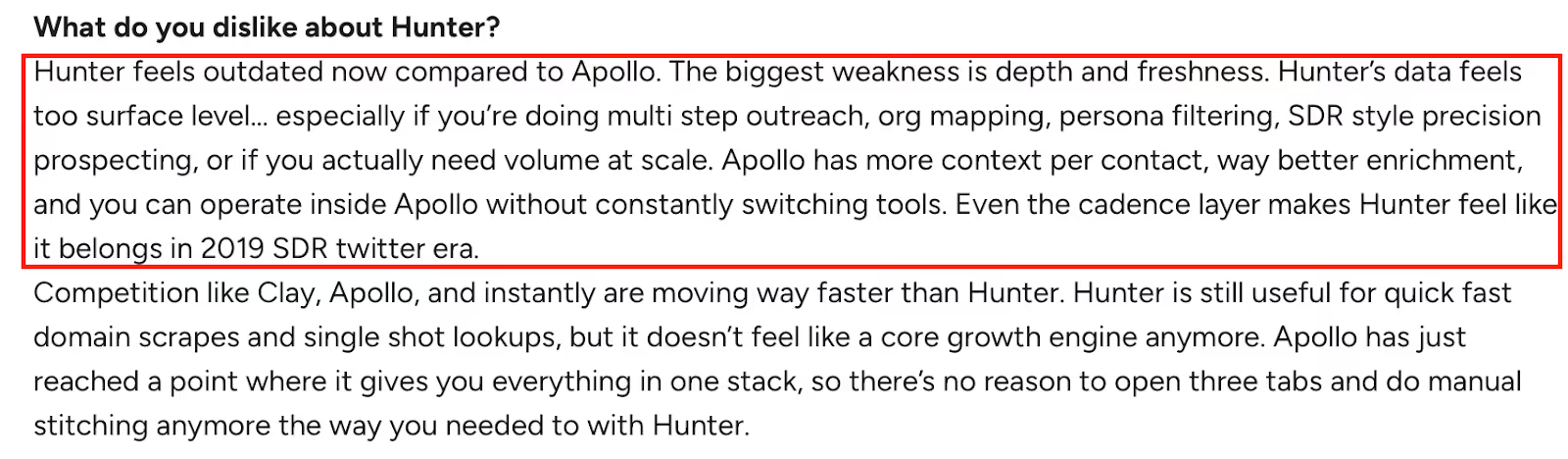
This image shows the Hunter.io review describing outdated data, limited depth, and slower innovation compared to Apollo.
Data feels less deep than Apollo, especially for large-volume prospecting
Some emails can be inaccurate, especially in smaller companies
The interface looks a bit outdated compared to newer tools
Not ideal for multistep outreach or advanced sequences
CRM integrations are limited compared to other platforms
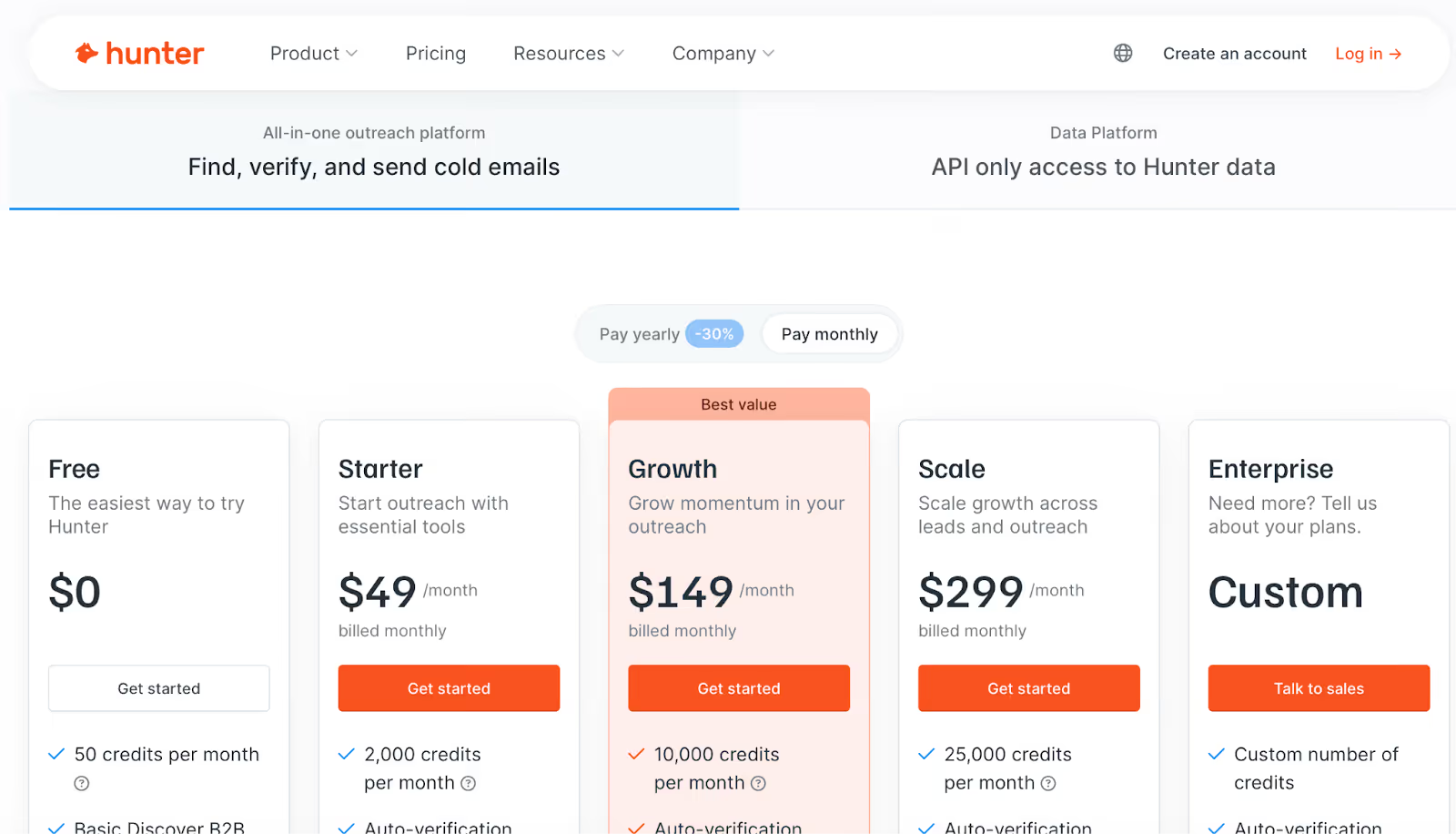
Big jump in pricing from free plan to Starter plan
Too many manual steps if you need full enrichment or persona-level filtering
Some users say the database lacks context (no org charts, buying signals, etc.)
Search filters can feel basic if you need very niche targeting
It is best for people who need quick email lookups, simple verification, and basic outreach — without learning a complex system.
7. Lusha: For Quick B2B Contact Info Right Inside LinkedIn
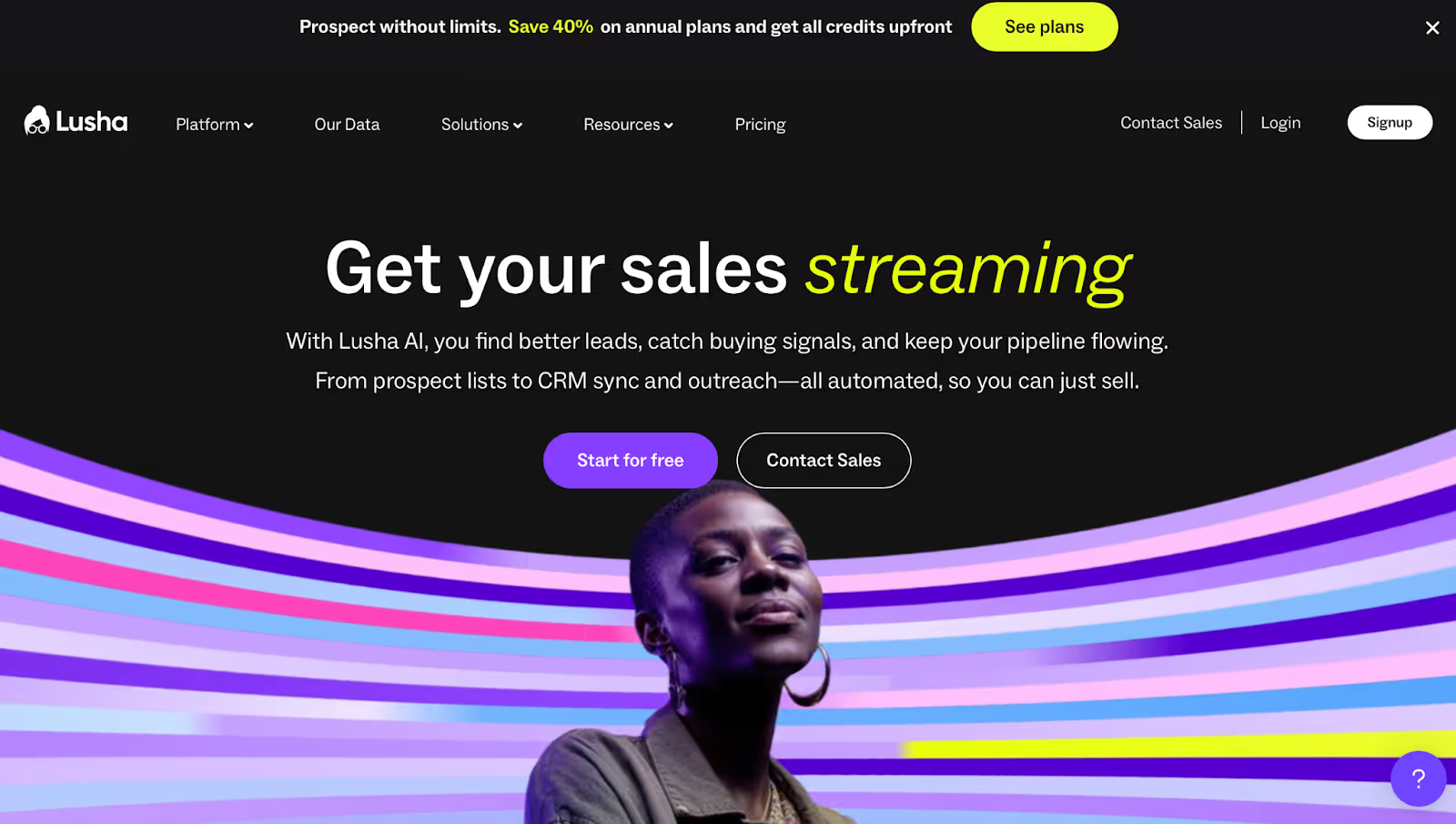
This image shows the Lusha Homepage
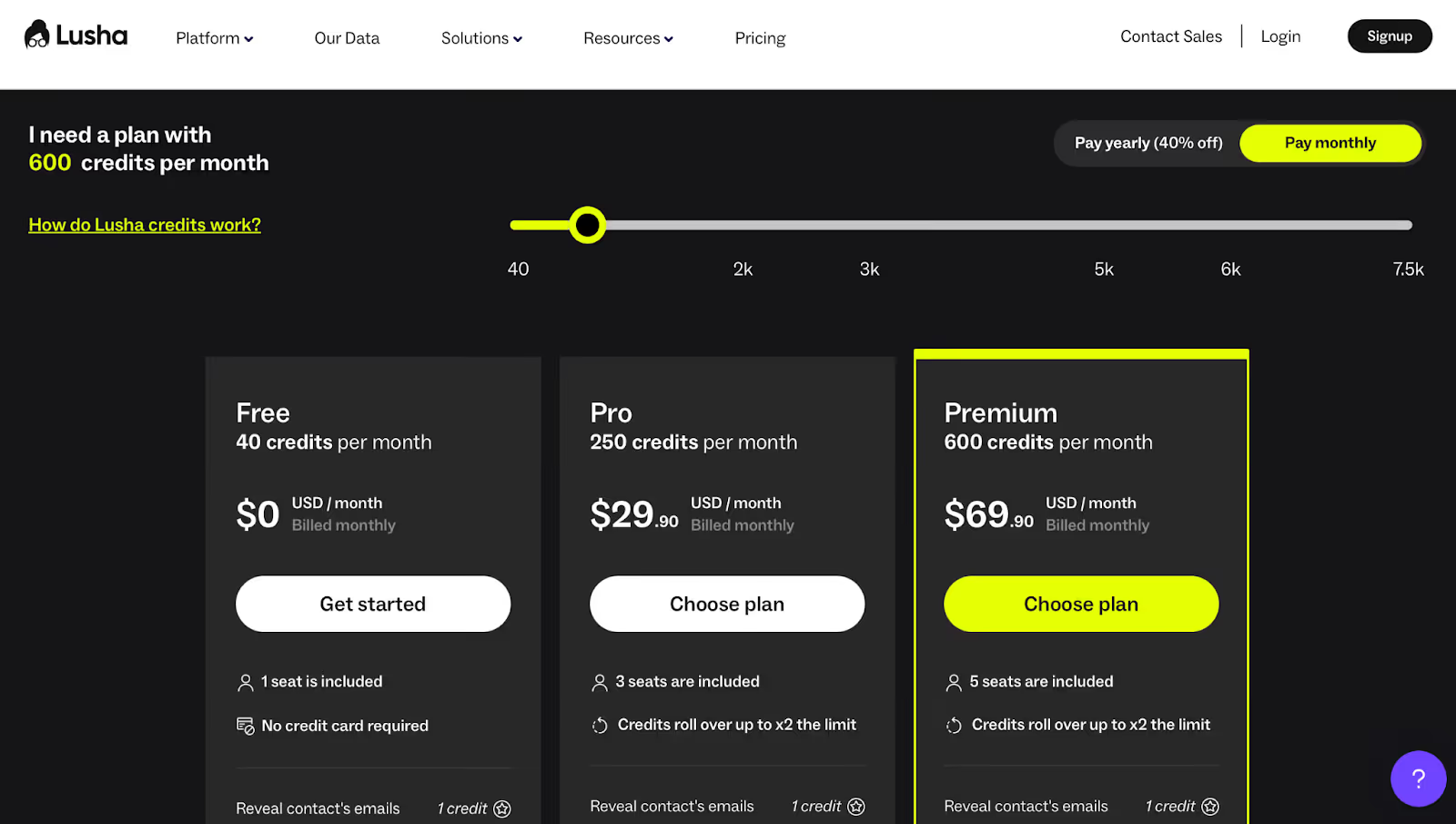
Lusha is a Chrome extension that helps you quickly find emails and phone numbers while browsing LinkedIn, providing easy access to contact info directly from LinkedIn profiles.
You just visit someone’s profile and, if data is available, Lusha shows it on the spot. You can also export data for use in your CRM or sales engagement tools.
It works best for sales reps and business development teams who want to cut down research time and focus on making contact.
It also connects with tools like HubSpot, Salesforce, and Outreach, so you can push leads into your CRM without doing it manually and sync contact data automatically.
Why It's One of the Best LinkedIn Chrome Extensions?
Shows emails and mobile numbers right on LinkedIn
Clean, easy-to-use interface for fast lead lookup
Works with LinkedIn Sales Navigator
Verified contact info with usage-based credits
Bulk contact reveal on LinkedIn (great for list building)
Integrates with CRMs like HubSpot and Salesforce
Enrich contacts and companies via CSV upload
Intent and technology filters available on higher plans
Cons:
Lusha review mentioning outdated contact data, high pricing, and need for better customer support.
Contact data can be outdated or missing, especially for niche roles or small companies
Phone numbers sometimes bounce or show inactive lines
Credits get used even if the contact info is incorrect
The free plan is quite limited, especially for teams
Pricing feels high compared to how often leads lack full details
Doesn't always update fast when someone changes jobs
Support can be slow on lower-tier plans
No way to request missing contact info directly
Mobile app is basic and lacks search flexibility
It is best for sales teams and SDRs who want to quickly pull contact info while browsing LinkedIn and send it to their CRM, without switching tabs.
Scale – Custom pricing (Advanced team controls, large CSV uploads, priority support, SSO)
8. Snov.io – For All-in-One Cold Outreach with LinkedIn Data
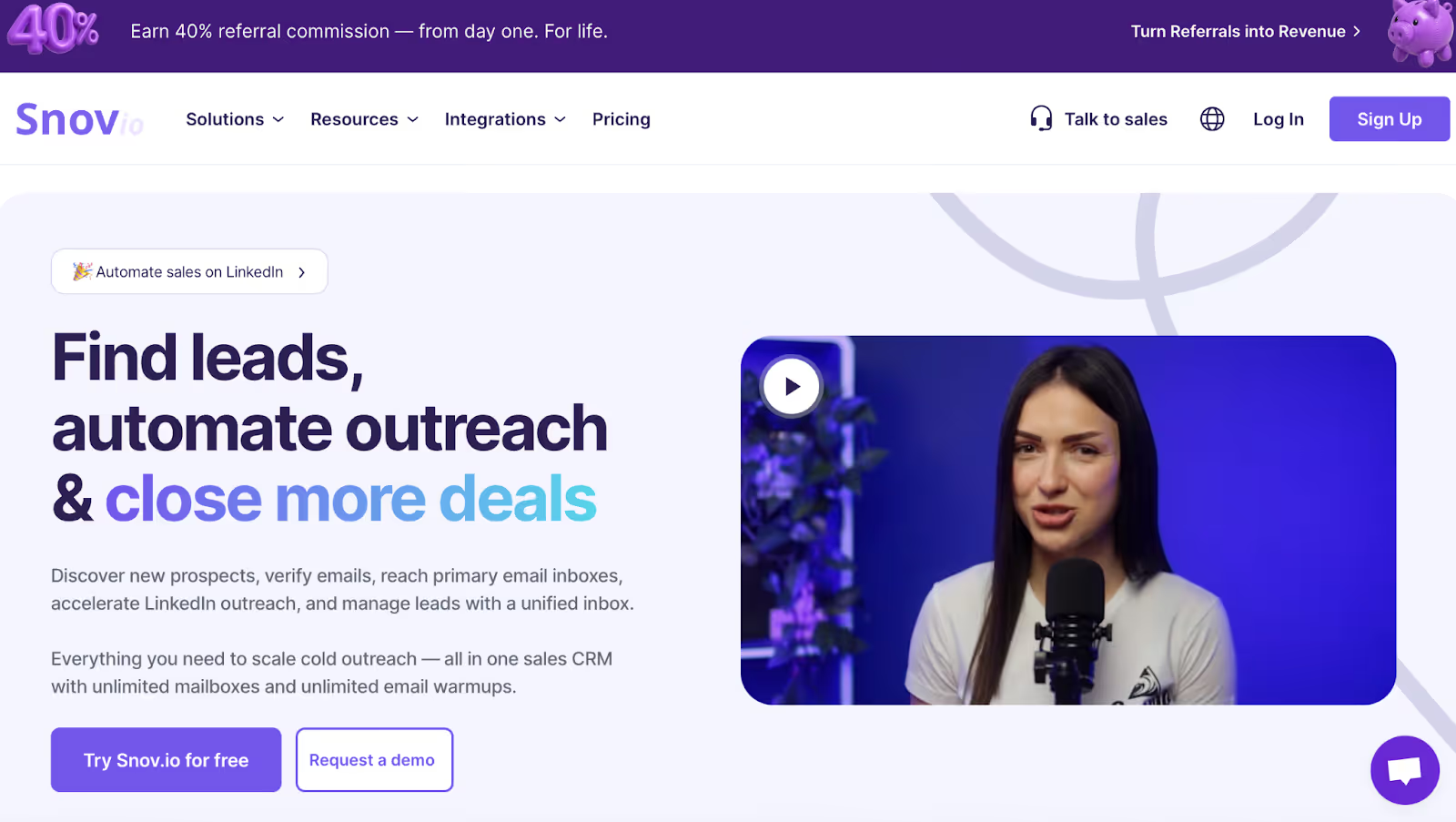
Snov.io Homepage
Snov.io is a sales engagement tool and LinkedIn Chrome extension built for people who want everything in one place: email finding, lead generation, LinkedIn prospecting, lead capture, adding prospects to outreach sequences, drip campaigns, and even basic CRM tools.
You can visit a LinkedIn profile, pull verified emails, capture leads, and add prospects directly into an automated email sequence, all without switching tabs.
It also offers email warm-up, tracking, and spam protection tools, which makes it useful for teams starting cold outreach from scratch.
Why It's One of the Best LinkedIn Chrome Extensions?
Find and verify emails from LinkedIn profiles using the Chrome extension
Warm up your email inboxes to reduce chances of landing in spam
Create multi step cold email sequences with follow-ups
Basic CRM included for managing contacts and deals
Email tracking shows opens, clicks, and reply activity
LinkedIn automation available as an add-on for campaigns
Shared team features: do-not-email lists, shared inboxes, and notes
Works well with Gmail, Calendly, HubSpot, Pipedrive, and more
Cons:
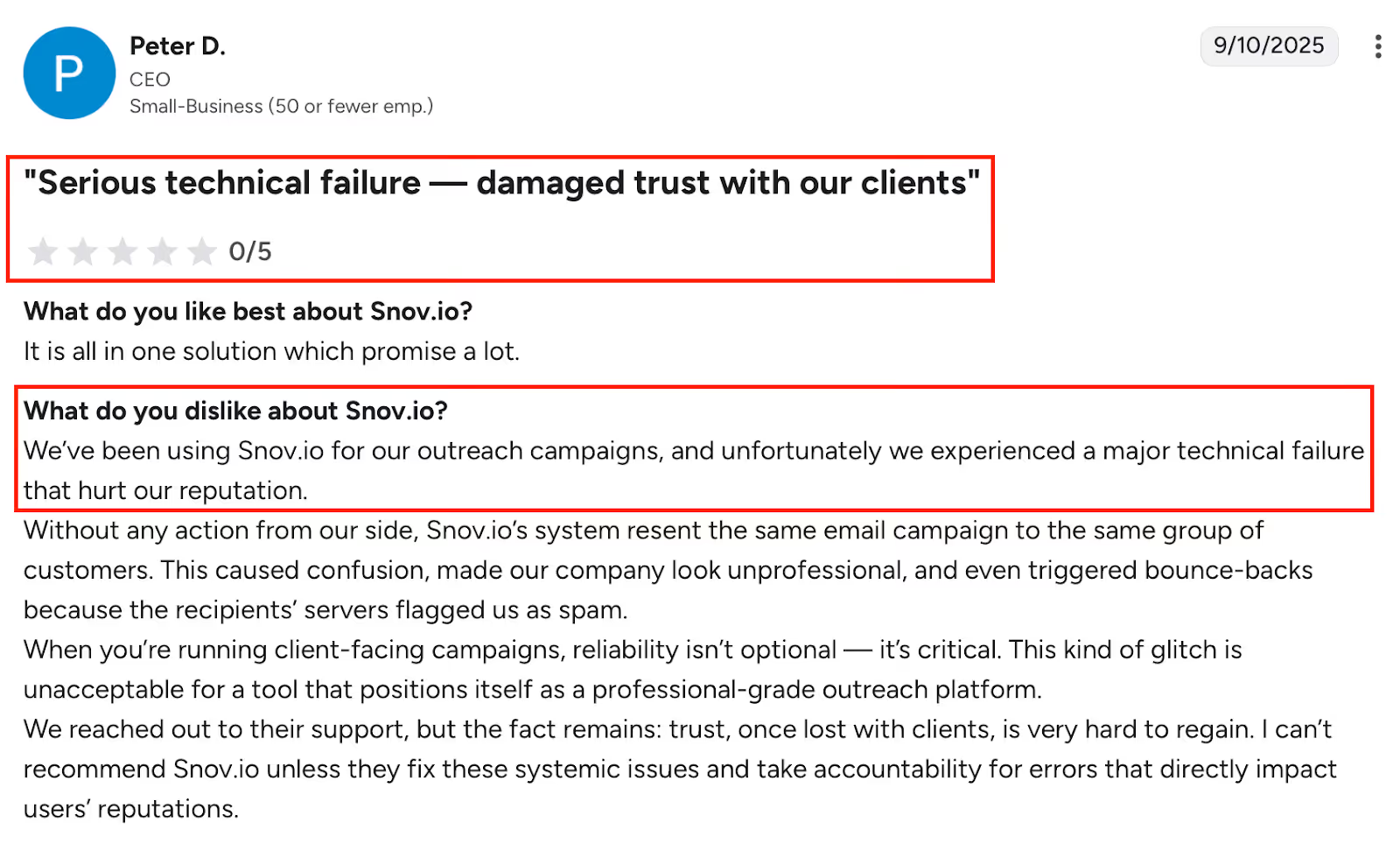
Snov.io review describing major technical failure that damaged client trust and hurt company reputation.
Some users reported major glitches like email campaigns being resent without warning
A few experienced bounced emails even after using the verifier
The warm-up process takes time and isn't instant
Reporting and analytics feel basic for larger or advanced teams
Limited integrations with Microsoft tools
Pricing gets expensive in currencies like BRL (Brazilian Real)
The dashboard can feel cluttered with too many options
Users say setup is not beginner-friendly, learning curve can be steep
LinkedIn automation is not included in standard plans and costs extra
Smaller or niche industries may see weaker database coverage
Best For:
Teams who want one tool to find leads, verify them, launch campaigns, and manage the entire outreach workflow, especially if you're starting with cold email.
9. Skrapp.io – For Fast Email Collection From LinkedIn Profiles
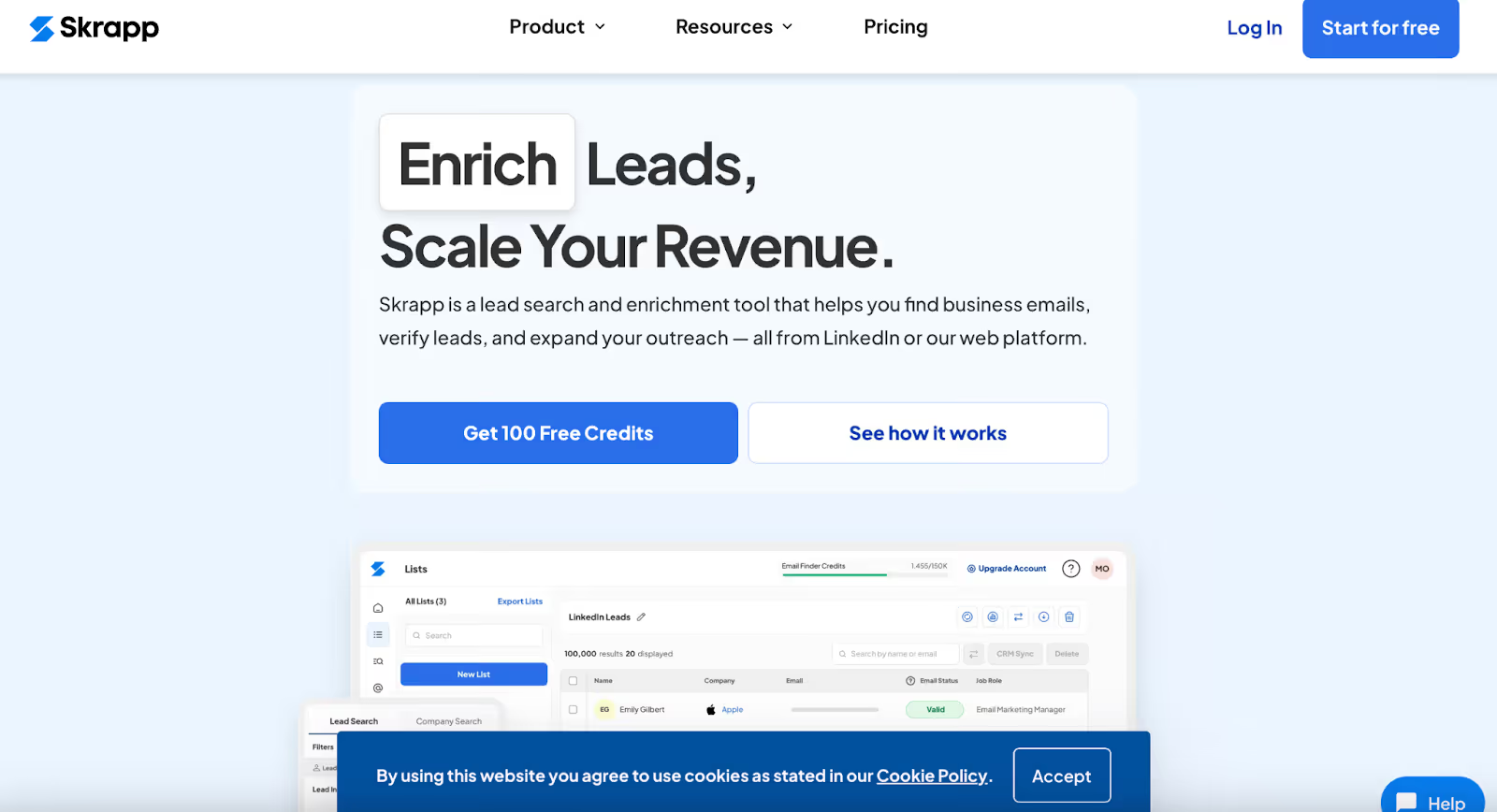
Scrapp.io Homepage
Skrapp.io is a simple LinkedIn Chrome extension that helps you find business emails from LinkedIn and company websites.
It’s mostly used by sales and marketing teams to collect verified email addresses while prospecting.
You can use it directly on LinkedIn (Basic, Sales Navigator, or Recruiter), and it also works on company domains.
It pulls email data, ensures clean data, and lets you export data or sync contact data with your CRM. For many users, it’s a handy plug-and-play tool for daily lead collection.
Why It's One of the Best LinkedIn Chrome Extensions in 2026:
Find professional emails from LinkedIn profiles in one click
Works with LinkedIn Basic, Sales Navigator, and Recruiter
Built-in email verification to reduce bounce rates
Exports clean lead lists in a few steps
Simple interface, most people start using it without much setup
Integrates with tools like HubSpot, Salesforce, and Pipedrive
Good for both small teams and solo users
Chrome extension runs smoothly without slowing down LinkedIn
Credits roll over if unused (on paid plans)
Fair credit system, no charge for invalid or catch-all emails
Cons:
A review stating that some emails retrieved by Skrapp.io are inaccurate, causing communication issues due to unreliable contact information.
Some emails may be missing, especially for smaller companies or niche industries
A few users reported invalid or outdated emails still showing up
No phone numbers or deep company data, only basic contact info
CRM integration is available, but not very flexible
Limited search filters make it harder to find niche roles or titles
Dashboard can feel too simple for teams needing detailed reports or analytics
No team-wide campaign tools, it's not an all-in-one platform
Credits can run out quickly when bulk verifying or scraping
Some users wanted better pricing tiers or more generous free plans
Best For:
Sales reps and marketers who want a reliable email finder for LinkedIn, and prefer tools that do one job well, without too many extras.
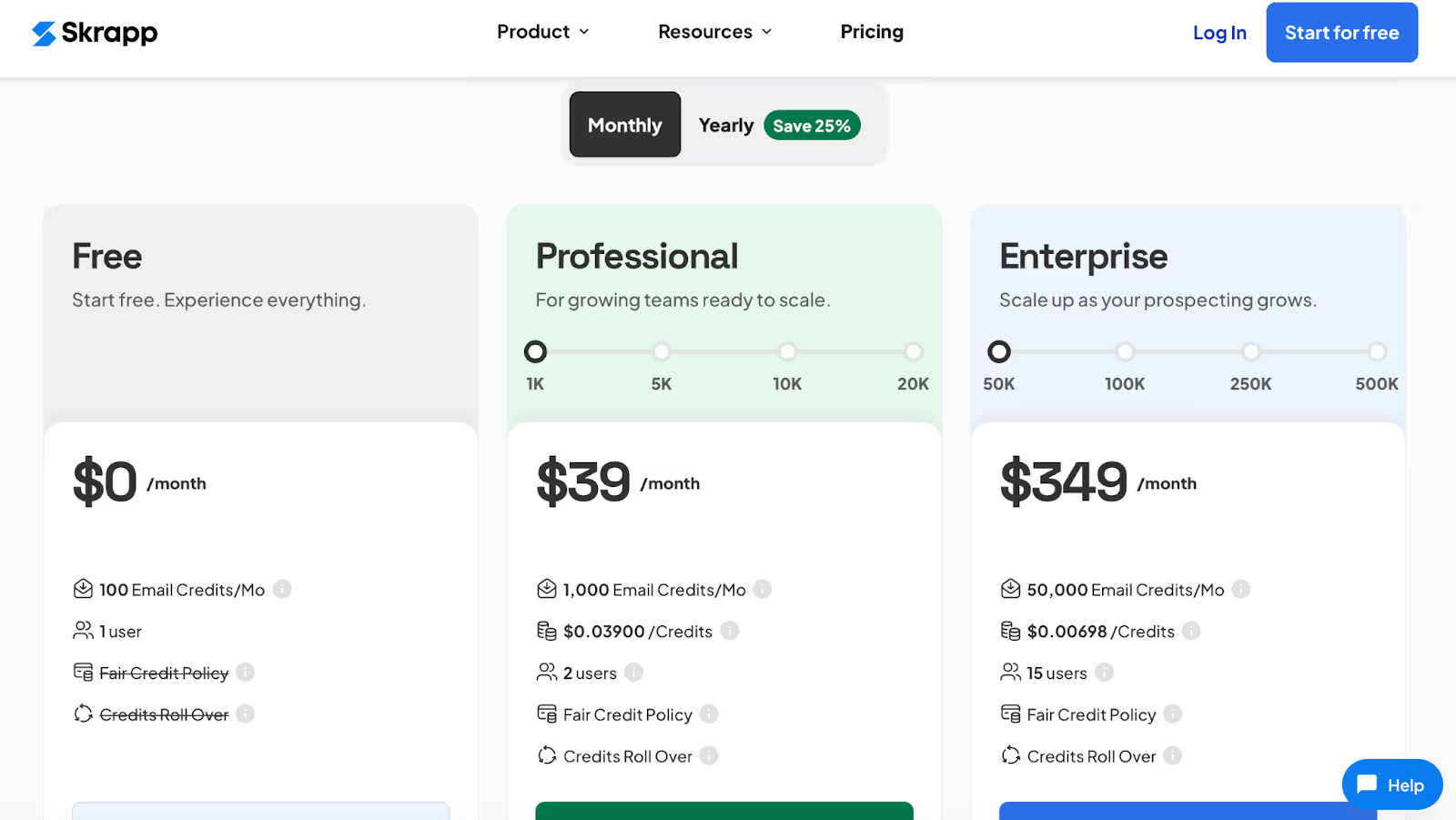
Professional – Starts at $39/month (1,000+ credits, multi-page enrichment, CRM sync, list exports, 2 users)
Enterprise – Starts at $349/month (50,000+ credits, API access, SSO, dedicated manager, up to 15 users)
10. Saleshandy – For Cold Email Outreach with LinkedIn Lead Support
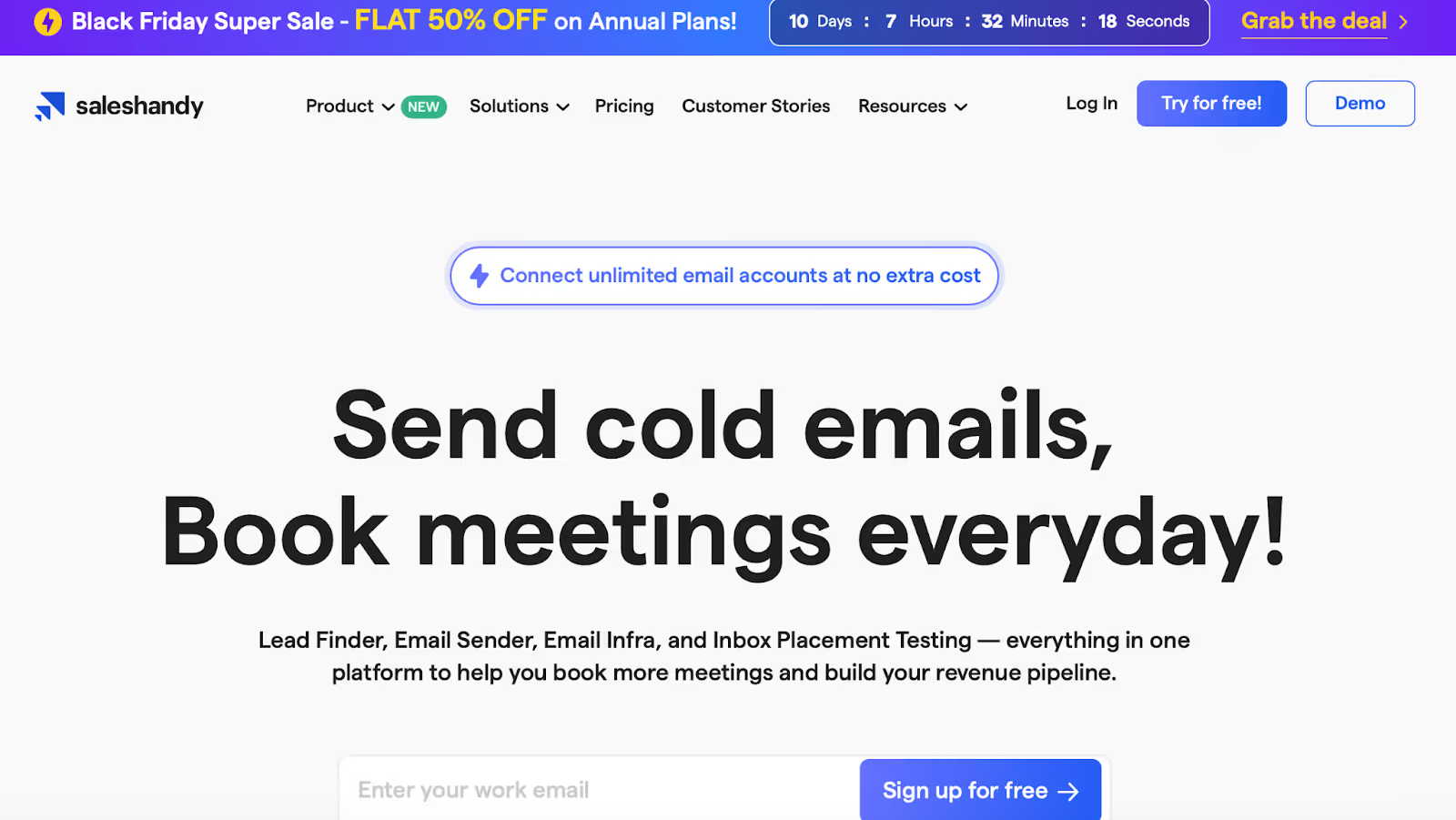
Saleshandy Homepage
Saleshandy is mainly known as a cold email platform, but it’s also used by LinkedIn users to run email campaigns after pulling contact data from LinkedIn.
It lets you set up automated follow-ups, track opens and replies, and personalize messages in bulk. Saleshandy includes an AI-powered email writer to help compose personalized messages for your outreach.
You can upload lists from LinkedIn manually or use tools like their built-in Lead Finder to fill in missing email data. You can also add prospects directly to your outreach sequences and capture leads efficiently, streamlining your lead capture process.
The Chrome extension helps users manage prospecting without jumping between platforms.
Why It's One of the Best LinkedIn Chrome Extensions in 2026:
Easy to set up cold email sequences with follow-ups
Tracks opens, replies, clicks, and bounce rates
Works well with Outlook and Gmail
Offers sender rotation and inbox warm-up to protect deliverability
Lets you upload LinkedIn prospect lists and run outreach from there
Includes built-in tools to find leads and enrich email data
Clean interface makes onboarding simple for most users
Offers a 7-day free trial with no credit card needed
Supports large campaigns (up to 300,000 emails/month on high-tier plans)
Chrome extension connects prospect data directly with the platform
Cons:
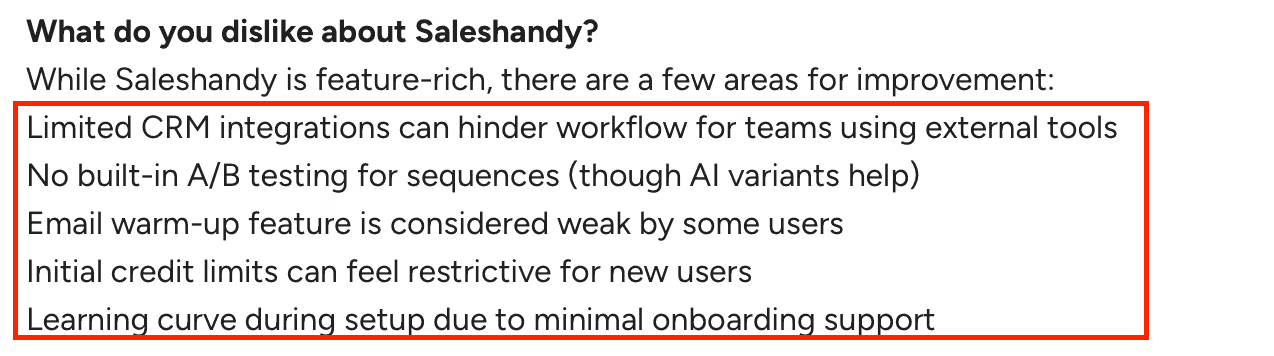
Alt text: List of key drawbacks of Saleshandy, including limited integrations and setup challenges.
Advanced workflows sometimes require third-party tools (e.g., for deeper personalization)
CRM integrations are limited, not ideal for complex team setups
LinkedIn support is helpful but not as deep as tools built only for LinkedIn
Email warm-up is included but some users say it’s less reliable than other tools
Reporting features feel too basic for teams wanting deeper breakdowns
No built-in A/B testing (relies on AI-generated copy variants instead)
Setup can feel slow if importing a lot of prospects
Editing contact details takes more steps than needed
Some users report issues with Outlook account flags during heavy sending
Free version not available, just a trial
Best For:
Sales teams or agency owners who want to scale cold email outreach after building lead lists on LinkedIn, without needing a complex CRM.
Pricing:
Saleshandy pricing
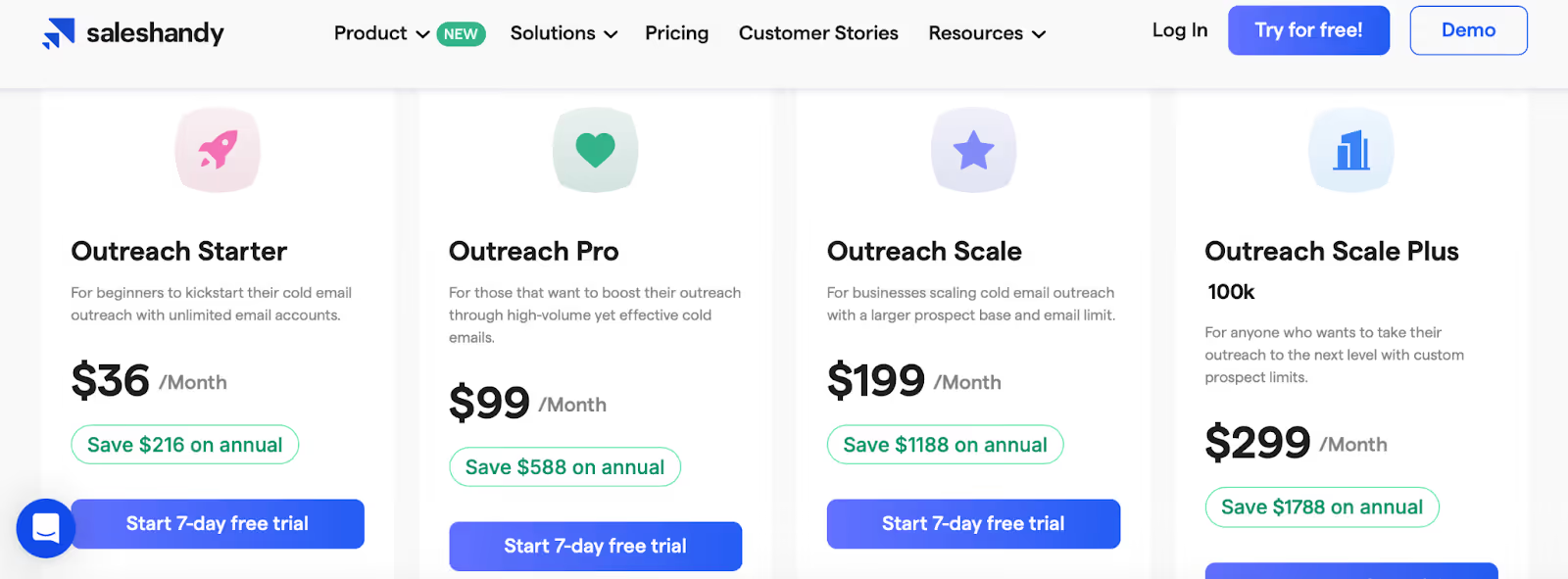
Outreach Starter – $36/month (2,000 active prospects, 6,000 emails, unlimited warm-up, AI sequences)
Outreach Pro – $99/month (30,000 active prospects, 150,000 emails, CRM sync, API access)
Outreach Scale – $199/month (60,000 active prospects, 240,000 emails, whitelabel tools for agencies)
Outreach Scale Plus – $299/month+ (Custom prospect/email limits, success manager, full API, SSO)
11. Octopus CRM – For Automating LinkedIn Outreach at a Basic Level
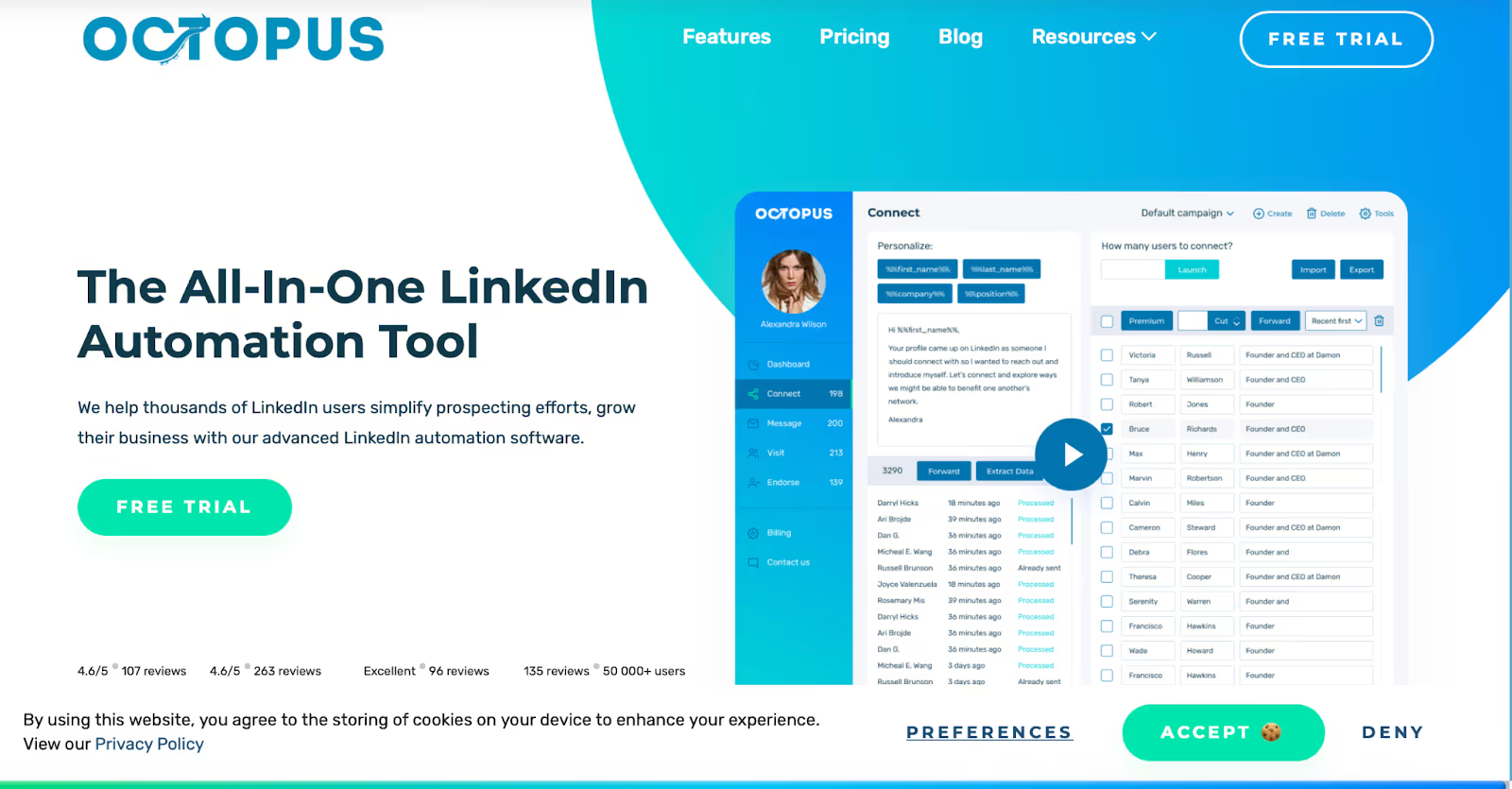
Octopus CRM homepage
Octopus CRM is a LinkedIn automation tool built specifically for LinkedIn, featuring auto connect capabilities to automatically send connection requests as part of your outreach workflow.
It helps users automate repetitive LinkedIn tasks like sending connection requests, messaging first-degree contacts in bulk, viewing profiles, and endorsing skills, all from a single dashboard.
The idea is to create a lightweight outreach funnel without switching between multiple tools.
You can build campaigns that connect with prospects, send follow-up messages, and even endorse skills automatically to warm up leads.
It also includes basic performance metrics like profile views, connection stats, and social selling index, while supporting safe automation practices to ensure compliance with LinkedIn's usage limits.
Why It's One of the Best LinkedIn Chrome Extensions in 2026:
Automates common LinkedIn tasks like connection requests, profile views, and bulk messaging
Lets you create lead generation “funnels” for simplified outreach
Allows connection via email to bypass LinkedIn's weekly invite limits
Compatible with all LinkedIn account types (Free, Premium, Sales Navigator, Recruiter Lite)
Includes integrations with Zapier and Hubspot for pushing lead data
Basic activity tracking and alerts help avoid account limitations
No credit card required for the free trial
Chrome extension works smoothly alongside the LinkedIn interface
Pricing is lower than many competitors, making it accessible for individuals or small teams
Cons:
Notes that Octopus CRM is limited to LinkedIn and can face issues when LinkedIn changes its rules.
Only works with LinkedIn, there's no support for email, CRM, or other lead sources
Reports and analytics are fairly minimal, especially for larger teams
Users report customer support can be slow to respond
No built-in email outreach or sequential messaging outside LinkedIn
Some tasks (like multi-step automations) still require manual work or third-party tools
Certain LinkedIn limitations still apply, like message word limits and connection rules
UI is simple but lacks polish in some areas (e.g., editing lead lists or navigating between tabs)
One-time message cap: You can't send to the same person more than once without deleting the record
Cancelling the subscription has been a pain point for some users
Best For:
Freelancers, consultants, and small sales teams looking to save time on LinkedIn without investing in a full-scale sales engagement platform.
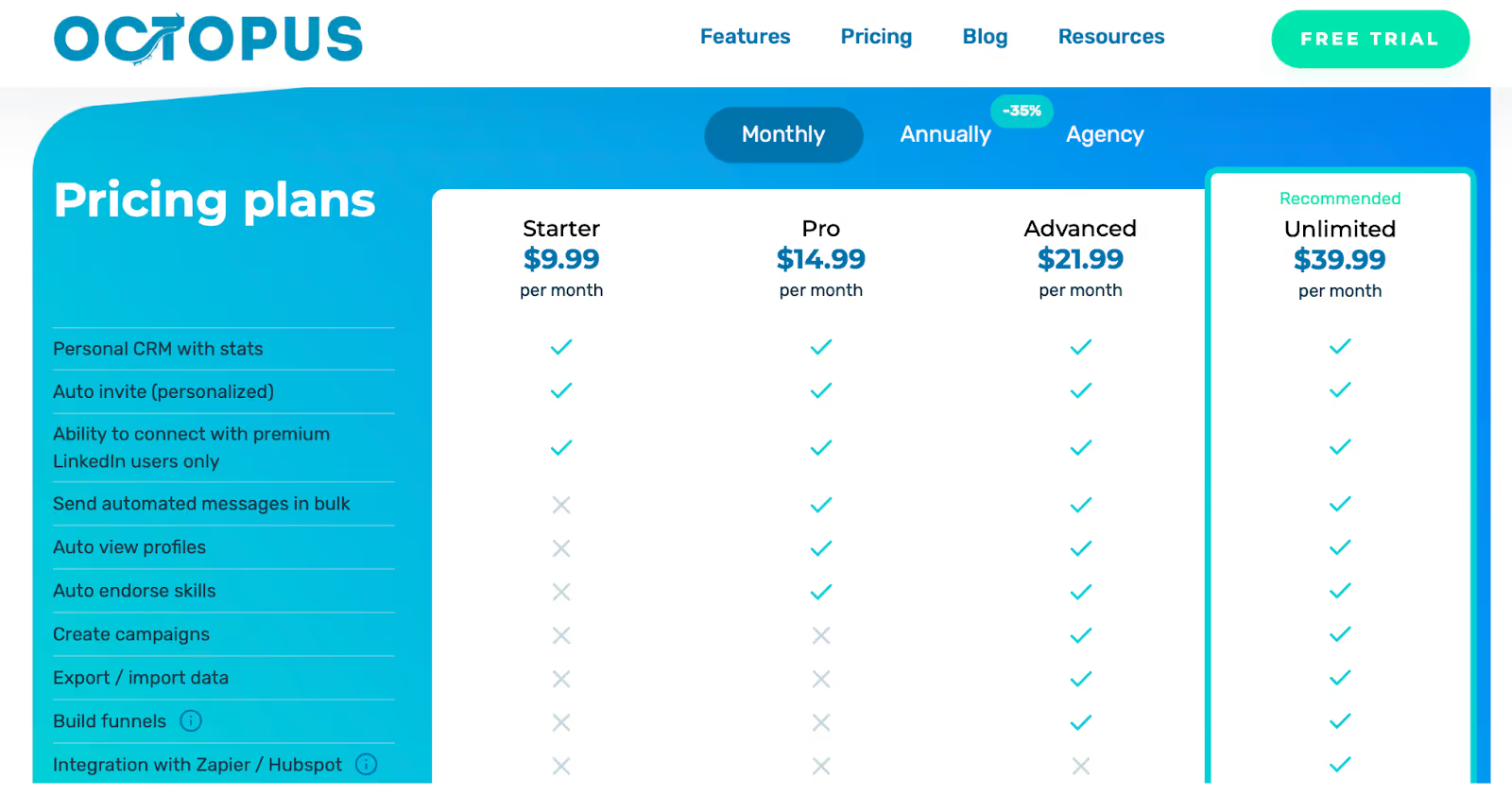
Pro – $14.99/month (Adds funnel building and messaging features)
Advanced – $21.99/month (Includes data import/export and campaign features)
Unlimited – $39.99/month (Full access with integrations, safety controls, and compatibility with Recruiter)
Conclusion
So, that wraps up the 11 best LinkedIn Chrome extensions you can actually count on in 2026.
Each tool in this list does one thing really well, some help you find verified emails, some automate LinkedIn tasks, and a few let you run full outreach without opening more tabs than you need.
The simple way to choose?
Just decide whether you want:
(1) LinkedIn automation, (2) Email finding, or (3) Full outreach (LinkedIn + email) in one workflow.
If you want category (3), and you want to avoid stitching 3–5 tools together, then Salesforge is the only tool on this list that handles both LinkedIn and email outreach in one place, with built‑in warm‑up, a shared inbox, and no seat limits.
If you want to run LinkedIn and email outreach together without juggling tools, you can try Salesforge here.
Compare the 10 best LinkedIn outreach services for B2B lead generation in 2026. Features, pricing, and honest reviews from someone who builds this category.








.png)

.png)

